9 criteria for an airtight HRIS selection checklist

-compressed.jpg)
HR leaders shopping for an HRIS face the difficult problem of separating meaningful signals from noise. Vendor demos are often designed to persuade first and educate second.
It’s easy to end up swayed by a convincing presentation, but if the new system doesn’t work out, you could be left with months of unnecessary admin work, fragmented data, and a less-than-stellar employee experience. With just 43% of HR professionals and executives considering their organization’s HR tech effective,* teams need a reliable way to guide the evaluation process.
This guide offers a practical HRIS selection checklist and decision framework to support confident, evidence-based decisions.
* SHRM, 2025
What should be included in an HRIS selection checklist?
What criteria should you use to evaluate HRIS vendors? A good HRIS selection checklist is an evidence-gathering and decision-making framework. It helps assess business needs across three core categories:
- Business and functional fit.
- Technical and data fit.
- Adoption and commercial fit.
These categories align with SHRM’s advice for approaching the HR tech evaluation process. Each one helps HR leaders compare vendors based on proof rather than persuasive demos.
This checklist for HR software selection covers the criteria that shape a reliable, evidence-based decision:
“Seventy-five percent of the company spend is on salaries. If that’s not effectively spent, you’re throwing money away. HR exists to make sure it’s invested wisely.”
— Melanie Naranjo, Chief People Officer at Ethena
For most HR departments, one of the most important considerations in choosing the right HRIS software is whether employee data lives in one place. Leapsome brings employee records into a single location that’s both secure and configurable.
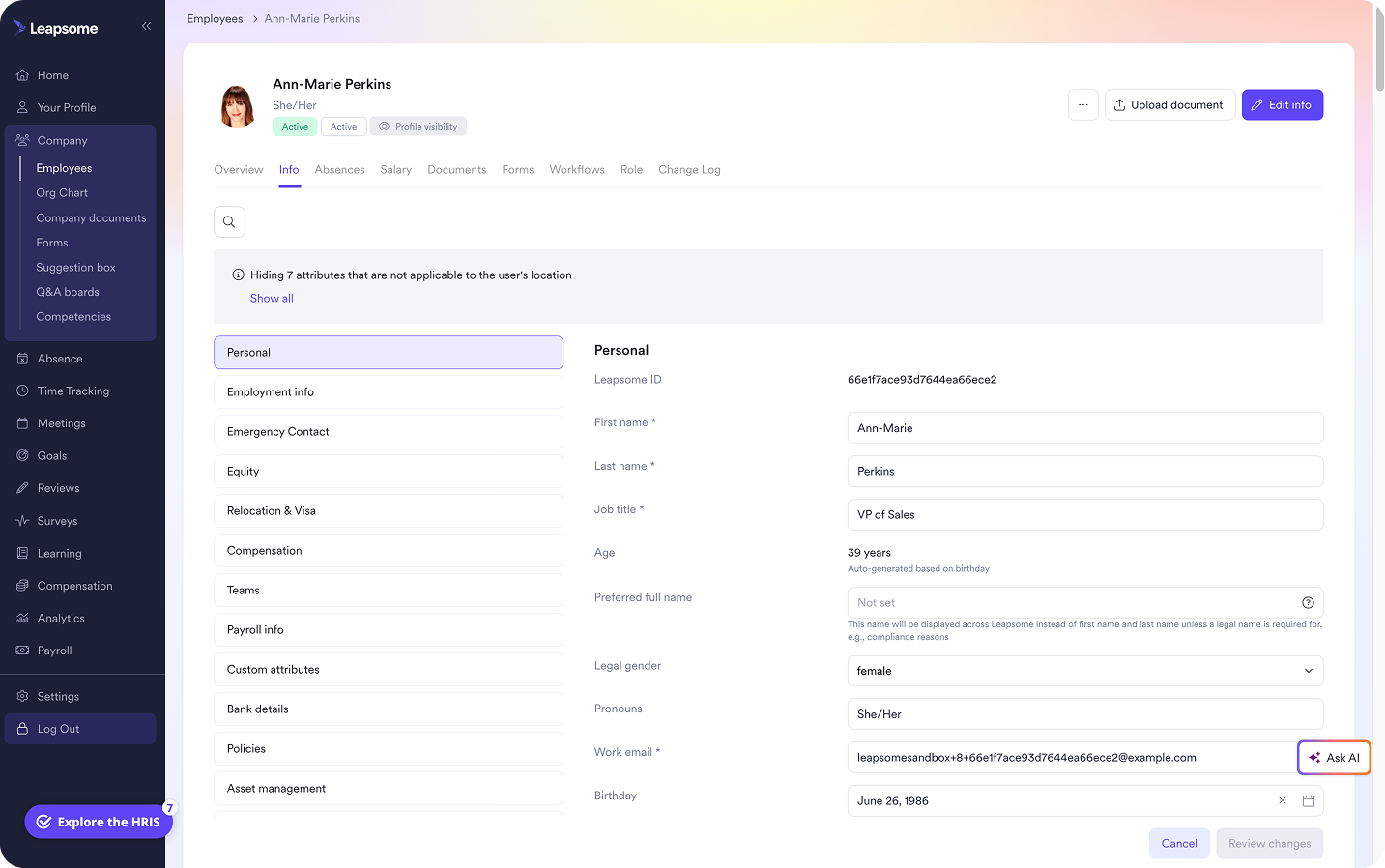
🔢 Turn data discord into data harmony
Centralize your employee data alongside documents, role history, and custom fields — all governed by role-based permissions — to create a single source of truth for connected workflows and easy reporting.
👉 Explore Employee Records
How to shortlist HRIS vendors in the pre-demo phase
Learning how to select an HRIS starts with a decision framework that keeps conversations structured so vendors can’t steer the discussion on demo day.
Convert pain points into non-negotiables
Start by identifying what’s mandatory versus what’s a nice bonus. Focus on three to five key processes that create the most manual work or generate the highest number of risky errors. These processes often shape the weakest parts of the employee experience.
Translate each process into a measurable requirement. For example, if one of your primary pain points is scattered payroll data, look for a solution that automatically syncs payroll with data like compensation and attendance tracking. This removes manual reconciliation entirely and sets a clear performance expectation.
“It’s one big lift to automate, but every cycle after that becomes faster and easier. Automating the invisible work gives HR leaders back time for culture, strategy, and meaningful connection.”
— Emma Leeds, Founder and CEO at People Function
Get stakeholders behind the decision criteria
HRIS selection touches far more than the HR department. IT, finance, and leadership all have a stake in the outcome. Each group should align around what matters most and what’s a deal-breaker so a flashy demo doesn’t lead you astray.
This is the time to define who owns functional fit, integrations and security, and budget and contract review. This separation of labor keeps the process moving and puts the right expertise behind each individual call.
Test shortlisted vendors on identical scenarios
Narrow your list to three to five top vendors and send each a requirements list or formal HRIS request for proposal (RFP). Ask for specific workflow demonstrations and implementation details.
The risks of poor implementation are high. According to Gartner research, 84% of HR software buyers deal with implementation issues during deployment. These issues can stem from not understanding dependencies, missing resources, and vague ownership.
Leapsome’s step-by-step implementation guide for an HRIS implementation project plan template maximizes your chances of a smooth takeoff. It outlines each stage of the rollout and helps teams prepare for migration, configuration, and testing.
As you review vendor responses, note any add-ons, additional integrations, manual processes, or roadmap commitments. These details reveal hidden complexity and signal long-term maintenance needs.
A platform may check every feature box, but long-term stability matters more. An HRIS must support both core administration and broader people strategy as your organization scales.
“We were spending way too much time just executing tasks and not focusing on people.”
— Siddharth Dhanuka, Head of Finance & Operations at SQUAKE
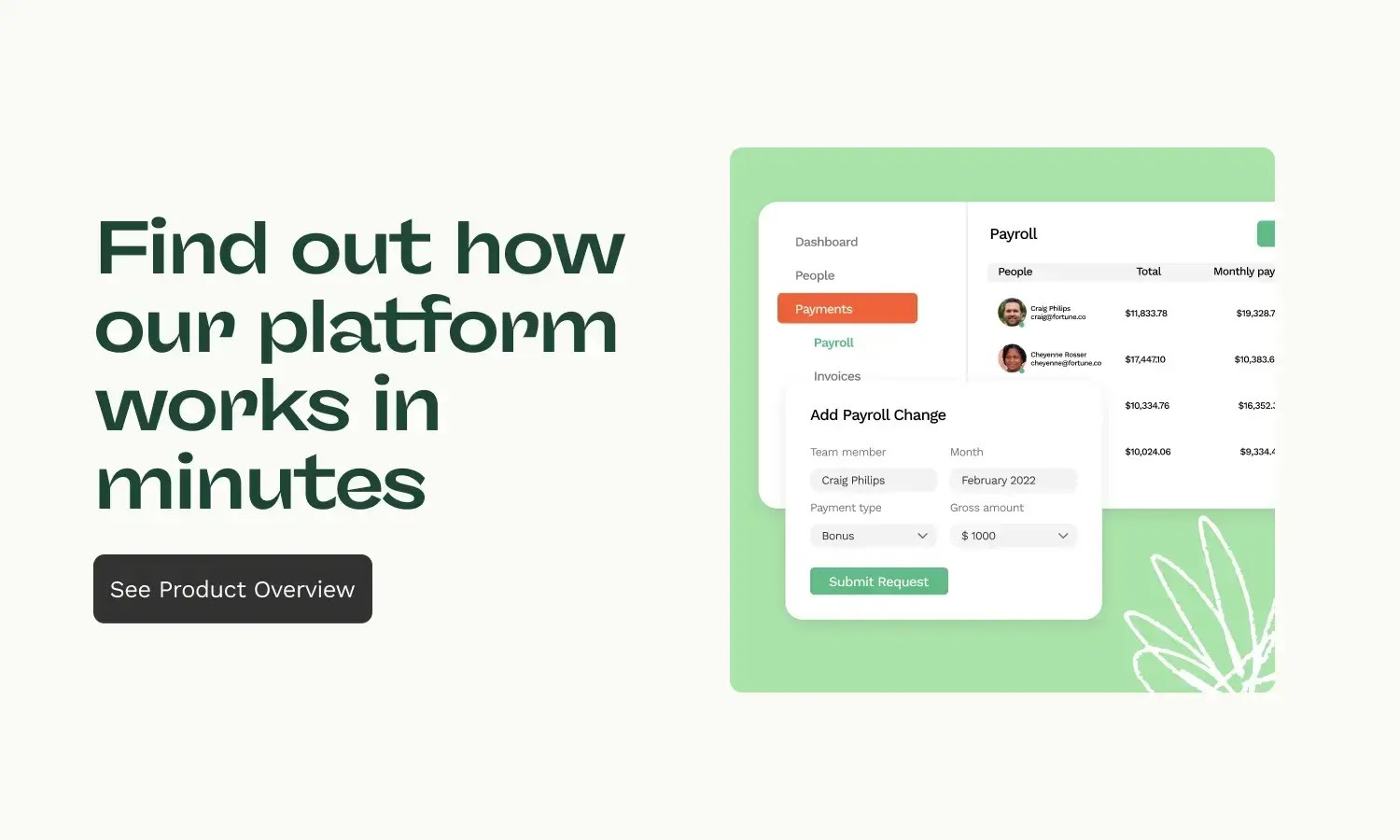
🏰 Choose an all-in-one system built to last
Do away with fragmented tooling and build a system that stands the test of time by linking employee records and documents with absence and time tracking, payroll prep, and detailed analytics.
👉 Explore HRIS tools
Evaluate HRIS vendor demos based on proof, not promises
With requirements settled, you need a consistent way to evaluate demos. A scoring model helps teams compare vendors based on evidence. For each component, use this scale to quantify your assessment:
- 0: Not available
- 1: Still on the product roadmap or only available with a manual workaround
- 2: Requires significant configuration work or dependencies
- 3: Available and works according to requirements
Test an end-to-end HR workflow
Choose one high-value process like onboarding a new hire. Ask each vendor to demonstrate the exact same workflow without skipping steps. Include everything from employee record creation and approvals to tasks and notifications. Ensure the final score reflects only what you actually saw in the demos, not what vendors promised.
Dig into the infrastructure under the hood
“On the C-level, I learned to doubt people data because it arrived late and conflicted across files. Then, sitting in HR, I felt the pain from the inside and saw how much time went into rebuilding the same reports. Centralizing restores trust and your calendar.”
— Florian Klages, Managing Partner at torq. partners
Once you’ve seen what an HRIS can do, investigate how it works. First, find out how data enters the system and where it’s stored. This step matters because 75% of cloud migrations run over budget and 38% fall behind schedule, according to McKinsey.
Ask each vendor to explain how data syncs together, how permissions work, and how data flows into analytics reporting. Request demonstrations where possible and ensure vendors point out any extra integrations, exports, duplicate data entry, or required manual reconciliation.
Evaluate implementation and ownership
Find out who owns each stage of implementation. Ask how the vendor supports data migration and configuration, and clarify what help they provide during training and later updates.
For tasks left to your internal HR or IT team, have the vendor document the work required. Ask them to demonstrate the HR admin and employee experience, so you can judge usability firsthand.
💯 Don’t rely on memory to evaluate vendors
This free scorecard distills the evaluation framework into a straightforward comparison tool so you can review vendors based on consistent evidence.
👉 Download the scorecard now
Choose a connected HRIS that grows with your people strategy
“If your HR systems don’t really talk to each other… You kind of have to pull this from your HRIS, this from your performance review, this from payroll… I think the trails break down a little bit.” — Sammie Masley, People Partner at Leapsome
HR leaders need an HRIS that they can implement easily. It also needs to be a system that people want to use and won’t break down as HR needs expand. An impressive list of features is nice, but it doesn’t mean much if the platform doesn’t have the necessary fundamentals.
Leapsome links core operational requirements with long-term people strategy needs so you can do everything in one system, including:
- Employee records and document management: Centralize employee data and documents in one secure, compliant location. Link records to time tracking and absence management to sidestep manual tracking and the errors that come with it.
- Payroll prep: Automatically pull in leave data and compensation changes for smooth, synchronized payroll processing cycles.
- Workforce analytics: Track essential data with detailed AI-assisted analytics dashboards and reports on everything from engagement numbers to compensation.
- Performance management: Conduct frictionless, customizable performance reviews linked to instant feedback and goals and OKRs. Easily build or borrow tailored, expert-curated learning programs to help team members grow.
“We evaluated several well-known HRIS platforms, but Leapsome stood out by far.” — Thomas Müller, Managing Director, SKR Reisen
💪 See how Leapsome stacks up
Put our platform and our checklist to the test by signing up for a free, no-frills demo that actually tells you what you need to know.
👉 Request a demo
FAQ
What’s the difference between an HRIS selection checklist and an HRIS RFP?
An HRIS selection checklist is an internal decision-making framework that helps HR departments choose a platform based on clear criteria and reliable evidence. An HRIS request for proposal (RFP) is a formal document sent to vendors that lists those criteria and invites a proposal to pitch their platform.