Most popular HRIS systems among HR professionals in 2026
.png)

Use this guide to compare the seven most popular HRIS systems among HR professionals for 2026.
As the HR tech landscape is increasingly complex with many overlapping tools, it can be hard to know how to untangle the tech stack. In 2026, it's more important than ever to find the right solution for you.
That's why we've selected this list of platforms that HR practitioners consistently recommend in recent reviews (2024–2025) and that handle core employee data, automate repetitive processes, and integrate with your existing tech stack.
Each description covers key features, typical use cases, and what to watch for during demos. You'll also get a practical framework to identify your must-haves before comparing vendors, plus specific questions to verify adoption and ROI claims in live demos.
🎯 See how Leapsome unites HRIS with people enablement
Manage employee data, performance, engagement, and development in one platform that’s built for your whole organization.
👉 Explore Leapsome HRIS
The 8 most popular HRIS systems among HR pros
1. Leapsome: best for performance, engagement, and an all-in-one HRIS
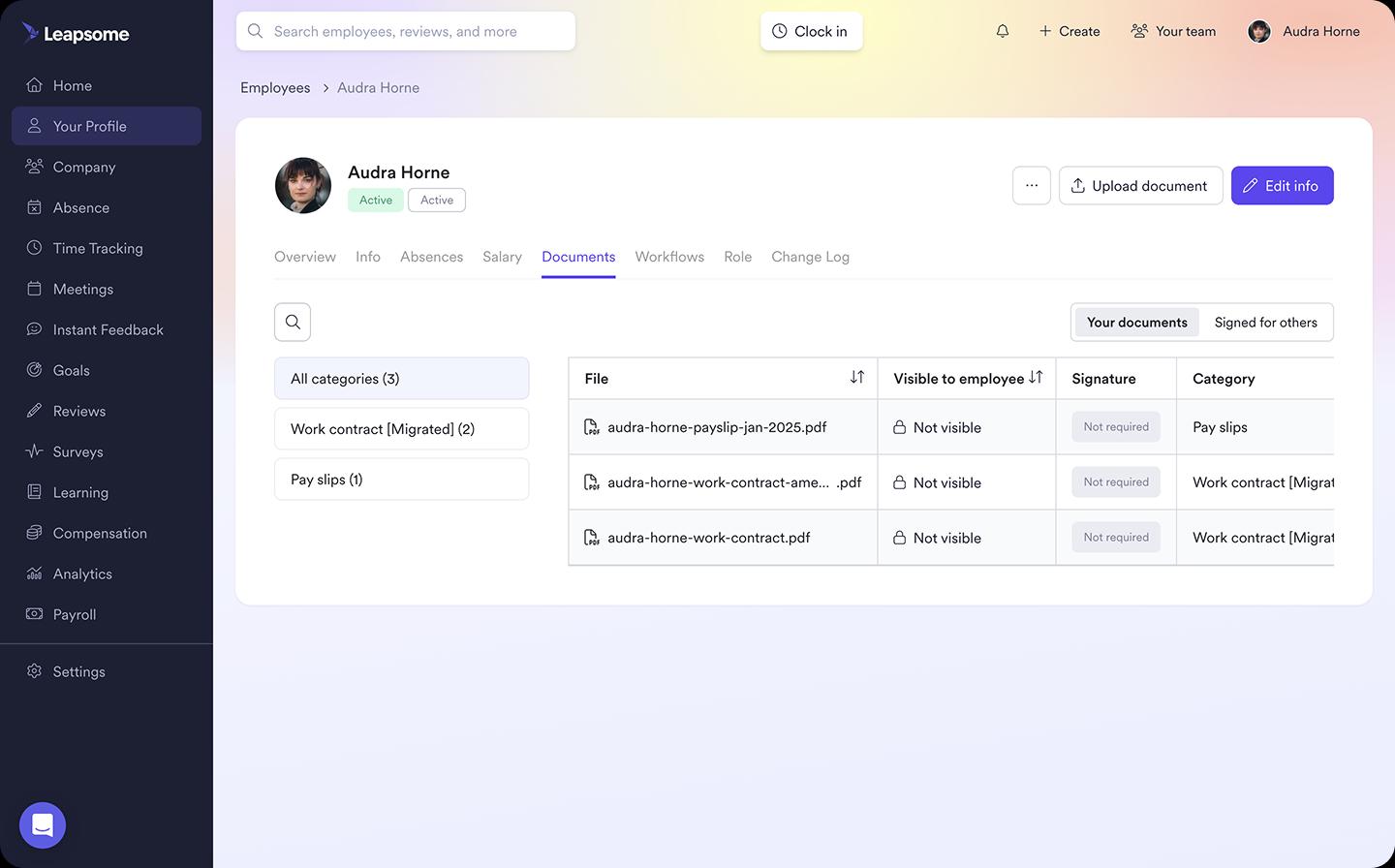
Leapsome combines core HRIS foundations with integrated people enablement in a single platform. Unlike transactional HR systems that just digitize processes, it connects your employee data with performance reviews, engagement surveys (with AI summaries), goals and OKRs, learning paths, and compensation planning.
This all-in-one approach helps you prioritize engaging work while driving measurable business results, with the platform built for broad adoption across HR, managers, and employees.
Why HR pros pick it
Leapsome combines reviews, surveys, goals, learning, and HRIS in one system without forcing teams to adopt heavy enterprise workflows. Managers actually use it because it's designed for their day-to-day work, not just HR admin.
Unlike legacy tools that bolt employee-facing features onto old HR software, Leapsome was built from the ground up with the employee experience at its core. This people-first approach means the platform feels intuitive for everyone across the organization, which drives adoption rates that traditional HRIS systems struggle to match.
Best for
- SMB to mid-market teams modernizing HR processes without adding admin burden
- Organizations prioritizing employee engagement and performance alongside core HR functions
- Companies seeking high adoption rates across managers and employees
Key features
- Core HRIS with org charts and employee profiles
- Performance reviews and 360-degree feedback
- Engagement surveys with AI-powered summaries
- Goals and OKRs with cascading alignment
- Learning paths and development tracking
- Compensation management and planning
- Granular permissions and role-based access
Considerations
Payroll runs via integrations rather than natively, so if you don't already have a dedicated payroll provider, you'll need to connect one. Happily, though, Leapsome seamlessly integrates with many major payroll providers, or connect Leapsome with DATEV to streamline payroll, eliminate manual work, and ensure compliance
If you operate across multiple legal entities with complex structures, confirm during your HRIS implementation planning that Leapsome can handle your specific setup and integration needs.
Recent review highlights (2024–2025)
“Leapsome… has actual AI insights (not just basic charts) where everything genuinely connects, like onboarding data automatically populates in performance reviews and feedback flows into development plans without me touching a spreadsheet.”
— Reddit review, August 2025
"The platform is intuitive and easy to navigate, which has made adoption across our team seamless."
— G2 review, January 2025
"Leapsome's integration of performance management with learning and development tools has transformed how we support our employees."
— Capterra review, December 2024
⚡ Ready to modernize your HR infrastructure?
See how Leapsome connects core HRIS with performance reviews, engagement surveys, goals, and learning in a live demo.
👉 See our HRIS walkthrough
2. BambooHR: best for simplicity and SMB usability
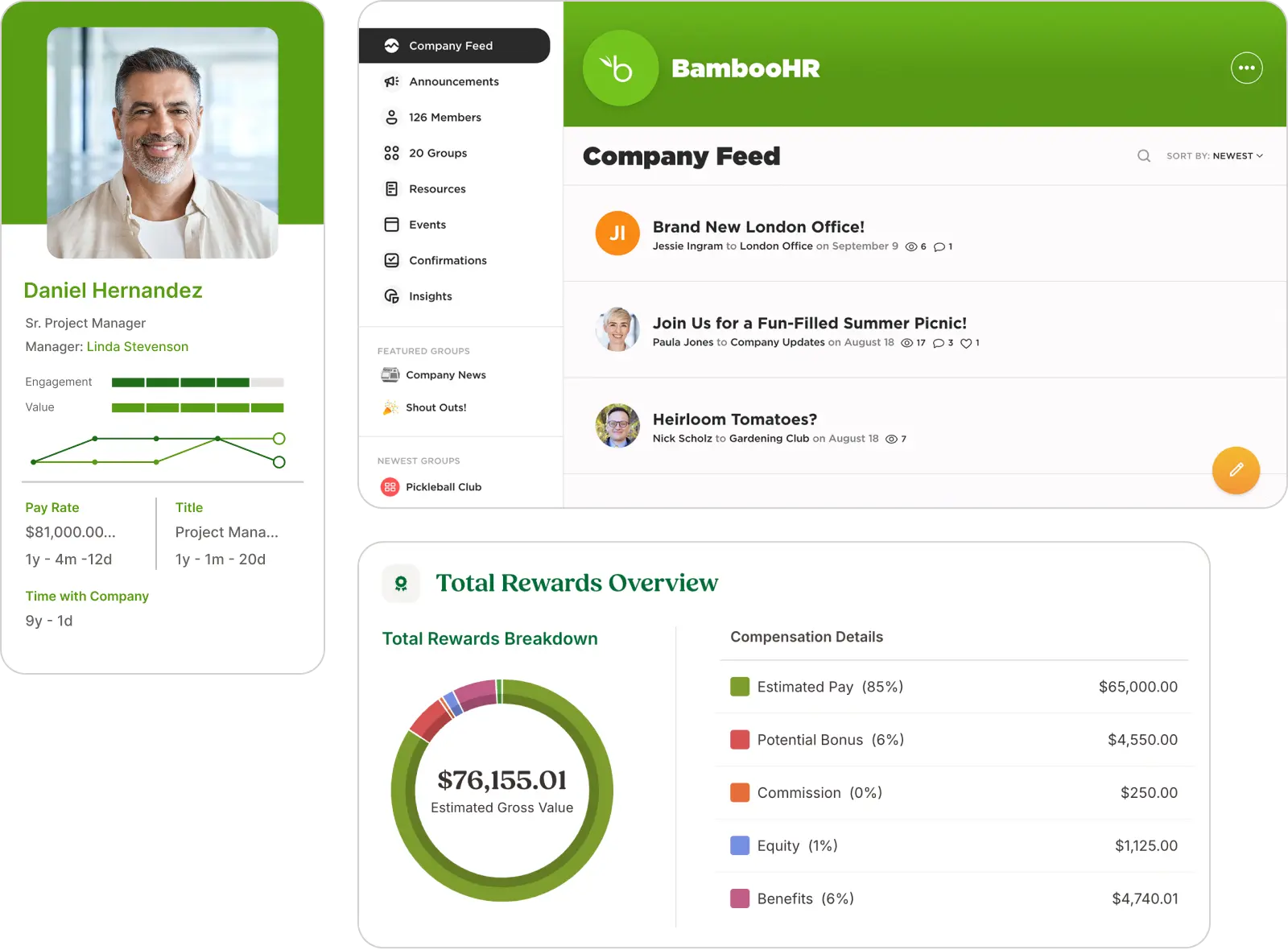
BambooHR delivers a clean, intuitive interface that small to midsize teams can deploy quickly without extensive training. The platform covers hiring, onboarding, PTO tracking, performance management, and core employee records in a straightforward package.
BambooHR’s system is designed for teams that need standardized HR processes up and running fast, with a broad marketplace of integrations to connect payroll, benefits, and other tools. Pricing varies based on modules and add-ons, so confirm total costs during demos.
Why HR pros pick it
BambooHR removes friction for teams new to HRIS platforms or replacing spreadsheets. The familiar UI means employees and managers adopt it quickly without heavy change management. HR teams appreciate the self-service features that reduce repetitive questions about PTO balances, org charts, and employee directories.
Best for
- Small to midsize teams (50–500 employees) seeking quick wins with minimal learning curve
- Organizations replacing manual HR processes or outdated systems
- Companies prioritizing ease of use and fast employee adoption over deep configurability
Key features to highlight
- Employee records with customizable fields and data management
- Applicant tracking and onboarding workflows
- Time-off requests and PTO tracking with manager approvals
- Performance management with review cycles and goal tracking
- Reporting and analytics dashboards
- Integration marketplace connecting payroll, benefits, and third-party apps
Considerations
Pricing transparency can be unclear upfront, as costs increase with add-on modules. Teams with complex workflow requirements or heavy customization needs should validate configuration limits during the evaluation process for the best HRIS for small businesses.
Also, bear in mind that BambooHR focuses primarily on transactional HR functions. Therefore, teams focused on integrated talent development, performance management, and engagement, alongside core HR, need to decide whether standalone modules or a unified platform better fits their strategy.
Recent review highlights (2024–2025)
"BambooHR's user-friendly interface made it easy for our entire team to get up to speed quickly."
— G2 review, January 2025
"The onboarding workflows have saved us countless hours and improved the new hire experience significantly."
— G2 review, December 2024
3. Personio: best for European SMB–mid-market standardization
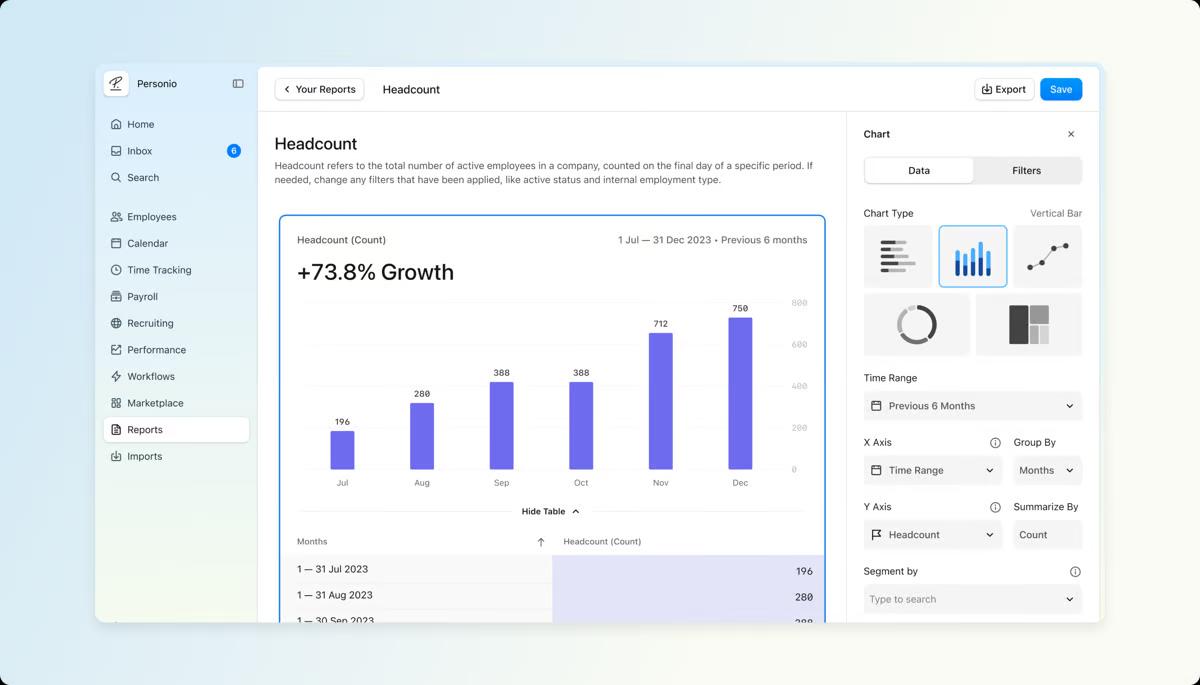
Personio provides EU-focused HRIS functionality with strong localization for European labor laws, data privacy requirements, and multi-country operations.
The platform covers core HR, time and absence management, payroll preparation (with native payroll options in select countries), document management, and employee self-service. It's built for European SMB and mid-market teams that need to standardize HR operations across entities while maintaining compliance with regional regulations like GDPR.
Why HR pros pick it
Personio handles the complexity of European employment regulations without requiring deep HR legal expertise. Teams value the localized workflows for different countries, the employee self-service portal that reduces admin requests, and the ability to manage documents and contracts in one secure, compliant system.
Best for
- European SMB to mid-market companies (100–1,000 employees) operating across multiple countries
- Organizations prioritizing GDPR compliance and EU-specific employment law adherence
- Teams consolidating fragmented HR processes into one standardized European platform
Key features to highlight
- Core HR with employee records and contract management
- Time tracking and absence management with country-specific rules
- Payroll preparation and native payroll options (varies by country)
- Document management with secure storage and version control
- Employee self-service portal for data updates and requests
- Integrations with European payroll, benefits, and time-tracking providers
Considerations
Advanced analytics and learning and development capabilities may be less robust than specialized platforms, so confirm depth in these areas if they’re critical to your people strategy.
Also, note that Personio has withdrawn from the US market to focus on Europe, so North American teams should evaluate alternatives. Like other transactional HR platforms, Personio focuses on core HR efficiency rather than integrated people enablement features like performance, engagement, and development. As a result, it can often be clunky and unintuitive for everyday users of the platform
Recent review highlights (2024–2025)
"Personio's compliance features for European labor laws have given us peace of mind as we've expanded across multiple EU countries."
— G2 review, January 2025
"The employee self-service portal has dramatically reduced the number of basic HR questions our team handles daily."
— G2 review, December 2024
4. HiBob: best for culture-forward mid-market teams
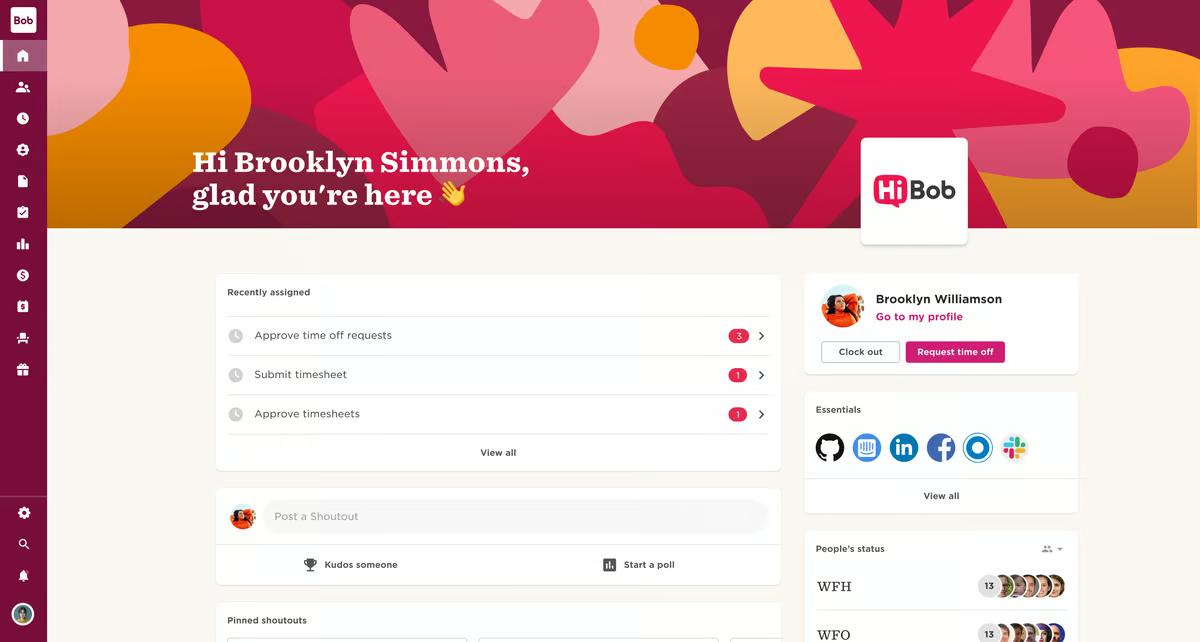
HiBob delivers a modern HRIS platform designed to reduce admin burden while strengthening employee engagement and culture.
The platform covers onboarding, time tracking, performance management, goal setting, engagement surveys, and core HR in a clean, employee-friendly interface.
Why HR pros pick it
HiBob's interface feels less like traditional HR software and more like tools that employees already use, which drives adoption without the need for extensive training. Teams appreciate the focus on the employee experience directly in core workflows, rather than being added as an afterthought.
Best for
- Mid-market organizations (200–2,000 employees) prioritizing engagement and modern UX
- Companies with distributed or hybrid teams needing centralized people data and communication
- Teams moving away from legacy HRIS systems that feel outdated or overly complex
Key features to highlight
- Core HR with employee profiles and organizational charts
- Streamlined onboarding with customizable workflows and task automation
- Time tracking and PTO management with mobile accessibility
- Performance reviews, goal tracking, and continuous feedback
- Engagement surveys and employee sentiment tracking
- Analytics dashboards with people metrics and trend reporting
- Integration ecosystem connecting payroll, benefits, and productivity tools
Considerations
Validate depth and configurability for your most critical modules during demos. Some teams find certain features less robust than specialized point solutions. Understanding the different types of HRIS can help you assess whether an all-in-one platform or best-of-breed approach fits your needs.
Recent review highlights (2024–2025)
"Bob's interface is refreshingly intuitive. Our team adopted it faster than any previous HR tool we've implemented."
— G2 review, February 2025
"The engagement features have helped us maintain company culture as we've scaled across multiple locations."
— G2 review, January 2025
5. UKG Pro: best for large, compliance-heavy organizations
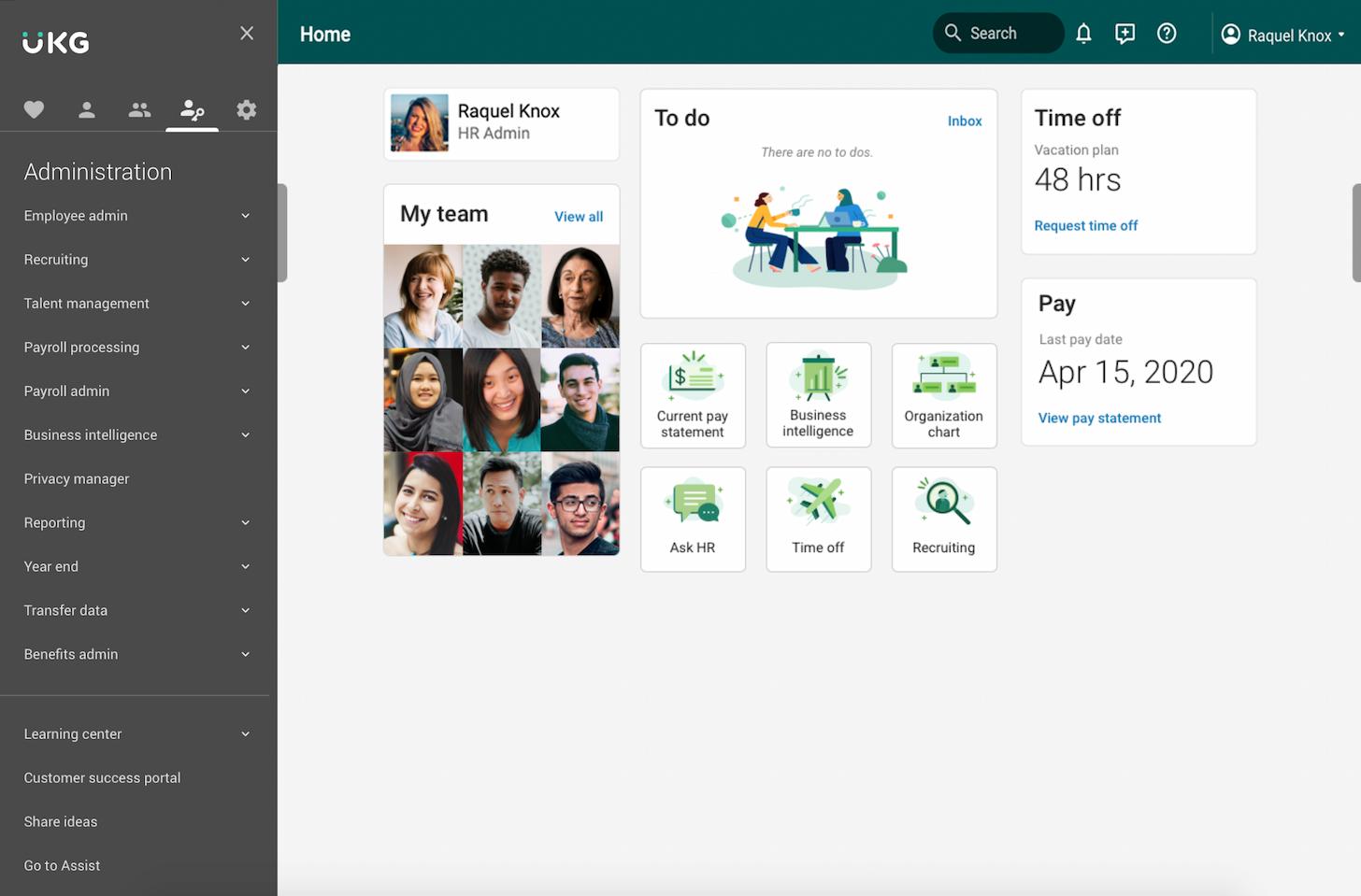
UKG Pro provides enterprise-grade HR, payroll, time and attendance, workforce management, and talent capabilities for large organizations with complex compliance requirements.
The platform manages multi-entity structures, union rules, shift scheduling, and regulatory reporting across various industries, including healthcare, manufacturing, and retail. Implementation timelines are longer than lighter-weight systems, but the depth of functionality supports organizations with intricate workforce needs and strict audit requirements.
Why HR pros pick it
UKG Pro manages the operational complexity that comes with large, compliance-heavy workforces. Teams value the robust payroll engine, sophisticated workforce management tools for scheduling and labor optimization, and the ability to configure workflows that match complex organizational structures without workarounds or manual processes.
Best for
- Upper mid-market to enterprise organizations (1,000+ employees) with complex entity structures
- Industries with strict compliance requirements (healthcare, manufacturing, retail, public sector)
- Organizations requiring advanced workforce management, shift scheduling, and labor cost optimization
Key features to highlight
- Core HR with multi-entity support and global capabilities
- Full-service payroll with tax compliance and garnishment management
- Time and attendance tracking with biometric and mobile clock-in options
- Workforce management with predictive scheduling and labor forecasting
- Talent management including recruiting, onboarding, and succession planning
- Advanced analytics and reporting with compliance audit trails
- Integration capabilities with ERP, finance, and third-party systems
Considerations
Implementation requires significant scoping, change management, and IT involvement. Set realistic timelines (often 6–12 months for full deployment) and confirm integration requirements with existing systems. Understanding HRIS integration complexity upfront prevents scope creep during rollout.
Recent review highlights (2024–2025)
"UKG Pro's workforce management capabilities have transformed how we handle scheduling and labor costs across our facilities."
— G2 video review, 2025
"The compliance features and audit trails give us confidence during regulatory reviews."
— G2 review, January 2025
6. Workday HCM: best for enterprise HCM depth and extensibility
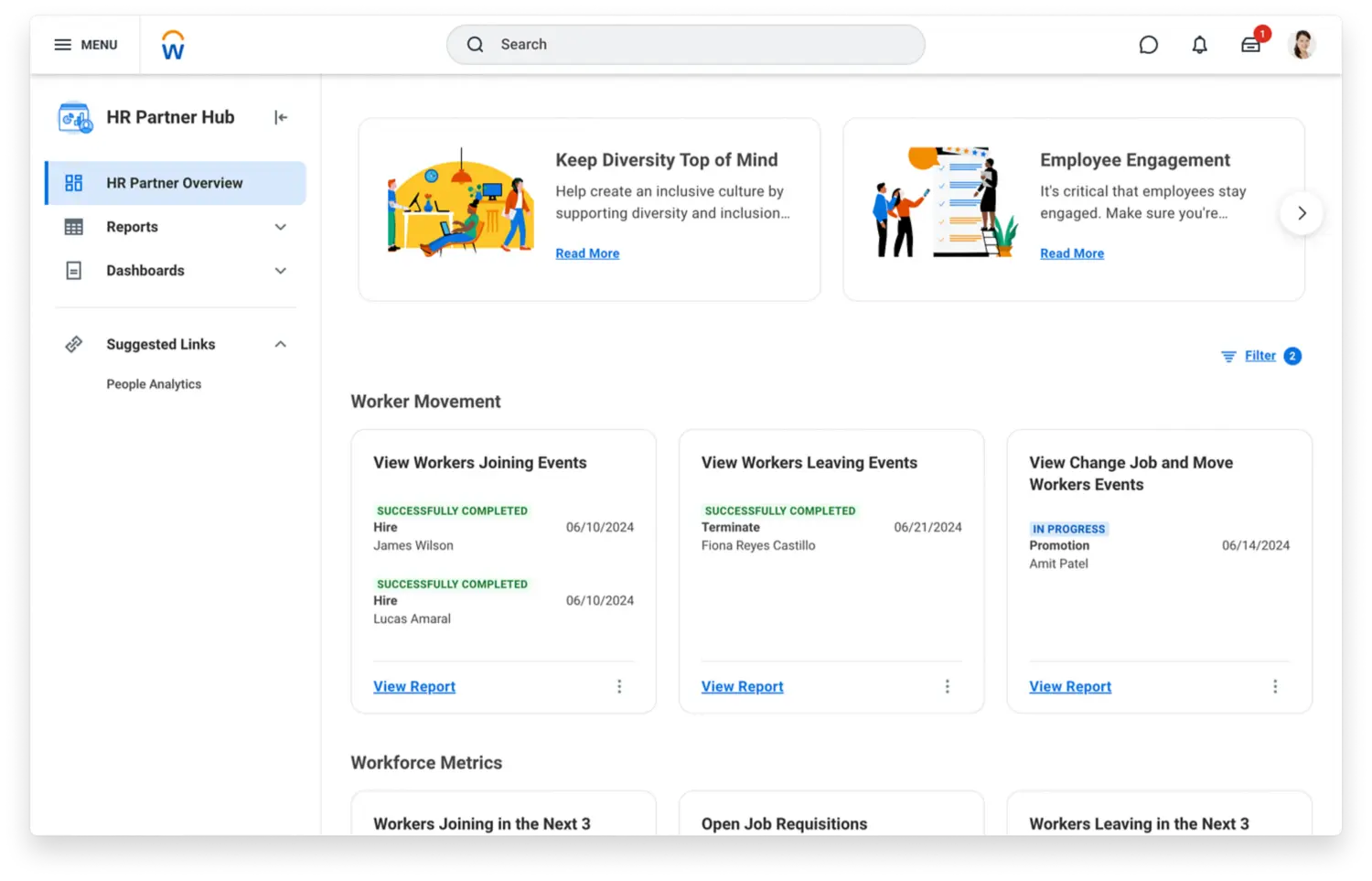
Workday HCM delivers a unified enterprise platform connecting HR, payroll, talent management, workforce planning, and financial systems in a single database.
The platform is widely adopted by large, global organizations that need deep analytics, strong governance controls, and extensive customization through Workday's ecosystem of apps and integrations.
Why HR pros pick it
Workday's unified data model means HR, finance, and leadership work from the same source of truth for workforce planning and business decisions. The platform's analytics capabilities, skills frameworks, and benchmarking tools support strategic workforce initiatives at scale. Large enterprises appreciate the governance, security, and extensibility that come with an established ecosystem.
Best for
- Large, global organizations (5,000+ employees) requiring governance and cross-functional alignment
- Enterprises needing deep integration between HR and financial planning systems
- Companies with complex organizational structures, multiple business units, or frequent M&A activity
Key features to highlight
- Core HR with global coverage and multi-entity support
- Integrated payroll across multiple countries and tax jurisdictions
- Talent management, including recruiting, performance, succession planning, and learning
- Workforce planning with headcount modeling and scenario analysis
- Advanced analytics and reporting with customizable dashboards
- Skills taxonomy and internal talent marketplace capabilities
- Extensive ecosystem of partner apps and industry-specific solutions
Considerations
Implementation timelines typically range from 12–24 months and require dedicated project teams, consultants, and significant change management investment.
The total cost of ownership (TCO) includes licensing, implementation, maintenance, and ongoing consulting. Teams should evaluate HRIS implementation complexity and confirm migration paths from legacy systems during vendor selection.
7. Keka

Keka is an all-in-one HR platform built for agile, fast-growing businesses. It covers the full employee lifecycle from hiring and onboarding through performance management, payroll, time tracking, and people analytics in a single unified system.
Where most HR tools focus on record-keeping, Keka is built to make HR teams more effective. People data stays consistent across modules automatically, and employees can update their own information, request time off, and access documents without involving HR, freeing the team for higher-value work.
Why HR pros pick it
Keka is straightforward to set up and navigate, with responsive customer support when issues arise. Teams value its ability to handle everyday HR tasks reliably in one place, particularly payroll, leave management, and employee self-service. The platform also offers strong visual analytics with cross-module reporting, giving HR and leadership a clear view of workforce trends.
Best for
- Mid-sized and scaling businesses managing the full employee lifecycle on one platform
- Teams that need payroll, performance, and people analytics without managing multiple tools
- Organizations looking to reduce HR admin through employee self-service and workflow automation
Key features
- Core HRIS with org chart, employee directory, and comprehensive profiles
- Integrated payroll processing with multi-state compliance across all 50 states
- Performance management with goal-setting, continuous feedback, and career pathing
- People Intelligence analytics with cross-module reporting and real-time KPIs
- Time, leave, and applicant tracking built into the same platform
Considerations
Some advanced features require multi-step configuration, which can take time to set up initially. Teams with more complex needs around expense management, payroll depth, or document storage should validate these modules carefully during demos. Third-party integrations are still expanding and may require workarounds in some cases, so confirm compatibility with your existing tech stack before committing.
Recent review highlights (2024–2025)
"What I appreciate most about Keka is the way it brings together all the essential HR processes into a single, unified platform. Its intuitive interface makes managing attendance, leave, and payroll straightforward and hassle-free."
— G2 review, January 2026
"I appreciate Keka for being able to consolidate and manage employees in an organized orderly fashion. The Payroll & Finance Management is the best feature that Keka offers. The remote logging and attendance tracking is done in a more accurate manner."
— Capterra review, February 2026
📊 Use Leapsome alongside your current stack
See how Leapsome's all-in-one solution compares against fragmented tools or transactional HRIS platforms.
👉 Book a demo
8. Rippling

Rippling automates workflows across HR, IT, and finance in a unified platform. You can set up employee onboarding, provision apps and devices, manage payroll and benefits, and track time without switching systems.
The platform handles complex automations (like auto-enrolling new hires in benefits based on location) with minimal manual work. It's particularly strong when HR and IT workflows need to sync tightly, like managing access permissions across dozens of apps.
Why HR pros pick it
Rippling reduces setup time with pre-built automations that handle repetitive tasks across departments. Teams appreciate the clean UX and the ability to manage employee lifecycle events (hiring, role changes, offboarding) without toggling between multiple tools or manually updating records in each system.
Best for
- Mid-market to enterprise teams managing complex automations at scale
- Organizations where HR and IT provisioning must stay in sync (apps, devices, access)
- Companies consolidating fragmented HR and IT workflows into one system
Key features to highlight
- Core HRIS with employee records and org management
- Integrated payroll, time tracking, and benefits administration
- App and device provisioning with automated access controls
- Workflow automation builder for complex, multi-step processes
- Role-based permissions and approval workflows
- Pre-built integrations across 500+ business apps
Considerations
Complex automations require careful governance and testing to avoid unintended consequences. Therefore, you’ll need to confirm regional payroll coverage if you operate in multiple countries, as some features vary by geography.
Another factor to consider is that while Rippling excels at transactional HR efficiency, it lacks integrated people enablement features, such as performance management, engagement surveys, and learning paths, that connect to core HR data.
Recent review highlights (2024–2025)
"Rippling has streamlined our onboarding process significantly. The automation features save hours every week."
"The breadth of integrations and the ability to manage IT and HR from one place has been transformative for our operations team."
How to choose the right HRIS for your team
Choosing the right HRIS means matching your organization's needs to vendor capabilities, then verifying those claims during live demos.
Below, we explain three steps you should take before making a decision so you can identify your requirements, objectively evaluate vendors, and pressure-test finalists with hard data.
Step 1: Before you compare vendors, identify your must-haves
Start by clarifying what you actually need so you can evaluate any HRIS objectively, and not just those from our selection.
a) Define your organizational profile by assessing:
- Team size and HR headcount
- Geographic footprint (single country vs. multi-region)
- Current tech stack maturity (starting from scratch vs. replacing multiple tools)
- Compliance requirements (standard vs. heavily regulated industry)
b) Agree on your platform priorities:
- All-in-one system vs. connecting specialized tools
- Payroll-first (payroll is core) vs. people-first (engagement and performance are core)
- Admin efficiency vs. employee adoption across the organization
- Speed to value vs. enterprise-grade configurability
c) Put these findings into action:
Match your profile and priorities to each vendor's "best for" description. If a vendor checks three or more of your must-haves, add them to your shortlist. Understanding how to choose HRIS software and recognizing the benefits of HRIS helps you focus on what matters most for your organization.
Step 2: Verify the quality and fit of the HRIS in a live demo
Vendor marketing claims everyone loves their platform, but "most popular" should mean real adoption and recent customer proof.
Use the following recommendations to move beyond polished sales decks and see concrete evidence during your HRIS demos by asking vendors to show you these live, and not in pre-recorded screenshots.
- Show 2024–2025 customer quotes with named logos: ask for recent wins with company names you recognize. Generic testimonials without dates are easy to fabricate.
- Open the public reviews page and filter to 2025: have them pull up G2 or Capterra live, filter to the last 6 months, and read two critical plus two positive reviews out loud.
- Request adoption metrics and export the reports: look for review cycle participation rates, survey response rates, or 1:1 meeting logs from the last 90 days. Ask them to export a CSV or PDF on the spot.
- Navigate to integrations settings and check sync status: verify configured connections with your existing tools and review the last sync timestamp or cadence.
- Clarify system of record for people data: confirm where employee data lives and how updates flow into analytics and dashboards.
- Compare role-based views on the same metric: watch how an HR admin, a manager, and an executive see the same process. Verify permissions align with your governance requirements.
- Secure customer reference calls: request at least two named references matching your company size, region, and tech stack. Send them a 3-question email template post-demo.
Step 3: Use key metrics to question vendors
Use these questions during HRIS vendor demos and keep your time windows consistent (like "last 90 days") so you can properly compare your best options.
- Are managers actually using it weekly? Pull active manager login counts, review cycle participation rates, and the number of 1:1s or meetings logged in the last 90 days.
- Does it shorten admin time? Compare pre-implementation vs. post-implementation cycle setup steps, review automation rules in action, and export cycle timeline reports showing throughput improvements.
- Will it improve retention? Examine regretted attrition rates, internal mobility metrics, and time-to-promotion data from the trailing 12 months. Ask how survey insights connect to retention analytics.
- Is onboarding measurably better? Check learning path completion rates for new hires and review 30/60/90-day new-hire survey CSAT scores.
- Can we trust the data? Verify the system of record, confirm sync cadence with integrated tools, and review permission and governance setup to ensure data accuracy.
- Will it scale globally? Assess multi-entity readiness, localization coverage for your regions, role-based data redactions, and security posture (GDPR compliance, ISO 27001 certification).
🚀 Find the right HRIS for your team
Use Leapsome's people-first platform to unify core HR with performance, engagement, and development. Built for adoption across HR, managers, and employees.
👉 Book a demo
FAQs about the most popular HRIS systems
How do integrations and system of record choices affect HRIS adoption?
Your system of record determines where employee data lives and updates first. If your HRIS pulls data from an external payroll system, sync delays or failures create frustration and erode trust.
Teams adopt platforms faster when integrations run reliably and data stays current, so confirm sync frequency, error handling, and whether the vendor or you owns troubleshooting broken connections.
What implementation timelines should mid-market teams realistically plan for?
The implementation timeline of your HRIS depends on data migration complexity, integration requirements, and change management scope.
Therefore, lightweight HRIS platforms (like BambooHR and Personio) typically deploy in 4–8 weeks. Meanwhile, mid-tier systems with performance and engagement features (like Leapsome, HiBob, and Rippling) often take 8–12 weeks. On the other hand, enterprise platforms (UKG Pro, Workday) might require 6–12 months with dedicated project teams.
How can we compare the ongoing total cost of ownership across HRIS vendors?
Total cost of ownership includes licensing (per user per month), implementation fees, integration setup, ongoing support, and internal admin time.
Ask vendors for transparent pricing that covers all modules you need (so not just base HRIS). Factor in hidden costs like premium support tiers, data storage overages, or charges for API calls, and request a 3-year cost projection including annual price increases and headcount growth.
Sam Abrahams