
How to calculate employer payroll taxes: A helpful guide

%2520(1)%2520(2).png)
Disclaimer: This content is for general informational purposes only and does not constitute legal advice. Leapsome does not guarantee legal compliance and cannot confirm how specific situations would be assessed in court. If you're unsure how the requirements apply to your organization, please consult qualified legal counsel.
Maintaining compliance as your business grows can feel overwhelming. According to PwC, 77% of companies have been negatively impacted by mounting regulatory obligations during growth periods.*
Payroll tax compliance is one area that can be affected by a larger workforce. A higher headcount complicates routine filings and contributions — especially if you have employees located in multiple states and paid through distinct compensation structures. Without clean upstream HR data, employer payroll tax calculations can become a mad scramble, as your teams try to resolve outdated or missing data points.
This guide explains how employer payroll taxes work and how strong HR data foundations can simplify payroll tax and other obligations as your workforce expands.
*PwC, 2025
What are employer payroll taxes and how do they work?
Employer payroll taxes are those that organizations must pay to federal and state governments to fund key social insurance programs, including Social Security, Medicare, and Unemployment.
Every pay period, employers calculate taxes based on each employee's taxable wages, withhold the employee’s share from their paychecks, contribute their own match, and remit both to the appropriate agencies on a set schedule.
Types of payroll taxes paid by employers
Payroll taxes are a collection of different contributions that employers are obligated to make:
- Federal Insurance Contributions Act (FICA): These taxes help fund Social Security and Medicare, taxed at 6.2% and 1.45%, respectively. In 2026, the maximum wage that’s subject to Social Security is capped at $184,500. Employees have these contributions withheld from their paycheck, while employers match this amount as an additional contribution.
- Federal Unemployment Tax Act FUTA): Employers pay a percentage of employee wages (taxed at 6%) to fund federal unemployment programs.
- State Unemployment Tax Act (SUTA ): Employers pay a percentage of employee wages to fund state-level unemployment programs. Each state sets its own payroll tax rates.
How to calculate employer payroll tax contributions
Now that you understand what payroll tax is, here’s the four-step process for how to calculate it:
- Subtract pre-tax deductions from gross wages: From the employee’s gross wages, subtract eligible deductions (such as health insurance premiums, 401(k)s, or FSAs).
- Calculate employer FICA contributions: FICA taxes are a shared responsibility between employers and employees. In 2026, both the employer and employee tax rate for Social Security is 6.2%, for wages up to $184,500. The rate for Medicare is 1.45%.
- Calculate and withhold the employee FICA contributions.
- Apply federal and states unemployment taxes (FUTA and SUTA): Next, use the taxable wage to calculate unemployment tax. In 2026, the federal tax rate is 6%. Only the employer is ever responsible for FUTA. The employer is usually the sole contributor to SUTA, though Alaska, New Jersey, and Pennsylvania all require employee contributions as well.
Example employer payroll tax calculation
How much does an employer pay in payroll taxes? Here’s an example to help you better understand this obligation. Let’s say your employee Jane earned $4,000 in her latest paycheck.
- Jane currently has a $400.00 health insurance deduction, so her taxable wage is $4,000.00 - $400.00, or $3,600.00.
- Calculate the employer FICA contribution
Security Social tax: $3,600.00 x 6.2% = $223.20
Medicare tax: $3,600.00 x 1.45% = $52.20
Total employer FICA contributions: $223.20 + $52.20 = $275.40 - Withhold $275.40 from the employee paycheck as their FICA contribution.
- Now add federal and states unemployment taxes to the employer portion of payroll taxes. The current FUTA rate is 6%. SUTA rates vary, but we’ll assume one of 2%.
FUTA: $3,600.00 x 6% = $216
SUTA: $3,600.00 x 2% = $72
Total employer unemployment contributions: $216.00 + $72.00 = $288.00
Total employer contributions for FICA, FUTA, and SUTA: $275.40 + $288.00 = $563.40
In summary:
- The employer withholds $275.40 from Jane’s wages as her FICA contribution.
- The employer pays a total contribution of $563.40
“If your HR systems don’t really talk to each other… You kind of have to pull this from your HRIS, this from your performance review, this from payroll… I think the trails break down a little bit.”
— Sammie Masley, People and Talent Partner at Leapsome
🔁 Run accurate, compliant payroll cycles
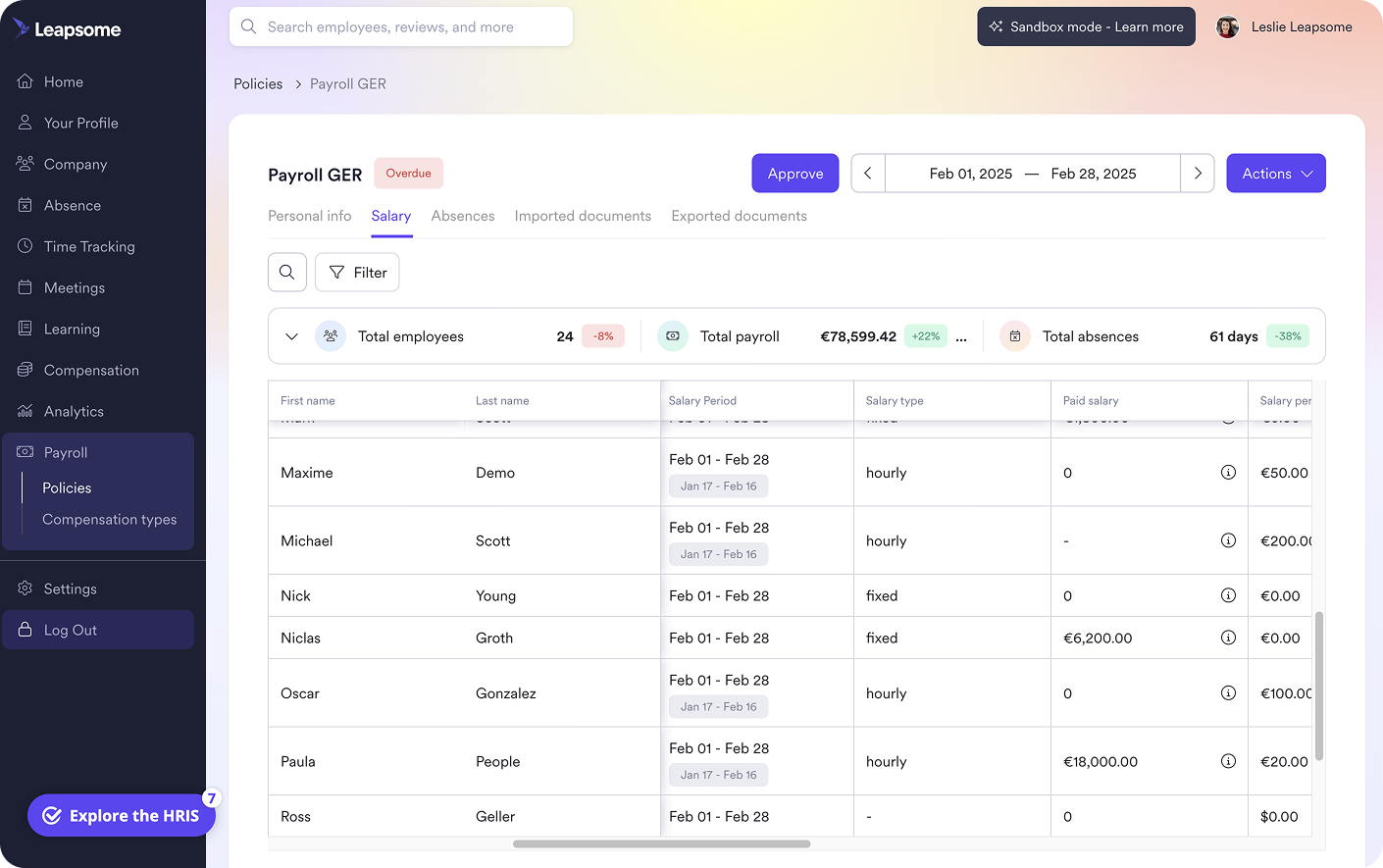
Automatically run numbers without manual reconciliation. Prepare and update your key employee data in Leapsome, then link it to your preferred payroll tool.
👉 Explore Payroll Prep
Employer payroll tax obligations and requirements
“Teams that are ready don’t just prepare before the audit, they prepare their day-to-day work… where they don’t have to do the preparation when it comes.”
— Erica Ancobia, CEO and Managing Director at KUNO
Every pay period, an employer needs to:
- Calculate payroll taxes (try using an employer payroll taxes calculator, like the one from Leapsome)
- Withhold employee FICA contributions
- Pay your employer portions using the Electronic Federal Tax Payment System (EFTPS) and your state’s agency portal
- File relevant forms with the IRS and Social Security Administration
The exact timing for these obligations depends on your company type, industry, and location. The payment schedules for FICA taxes are typically monthly or semi-weekly. FUTA tax is usually paid quarterly and SUTA tax depends on your state of business. See IRS guidelines to understand your mandated schedule.
Key compliance forms
As part of your employer payroll tax filings, you may be responsible for the following forms:
- Form 941: Filed quarterly to report federal income tax, Social Security tax, and Medicare tax.
- Form 940: Filed annually to report FUTA taxes.
- Form W-2: Issued to each employee annually.
- Form 1099-MISC: Issued to each independent contractor annually.
Check with your state’s Department of Labor and Department of Revenue for additional tax forms that you may be obligated to file.

Centralize your employee records
Set up a reliable data headquarters on Leapsome to update and verify payroll-impacting information, including work location, employment status, compensation, and benefits deductions.
👉 Explore Employee Records
Why payroll tax errors start in HR, not payroll
“On the C-level, I learned to doubt people data because it arrived late and conflicted across files. Then, sitting in HR, I felt the pain from the inside and saw how much time went into rebuilding the same reports. Centralizing restores trust and your calendar.” — Florian Klages, Managing Partner at torq. Partners
Accurately filing and making payroll tax contributions helps you stay compliant with the IRS and other authorities.
Although HR leaders are knowledgeable about FICA, FUTA, and SUTA taxes, they may face data governance challenges that lead to payroll tax errors. HR data that is inaccurate, delayed, or siloed can have significant negative impacts on your payroll reports.
Any outdated or miscommunicated HR data means that your calculations will be wrong by default. To avoid these errors, use a comprehensive strategy for upstream employee data:
- Define ownership: Know which departments and roles are responsible for collecting and updating key employee data so miscommunications don’t lead to gaps.
- Connect HR data: By centralizing your HR data and offering self-service, you can set up ongoing flags and reminders to update data.
- Automate payroll with guardrails: Automations can help you maintain payroll accuracy. A 2025 Deloitte study suggests it can cut errors by up to 50%. Select a HR software platform that enables direct data pulls and compliance checks.
- Audit before payroll runs: Analyze and test your payroll systems well before deadlines so that you have full confidence in your upstream data and payroll calculations.
Manage payroll tax compliance from a single source of truth with Leapsome
“All payroll data lives in Leapsome — it’s a living number. When salaries change, managers update them directly.”
— Siddharth Dhanuka, Head of Finance & Operations at SQUAKE
By centralizing your employee records and automating your workflows, your business can better manage and clean data for payroll tax and other obligations.
Use Leapsome to take full control of your employee data, ensuring timely updates and visibility through these key features:
- Sync your employee data and set up auto-reminders to ensure changes are captured instantly: Employee Records
- Automate routine HR tasks, enable self-service access, and trigger custom compliance checks: HR workflows.
- Pull real-time employee data for your payroll and configure rules to meet your company and location obligations: Payroll Pep.
- Get insights and create custom dashboards for a complete panorama of your employee profiles and compliance risks: HR analytics software.
Effortlessly manage upstream HR data in Leapsome to feed into your payroll calculations and keep you compliant as your business grows.
“Employees can now find everything in one place — their data, absences, goals, and reviews. I don’t have to explain which tool to use for what. It’s all in Leapsome.” — Merilyn L, Senior People Operations Specialist at Bob W
🧩 Get a direct line to your employee data
Leapsome connects your data ecosystem to your preferred payroll tool, so that you can easily pull clean, real-time employee records and accurately calculate your payroll obligations.
👉 Request a demo
Employer payroll taxes FAQ
How does payroll tax versus income tax differ in what it funds?
Employer payroll tax funds Social Security, Medicare, and unemployment programs, while income tax funds general government spending.

.png)


Entdeckt unsere Plattform für HRIS, Performance und Entwicklung.