
Time-off request form: Free template + workflow tips

.jpg)
A time-off request form streamlines employee petitions to take vacation days or other planned absences. But as your company grows, the manual follow-up and record reconciliation involved with these forms can become unmanageable.
Many organizations work inside scattered systems that slow down simple tasks. In a recent Ipsos survey conducted for Eagle Hill Consulting, 51% of U.S. HR professionals stated at least half their workweek was spent on repetitive administrative tasks.* When time-off requests sit inside fragmented ecosystems, the process becomes harder to track and manage.
This guide offers a ready-to-use time-off request form template that scales with your organization. We’ll also show you best practices to keep time-off decisions predictable, fair, and easy for HR to manage.
*Eagle Hill, 2026
What is a time-off request form and what should it include?
“Managers shouldn’t email HR to ask who’s on leave or what a team’s balances are; they should see it live. The moment people self-serve, interruptions drop and decisions speed up. That’s the point of a single source of truth.”
— Carolin Leidel, Consultant, torq. partners
A time-off request form is a formal way for employees to ask for leave from work. Whether paper or digital, this form captures key details about the request and documents a manager’s decision. It also helps HR enact fair and legally compliant time-off policies.
Here’s what every employee time-off request form should minimally include.
Employee and request details
The following fields give managers the information needed to review requests:
- Employee name.
- Team/department.
- Submission date.
- Leave type (such as PTO, sick leave, or personal days).
- Requested dates.
- Total hours/days off requested.
- Comment box (optional).
- Employee signature.
Manager decision details
This section documents the final decision and any relevant notes. It includes:
- Manager name.
- Decision status or checkbox (approved or denied).
- Date of decision.
- Comment box (optional).
- Manager signature.
Supporting information (if applicable)
Keeping your form simple helps employees fill them out quickly without collecting unnecessary sensitive information. That said, you may want to include optional comment boxes or options for certain leave requests:
- Employee comment box: When the employee wants to add coverage notes, such as listing a point of contact or flagging any key deadlines while they’re away.
- Employee document upload or attachment: When the request requires additional documentation, such as a doctor’s note for medical or parental leave.
- Employer comment box: In case the manager wants to explain a denial or detail a coverage plan.
Training your employees on how to request time off is as important as the form itself. Without clear guidance, HR gets stuck with unnecessary administrative work, such as clarifying policies, answering status questions, and chasing supervisors for approvals.
Download a PDF of our time-off request form template that integrates all these key areas.
Best practices to handle time-off requests fairly and consistently
“Managers can see who’s away during a request, approve or adjust dates, and the calendar only shows what’s necessary — for instance, just that someone’s unavailable.”
— Suraj Paneru, Customer Success Coach, Leapsome
A time-off request form is only the first step. You also need a workflow that moves the request from submission to approval and record updates. A predictable process helps employees understand what to expect and ensures managers follow consistent rules.
Clearly communicate time-off policies
Define your time-off policies so employees understand how much time they can take, how far in advance they must request time off, and when they can expect a decision. Clear rules reduce confusion and help managers apply the same standards across teams.
A time-off request form may suggest that workers need permission to take leave, but your HR policies should encourage people to use their time. When expectations are easy to find and understand, employees plan their absences with confidence and managers can approve requests without guesswork.
Define fair decision criteria without uneven team capacity
Fairness requires transparent rules that apply across teams. For example, some companies use a first-come-first-served approach, where early requests take precedence. Others rely on tie-breakers, such as prioritizing seniority or requests from employees who haven’t used much of their PTO.
Communicate and record all decisions
Once the manager's decision has been submitted, you should have a routing process in place. The decision should be properly stored, the employee notified of the status, and the PTO balance updated in the system.
Ideally, these steps should be automated, limiting the amount of HR administrative work. For example, creating an online form that routes automatically to managers, records their decision, and instantly reflects on employee records can save hours of administrative time.
“Dashboards remove the detective work. If a leader has a gut feeling about absence spikes, they can verify it in seconds and act. Real-time beats month-old exports every single time.”
— Florian Klages, Managing Partner, torq. Partners
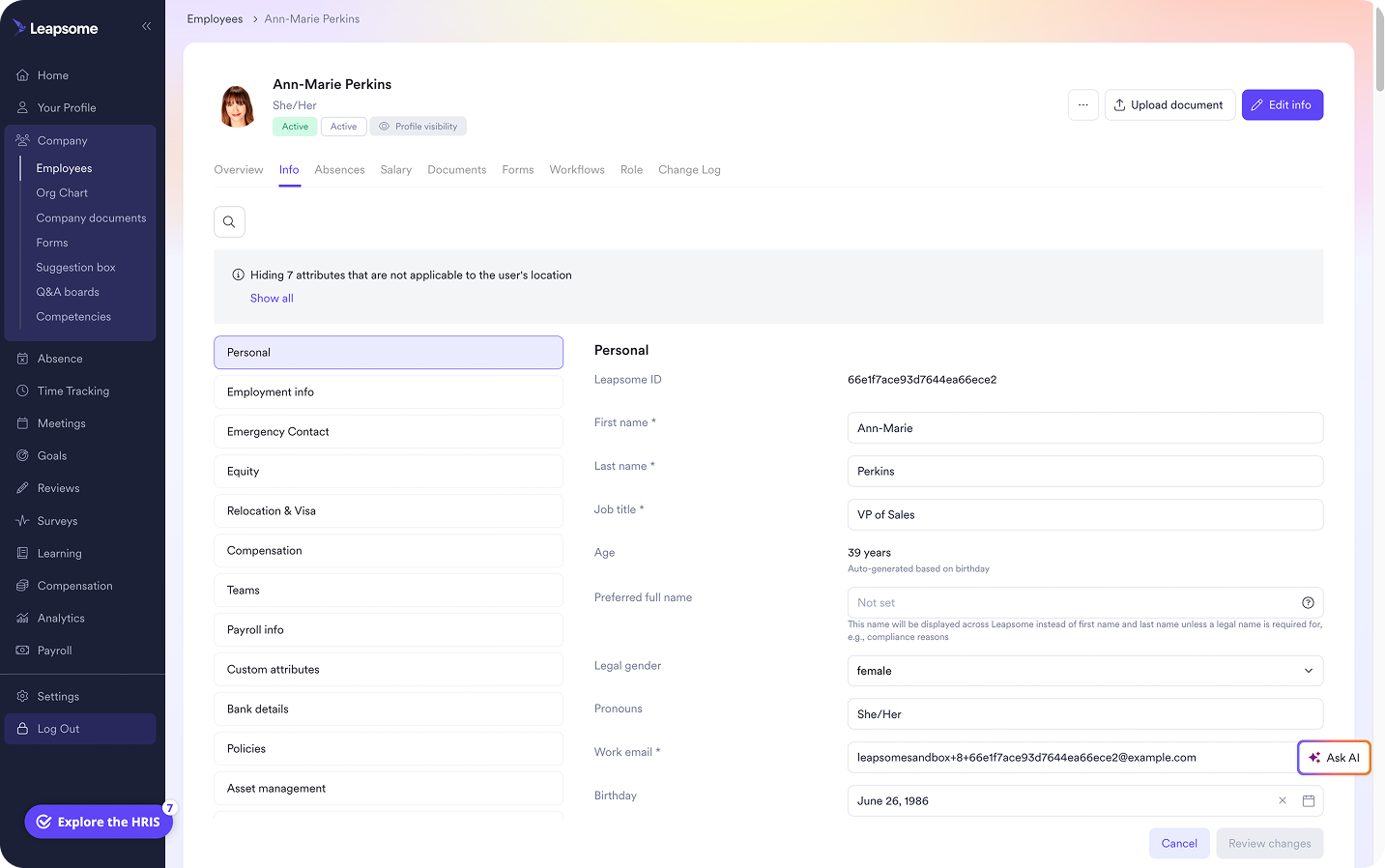
💡 Connect absence info with broader people insights
Nix spreadsheets, email chains, and PDF versioning. Leapsome’s employee records centralize all info, including planned absences, to ensure up-to-the-minute visibility into team capacity and engagement levels.
👉 Explore Employee Records
Design a time-off request process that scales
“Workflows give you limitless opportunities to set up steps that need to be taken by various stakeholders — everything from onboarding and offboarding to contract changes can happen automatically.” — Suraj Paneru, Customer Success Coach, Leapsome
Growing companies often focus on tweaking the time-off request form, when the real issue is the process surrounding it. A form can collect the request, but it can’t guide employees or keep records accurate on its own.
Instead of redesigning your form, start with the workflow itself. How much HR involvement does the request process require after the employee submits the form? If HR still needs to answer policy questions or chase approvals, the process is too dependent on manual work.
Here are the core steps to build a scalable process that reduces manual effort and keeps decisions consistent.
Design the process before adding more fields
Before you start adding fields on your form, outline the full process steps. Consider who needs to approve requests, what information they need, and how exceptions should be handled. This approach prevents unnecessary fields that slow down submissions. When your time-off process runs smoothly, HR can focus on owning the policy and guardrails rather than manually coordinating every request.
Give employees and managers visibility without routing everything through HR
Visibility helps employees understand PTO and vacation policies, including how decisions are made and when they’ll receive updates. It also supports fairness across teams.
For managers, visibility can provide real-time calendars that show upcoming absences and potential impacts on deadlines. When the system updates automatically, managers can plan capacity without relying on HR for status checks.
Know when you’ve outgrown a standalone form
Some small teams operate well with a simple standalone form. But as your company grows, the manual processes involved can become a source of friction. Research from NFP shows 50% of employers spend three or more hours managing an employee’s time off. The main challenge is consistent tracking and data.
HR teams need an automated workflow that connects with their HRIS. Common signs you’ve outgrown a standalone form include:
- Requests spread across email or Slack channels.
- Manual balance calculations.
- Repeated approval chasing.
- Conflicting records.
- Employees asking HR for status updates.
- Difficulty getting visibility into team capacity.
If you notice any of these issues, it's time to redesign your process to reduce manual follow-up and siloed systems.
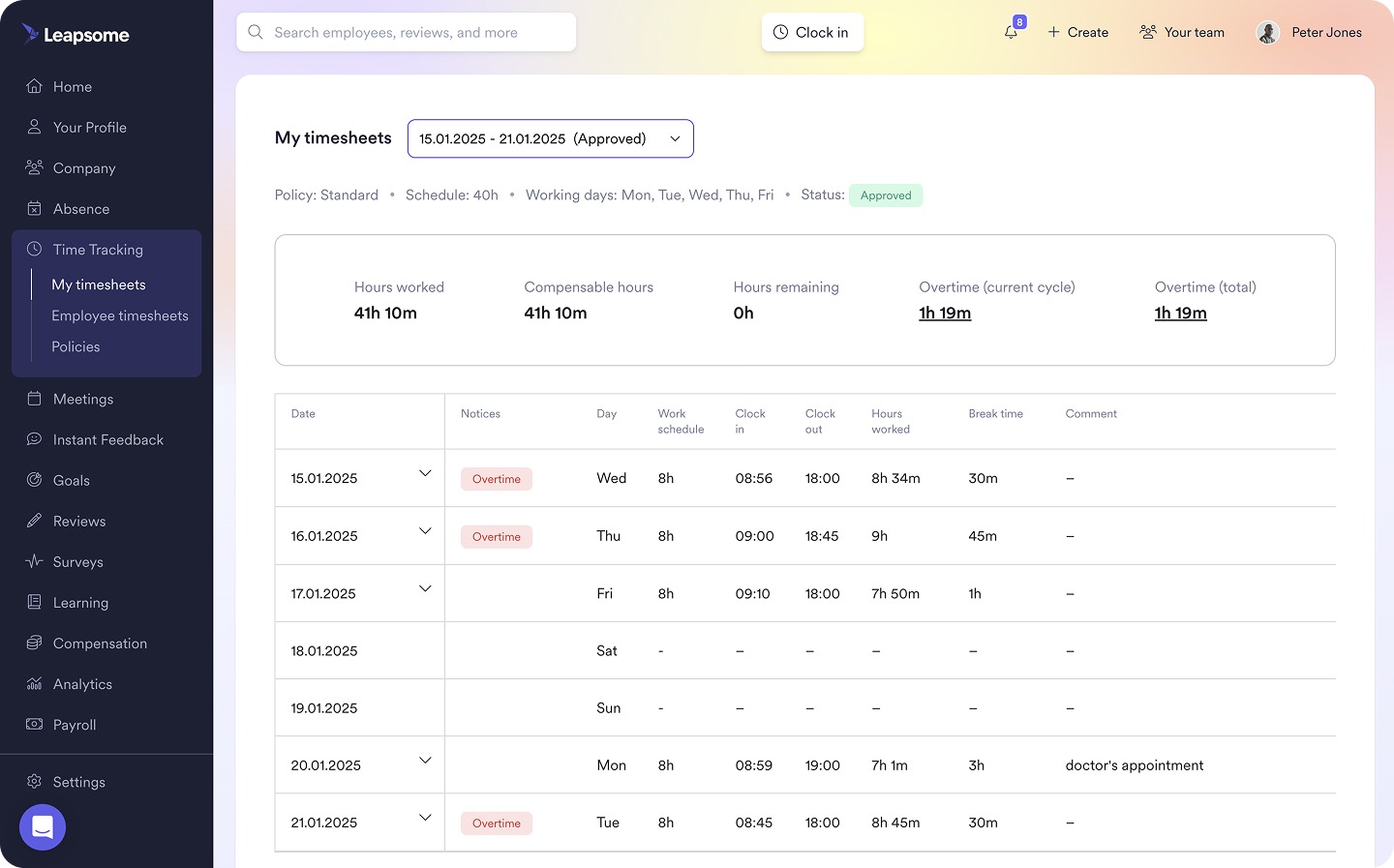
🔏 Sync up your time-off request workflows
You configure the policies, employees submit the requests, and managers approve them in one click. Everything runs automatically, instantly syncing your team absence calendars and PTO balances.
👉 Discover Absence Management
Make time off easier to manage with Leapsome
“Many HR teams still struggle with the basics — too many disconnected tools, limited insights. That’s why we built a truly people-first HRIS that unifies all employee data into one source of truth.”
— Suraj Paneru, Customer Success Coach, Leapsome
As companies grow, HR teams can end up with a disproportionately high administrative burden tied to time-off processes. Even with a well-designed form, HR managers can get swamped chasing approvals, reconciling PTO balances, updating records, and answering employee questions.
Leapsome’s Absence Management feature reimagines the time-off request form as an integrated process. It connects employee submissions, manager decisions, and HR records into a single workflow. With Leapsome, you get:
- Real-time PTO balances and request statuses: Employees can submit time-off requests and look up their PTO balances and request history without asking HR.
- Full visibility into team availability: Managers can approve or decline requests in one click, then reference an up-to-the-minute team absence calendar.
- Well-defined time-off rules: HR can customize leaves types, accrual rules, carryover limits, and approval flows to ensure compliance with company policies and legal requirements.
- Auto-synced employee records: Every time-off request and decision is instantly documented and synced in the relevant employee record.
Leapsome helps you connect your time-off workflows with your larger record system, team capacity planning, payroll preparation, and employee self-service capabilities. Sync up your end-to-end time-off request workflows with us.
“Employees can now find everything in one place — their data, absences, goals, and reviews. I don’t have to explain which tool to use for what. It’s all in Leapsome.” — Merilyn L, Senior People Operations Specialist, Bob W
🧩 Integrate time off into your broader HR workflows
As a unified HR hub, Leapsome automatically connects time-off requests with your strategic workforce planning and employee engagement initiatives.
👉 Request a demo
FAQ
Can sick leave be requested on a time-off request form?
Yes, time-off request forms can be customized to handle all types of absences, including sick leave. Just be aware that unlike other categories of leave (such as vacation days, unpaid time off, or maternity leave), illnesses can be unexpected and sudden. HR may handle sick days by asking employees to contact their managers directly if they’re unwell and then having them complete the time-off request as a formality once they’re feeling better.
How do time-off request forms help with staffing?
Time-off request forms give HR teams and managers advance notice of absences. This helps to plan coverage and flag any deadlines that may be affected by upcoming leave. As a clear audit trail, PTO requests also help enact fair time-off and attendance policies without disrupting essential operations.
What tools can I use to make my own time-off request form template?
You don’t need specialized software to create a time-off request form template. You can use Google Docs or Microsoft Word Templates for a basic form without the bells and whistles. You can also try online form builders, such as Jotform, Smartsheet, or Vertex42 to create a branded downloadable or live form.




.png)

.jpg)