
PTO calculator: Calculate paid time off accurately


Disclaimer: This calculator gives a non-binding estimate for planning purposes only. It uses standard rates and thresholds last reviewed in July 2026. Rates and thresholds may change over time and vary by location, industry, and individual circumstances. It is not tax, legal, or accounting advice.
PTO calculators show how much leave an employee has earned during a set period. They apply your accrual rate and account for time off the employee already used.
A PTO accrual calculation based on hours worked can look like routine HR admin until several employees request the same week off. Managers then need accurate balances and a clear view of upcoming absences to decide whether the team can cover the work.
Many organizations now look beyond the calculation itself. Mercer found that 66% of employers ranked improving leave administration as a top priority in 2024, up from 41% in 2021.* Accurate balances provide a foundation. Connected absence data helps HR understand how approved leave will affect staffing and payroll.
This guide provides a free PTO calculator and explains how PTO data can help you plan ahead and avoid predictable coverage gaps.
* Mercer, 2024
How to calculate PTO accrual
To calculate PTO accrual, convert the employee’s leave allowance into an accrual rate per pay period or hours worked. Apply that rate to the relevant period, then adjust the balance for any PTO used.
🧮 Calculate an employee’s available PTO
Enter the details from your PTO policy, and our free calculator will work out the employee’s accrued and available leave.
👉 Use the free PTO calculator
Here’s how the formula for the PTO accrual calculator works in practice, so you can verify the results and explain the balances to employees.
Determine the accrual rate
Divide the annual PTO allowance by the number of accrual periods in the year.
Annual PTO allowance ÷ accrual periods = PTO earned per period
For example, an employee receives 120 hours of PTO across 26 biweekly pay periods. This means they accrued roughly 4.62 hours per period.
Calculate PTO earned
Multiply the accrual rate by the number of completed periods.
Accrual rate x completed accrual periods = PTO earned
If the employee accrues 4.62 hours per period and completes 10 periods, they earn 46.2 hours of PTO.
Update the PTO balance
Add the newly accrued PTO to the employee’s starting balance. Then, subtract the PTO they’ve already used.
Starting balance + accrued PTO - used PTO = available PTO
PTO calculations support workforce planning, not just leave balances
Organizations often treat PTO as an employee benefit that HR calculates and tracks in the background. This narrow view separates employee experience from operational planning, even though both come together when someone requests leave. Every approved day off changes how much work a team can cover.
The real test comes when several employees request the same period off. If managers can’t see the overlap early enough to protect coverage, HR recorded the entitlement without helping the business plan for it.
How you manage PTO also influences how employees view the organization. A Florida Atlantic University study found that providing at least 11 days of PTO could significantly reduce voluntary resignations.
Here’s how PTO data can strengthen workforce planning across your organization.
Improve workforce scheduling
"Managers can see who else is off, adjust requests, or approve directly. Everything is visualized in one place with full transparency."
— Suraj Paneru, Customer Success Coach, Leapsome
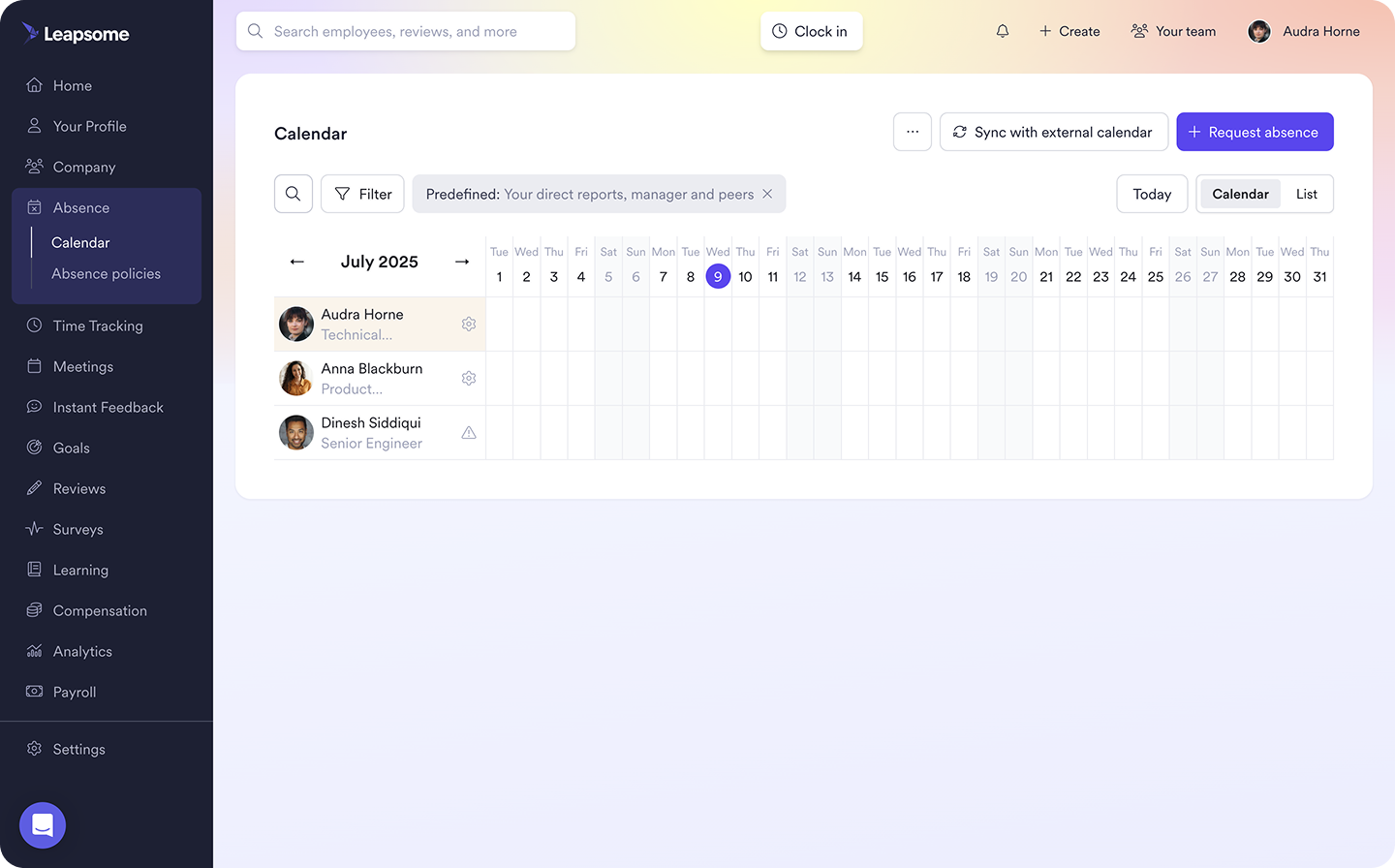
A reliable balance confirms whether an employee has enough PTO for their request. A shared absence calendar shows how that request overlaps with other planned leave.
Together, this information helps managers identify periods when coverage may fall short. They can redistribute work before the absence or discuss alternative dates with employees. This prevents managers from scrambling after approving too many requests.
PTO trends can also reveal recurring pressure points. For example, if requests cluster around school holidays, HR can help teams plan coverage earlier the following year.
PTO calculations support payroll accuracy and compliance
"We even flag compliance risks—for example, if a country requires a minimum of 20 paid days off, the platform won't let you go below that."
— Suraj Paneru, Customer Success Coach, Leapsome
HR and payroll should work from the same PTO record. When each team maintains separate balances, one leave request can produce conflicting information and time-consuming corrections.
A centralized PTO system applies relevant accrual rules and caps to each employee’s balance. It also shows when workers use leave or carry it into a new period. This gives payroll a clearer record for processing paid absences and any required PTO payouts.
Reliable records help you apply company PTO policy consistently. Where local laws regulate accrual or payout, a documented calculation provides evidence of how the organization determined an employee’s balance.
Build employee trust through transparency
“If your HR systems don’t really talk to each other… you kind of have to pull this from your HRIS, this from your performance review, this from payroll… I think the trails break down a little bit.”
— Sammie Masley, People and Talent Partner at Leapsome
Employees notice when their PTO balance doesn’t match the leave they expected to have. If the HR system shows one figure and a manager uses another, a routine request can turn into a dispute.
Give employees access to a current balance and explain how you calculated it. They can plan their leave without asking HR to verify every request. Transparent balances can promote confidence and autonomy in your workforce, showing people the PTO they earned is visible and available.
Leapsome brings PTO balances and leave requests into one workflow. Employees can check their entitlement before requesting time off, and managers can see who else is away before approving or adjusting the request.
"Managers can see who's away during a request, approve or adjust dates, and the calendar only shows what's necessary—for instance, just that someone's unavailable."
— Suraj Paneru, Customer Success Coach, Leapsome
📅 Schedule work with reliable leave data
Leapsome’s Absence Management automates PTO tracking and brings upcoming leave into one view, so teams can plan coverage before scheduling conflicts emerge.
👉 Explore Absence Management
How to manage PTO more effectively
Accurate PTO calculation doesn’t guarantee an effective PTO process. The result is only useful when you apply clear policy rules and keep leave records current.
Use the following steps to build a PTO process that works.
Create a clear PTO policy
Start by defining how employees earn PTO and when they become eligible to use it. If accrual depends on pay periods, state the rate employees earn per period. If it depends on hours worked, explain which hours qualify.
Your policy should clarify what happens to unused leave at the end of the year. Specify whether employees can carry it forward and whether an accrual cap applies. If new hires must complete a waiting period, make the timeframe clear during onboarding.
Make the approval process easy to follow. State how far in advance employees should submit requests, and explain how managers should handle overlapping dates.
Automate leave tracking
Once you define the rules in the policy, your HR system should apply them. Instead of asking HR to recalculate the same entitlement every pay period, automate PTO tracking. This way, when an employee completes an eligible accrual period or a manager approves leave, the system adjusts the PTO balance.
The balance updates automatically, so employees can confidently check their available PTO through a self-service HR portal before submitting requests. With the right tool, leave tracking also connects to the employee record in your HRIS, ensuring HR and payroll work from the same absence information.
Use PTO data to improve workforce planning
Look beyond individual balances and compare leave usage across teams. Review absence patterns throughout the year to spot periods when coverage may come under pressure and teams who struggle to take time away.
SHRM reported that 48% of workers didn’t expect to use all their vacation days by year end. Heavy workloads created a barrier for 24% of respondents, while 14% cited pressure from managers. If one department consistently carries high PTO balances, HR should examine its capacity and management practices rather than celebrate a low absence rate.
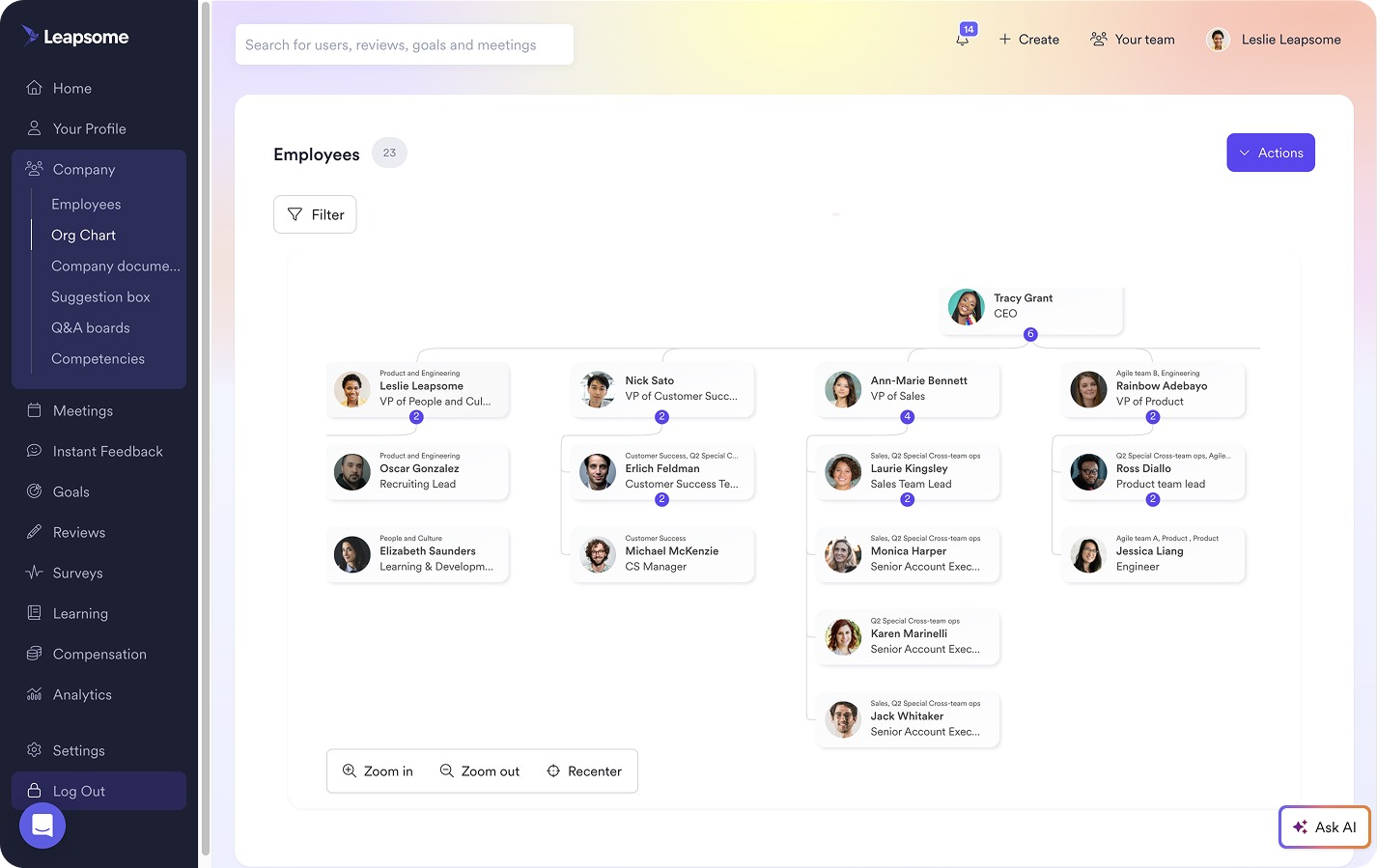
This is why HR teams rely on a connected HRIS to put leave patterns in context. With Leapsome, you can review absence data alongside engagement and performance insights before responding to a trend.
"We're connecting different parts of Leapsome to create dashboards that merge absence data with performance and engagement data."
— Ankit Saigal, Head of Product, Leapsome
📊 Turn absence patterns into planning decisions
Leapsome’s HRIS connects leave trends with engagement and performance data, giving HR more context for capacity planning and leadership reporting.
👉 Explore HRIS
Manage employee leave more efficiently with Leapsome
A PTO calculator converts accrued hours to days and confirms an available balance. But it can’t align requests with company policy or show managers how leave affects coverage. If HR manages those decisions across separate records, discrepancies become more likely as the organization grows.
HR teams don’t need to struggle with disjointed processes. Leapsome’s AI-powered, all-in-one HRIS turns PTO calculations into a connected leave process. With Leapsome Absence Management, teams can:
- Keep balances current: Automate accruals based on your policy and adjust balances when managers approve leave.
- Give employees direct access: Let employees check their available PTO and submit requests through self-service.
- Help managers protect coverage: Show managers who else will be away before they approve overlapping requests.
- Strengthen workforce planning: Compare leave usage across teams and include it in leadership reporting.
“Employees can now find everything in one place — their data, absences, goals, and reviews. I don’t have to explain which tool to use for what. It’s all in Leapsome.” — Merilyn L, Senior People Operations Specialist | Bob W
🧱 Build a leave process your organization can rely on
Leapsome keeps PTO records current and gives managers the visibility they need to plan around employee absences.
👉 Request a demo
FAQ
How can I calculate vacation time?
To calculate accrued vacation hours, multiply the accrual rate by the number of eligible pay periods or hours worked. Add any carryover leave, then subtract the vacation time already used.



_under_300kb.jpg)


.jpg)