SaaS HR software: Key benefits and how to choose


SaaS HR software is cloud-based technology for managing HR processes. A software-as-a-service (SaaS) provider hosts and maintains the system online, so your company doesn’t need its own servers to run it.
Most SaaS platforms promise various capabilities that sound efficient. But a long list of features doesn’t guarantee better processes. A tech stack can automate reminders and still leave HR to chase down every decision manually.
Gartner found that 55% of HR leaders say their technology doesn’t meet current and future business needs.* Choosing new SaaS HR software gives you an opportunity to rethink your processes. Remove unnecessary approvals and give managers clear responsibility, so old issues don’t continue in a digital setup.
This guide covers the benefits and key features of SaaS HR software. We’ll also show you how to choose a system that improves your processes and supports better people decisions as you grow.
* Gartner, 2024
What’s SaaS HR software?
With SaaS-based HR software, you typically pay a subscription for online access to an HR system. The provider hosts and updates the software, taking on work your company would otherwise manage itself with an on-premises system. Your team can access it across locations, and you can add users as head count grows.
SaaS describes the delivery model, not what the software covers. That’s why different SaaS HR tools support different parts of the employee lifecycle. For instance, SaaS recruitment software may focus on hiring, while SaaS talent management solutions help you assess skills and plan employee development.
HR system labels describe the scope of the product. An HRIS usually centers on employee records and core administration. SaaS HRMS platforms often include payroll and time tracking, while HCM platforms emphasize performance and employee development.
These categories overlap, so check which processes each product supports rather than relying on its label.
What are the main benefits of using SaaS HR software?
"Many HR teams still struggle with the basics — too many disconnected tools, limited insights. That's why we built a truly people-first HRIS that unifies all employee data into one source of truth."
— Suraj Paneru, Customer Success Coach, Leapsome
SaaS HR software can reduce routine administration and make everyday HR tasks easier for employees and managers. Deloitte reports that HR professionals spend up to 57% of their time on administrative tasks, which shows there’s substantial work to optimize.
HR SaaS main benefits include:
- Less manual administration: Automated workflows can send onboarding documents and assign tasks to managers. HR can monitor completion without maintaining a separate checklist or sending each document individually.
- Centralized employee information: HR and managers can work from the same employee record. Connected workflows can apply a manager change to approval routes, so HR doesn’t need to update a separate list.
- Better accessibility and self-service: Employees can check paid time off (PTO) balances, pay stubs, and update contact details themselves. Managers can review requests directly, with permissions controlling what each person can access.
The benefit depends on what happens after an employee submits a request. For example, if employees complete an online form but HR copies every submission into a spreadsheet, the manual task remains.
“If your HR systems don't really talk to each other... you kind of have to pull this from your HRIS, this from your performance review, this from payroll... I think the trails break down a little bit.”
— Sammie Masley, Senior People Operations Manager, Leapsome
Three top SaaS HR software
Here are the top three SaaS HR solutions to consider:
- Leapsome: Best for scaling companies that want core HR information to support performance management and employee development. Leapsome connects Employee Records with Performance Reviews, so changes to an employee’s role or reporting line flow into review cycles, giving managers current organizational context for evaluations. Leapsome’s Payroll Preparation collects payroll-relevant changes for handover to an external payroll provider.
- Rippling: A good HR solution for businesses that want to coordinate HR and IT tasks. With Rippling’s Identity and Access Management product, you can configure rules that create or suspend accounts in connected applications when employees join or leave. The basic package covers some of the features, while you can separately purchase products such as Payroll and Device Management.
- ADP Workforce Now: Best cloud-based software for companies with 50 or more employees that want to run payroll processing alongside broader HR administration. ADP’s key strength is integrated payroll, with continuous calculations and tools that flag unexpected pay changes before the payroll runs. However, capabilities vary by plan. More affordable options include ADP payroll and basic HR management, while premium packages add time and attendance.
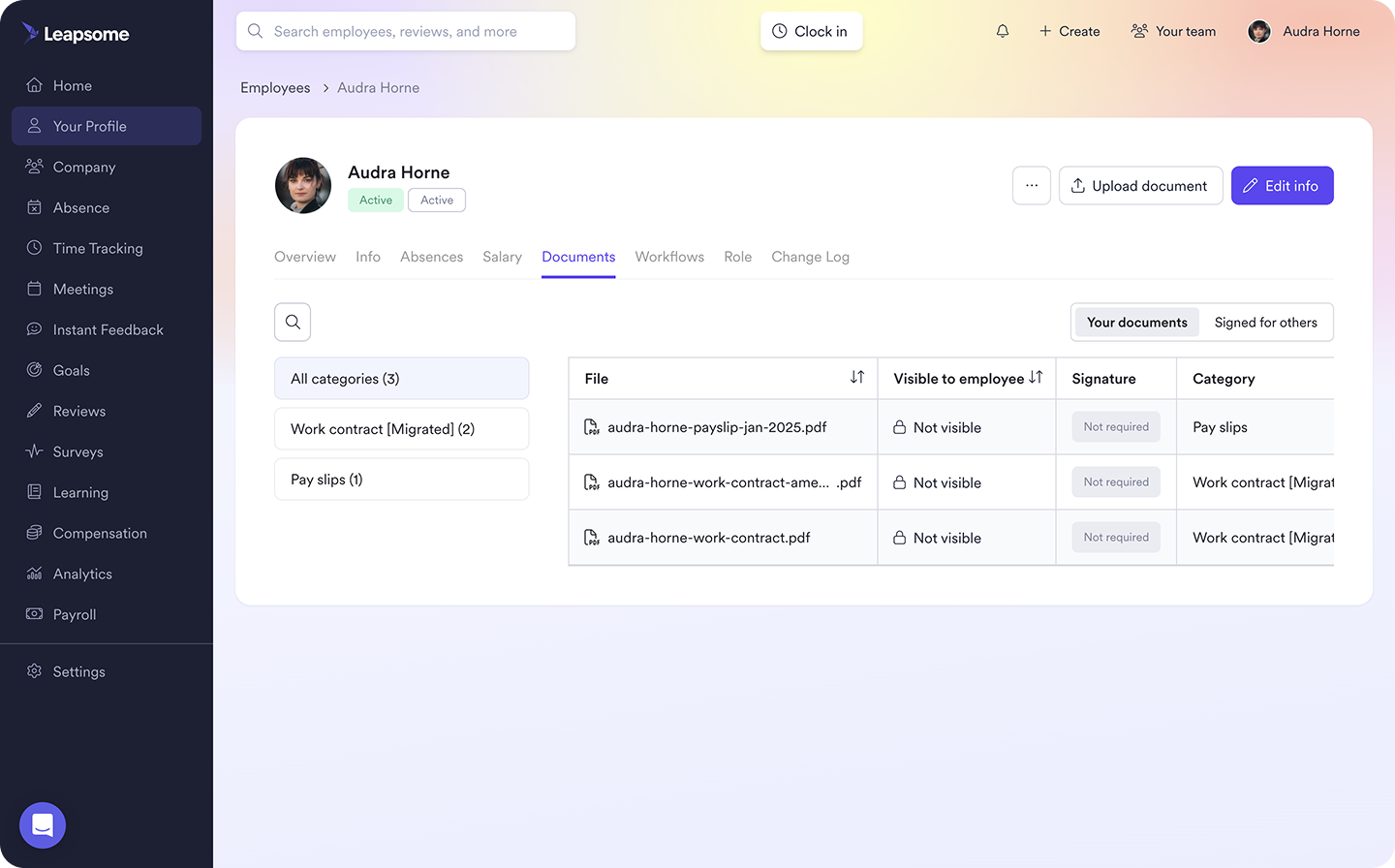
🗄️ Bring employee records and HR reporting together
Leapsome’s HRIS centralizes Employee Records and automates document follow-ups, with workforce reporting to track head count and absence trends.
👉 Explore HRIS
What features should companies look for in SaaS HR software?
“Look for one platform that covers your key needs and integrates with your stack. Don’t scatter data across 10 or 20 disconnected tools.” — Katerina Arsova, Head of People & Talent Operations & Partnerships at Leapsome (at the time)
The best HR software for your organization makes your HR work easier now and supports the people programs you plan to introduce. Assess features in three groups:
- Core HR and workflow automation: Look for employee records that keep documents and e-signatures together, connected to onboarding workflows with clear task owners and completion tracking. Employee self-service tools let workers check leave balances and submit requests, while managers can approve absences or review team availability.
- Performance, engagement, and development: Reviews that bring OKRs together with role-specific competencies give managers a clear basis for evaluation. Feedback and 1:1 notes add context, while engagement surveys help HR compare employee experiences across teams. Based on the results, managers can then use learning tools to assign development activities and track progress.
- Reporting, integrations, and security: Configurable reports help HR compare workforce trends by team or time period, while payroll integrations reduce duplicate updates. Confirm which fields transfer and when, then check how permissions and audit logs control access and record changes. The SaaS provider also needs to explain how its hosting and encryption arrangements meet your data protection and compliance requirements.
To ensure the UX is intuitive, it’s best to have managers and employees try a routine task through the web browser or mobile interface. Instead of relying on a long list of features, ask vendors to demonstrate how the features in your proposed plan work and whether you need additional support during implementation.
🗺️ Ready to compare HRIS options?
Skip the vendor spreadsheet. Answer five questions and get a shortlist matched to your team, scored on rules we publish.
👉 Try the free HRIS buying guide
How to know if a SaaS HR software will actually improve your HR processes
“Start with a clear why. Do forward-looking economics. Show what growth will cost you without the right system.”
— Siddharth Dhanuka, Head of Finance & Operations at SQUAKE
A SaaS HR software vendor can move your entire system to the cloud without improving it. Despite the popularity and growing market size for HR technology, an Eagle Hill Consulting survey found that 78% of HR respondents often or always enter the same data into multiple systems to complete tasks.
Before purchasing and installing the software, compare the upfront costs, then evaluate if there’s:
- Less coordination and clearer responsibilities: Follow a task from start to completion and identify each point that needs HR intervention. Managers need the information and authority to finish their part without burdening HR to relay a decision or update another record.
- Room for processes that adapt as you grow: Test a second location’s leave rules or a temporary change of approver. Then demonstrate a more structured review cycle. Note any steps that require HR to create a separate spreadsheet or manual workaround.
- Information that supports better decisions: Follow a development need from a review into an assigned learning activity, then check how the manager tracks progress. Leapsome, for example, also lets HR compare engagement results at team level, helping you spot where employees need further investigation or support.
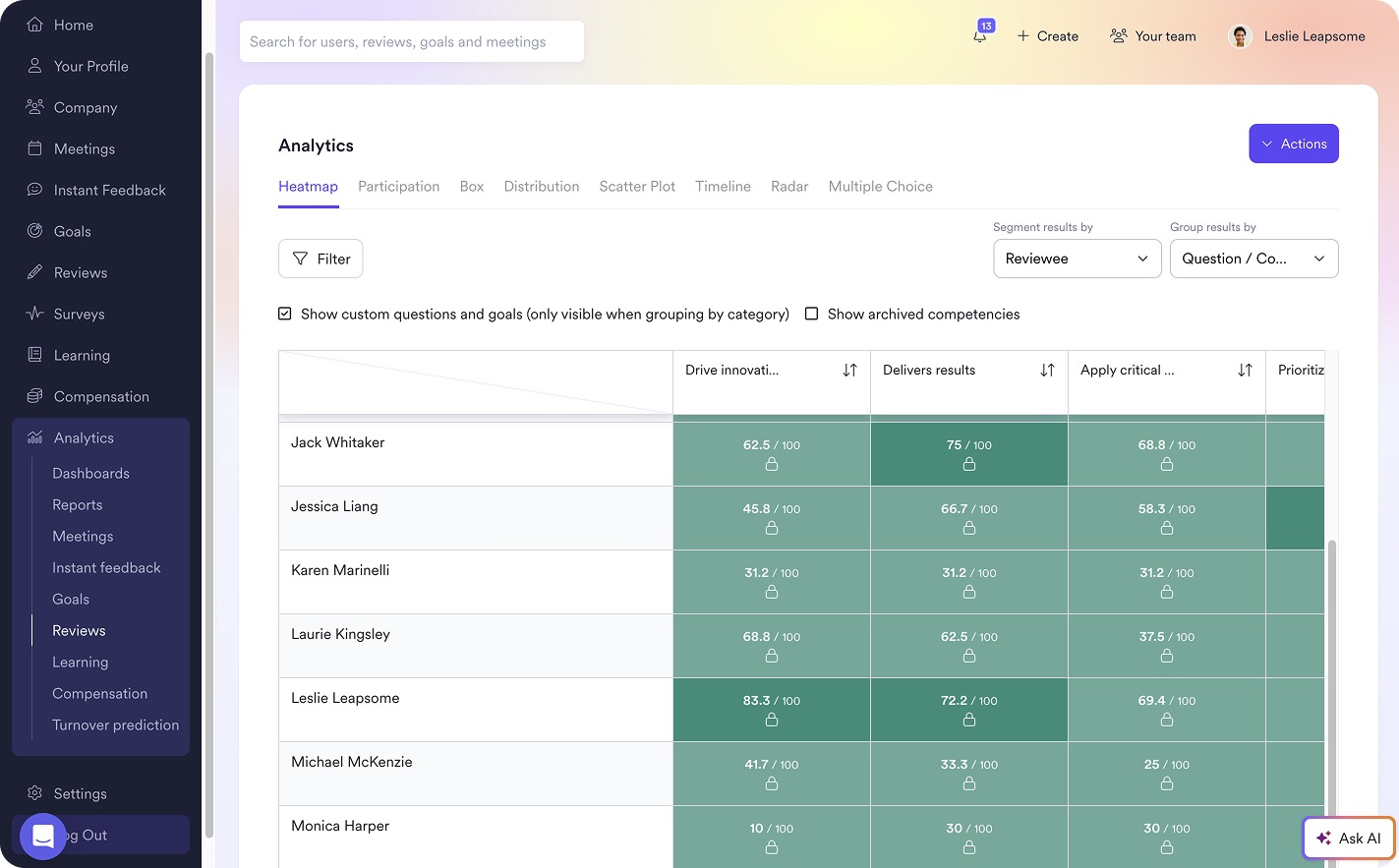
📝 Give managers more than a review form
Leapsome’s Performance Reviews bring goal progress and relevant feedback into assessments, giving managers evidence to discuss performance and agree development priorities.
👉 Explore Performance Reviews
Build better HR processes with Leapsome
As your company grows, keeping employee information up to date across different systems can absorb more of your HR team’s time. Each recurring process brings another round of coordination, with HR chasing managers for updates and checking that records match. When performance and engagement data sit apart from those records, your team also has to gather the context again before turning review findings into a development plan.
Leapsome connects core HR with people enablement in one AI-powered platform:
- Core HR and recurring workflows: Leapsome’s HRIS connects Employee Records with Documents and E-Signatures. Onboarding workflows assign tasks and show completion, while Absence Management and Time Tracking flow directly to Payroll Prep.
- Performance and employee development: Performance Reviews connect with Goals and OKRs and relevant Feedback. This gives managers evidence for their assessments. Engagement Surveys help HR investigate team-level patterns, while Learning supports development activities and progress tracking. These capabilities use the same employee information from HRIS, reducing the need to rebuild context between processes.
With Leapsome, HR teams get a platform built to streamline these workflows. It keeps processes clear and scalable without adding extra coordination work.
“Initially, we realized we needed a centralized place to collect employee feedback on different topics… At first, we tried out another survey platform, but it didn’t work well for us… We needed something customizable that would meet our needs and where we’re at as a company. Leapsome was the right fit because it solved our initial need to listen to employee sentiment, but it also offered the customizability we were looking for.” — Jessie Martin, Sr. Manager, TA Programs and People Experience | Workato
🌱 Choose an HR software your team can grow with
Leapsome connects employee records with performance and development, helping managers make informed people decisions with less manual coordination from HR.
👉 Request a demo
FAQ
Which HR software is best overall?
The best HR software depends on your company size and priorities. Leapsome suits mid-size teams by connecting core HR with recruiting, performance, and development. Other top choices include Workday and SAP SuccessFactors, which offer broad HCM suites. BambooHR covers applicant tracking and core HR, while Gusto handles payroll and tax withholding.