Best people management platforms with HR analytics dashboards
.png)
.jpg)
With HR leaders increasingly expected to drive business results and prove ROI, analytics capabilities matter more than ever for people platforms. However, not all analytics dashboards are created equal.
This guide covers nine platforms that deliver strong analytics dashboards with role-based views, governed data access, and the ability to turn insights into manager actions.
We've pulled together this list based on an analysis of each platform's capabilities and user reviews. Every organization has different needs, so we've included key features, ideal use cases, and limitations for each platform to help you identify the best fit.
Following the platform comparisons, you'll find practical tools to help you evaluate vendors and pressure-test your shortlist:
- A role-based analytics primer — understand what different users need to see
- Questions to ask vendors — test capabilities in live demos
- A demo-proof checklist — verify governance features with any vendor
📊 See analytics in action
Leapsome's connected platform delivers unified people analytics without the need for integrations or manual data stitching.
👉 Book a demo
Top platforms with strong HR analytics dashboards
The nine platforms below are organized by their:
- Analytics depth
- Role-based view capabilities
- Governance features
- Integration approach
Each entry includes the platform's best-suited applications, key analytics capabilities, ideal fit, and notable considerations.
Keep your current tech stack in mind as you read as some platforms require extensive integrations to deliver full people analytics, while others are designed as standalone, all-in-one systems.
1. Leapsome — HRIS and people strategy analytics, interconnected all in one platform
.jpg)
Leapsome combines your performance reviews, engagement surveys, learning paths, compensation cycles, and goals in one system. The analytics dashboard pulls everything together in one place without needing integrations.
Managers view their team's engagement trends alongside goal progress and can take action based on their findings. If engagement drops, they get a nudge to schedule check-ins. If goals are stalled, they see which people need support.
HR can track company-wide trends and pull audit trails when needed. Executives receive dashboards that link people metrics to business outcomes. The platform's AI copilot surfaces patterns across all this data and suggests what to focus on next.
Because the system is built for broad adoption across managers and employees (not just HR), your analytics actually reflect what's happening in your organization.
Key features:
- Reviews, surveys, goals, learning, compensation, and OKRs connected
- Dashboards that change based on who's viewing
- AI-powered insights and manager action prompts
- Audit logs and access controls
Pros:
- Everything in one platform means no data stitching
- Managers get action prompts, not just numbers
- AI helps surface what matters
- Platform built for employees, not just HR, driving high adoption levels
Ideal use case:
Mid-market to enterprise teams wanting connected people data and analytics without managing multiple tools.
What users say:
Leapsome maintains a 4.8/5 rating on G2, where over 700 users cite ease of use as the platform's biggest strength.
Reviewers appreciate how the interface simplifies complex HR processes. One user described the modern design as something that "makes the experience both enjoyable and engaging," while another highlighted the platform's comprehensive feature set for connecting goals across teams.
On Reddit, an HR professional who has used both Culture Amp and 15Five noted that Leapsome stands out for its customization capabilities, superior analytics, and ease of use compared to competitors.
📈 People analytics that drive action
Leapsome connects performance, engagement, learning, and goals so your analytics reflect what's really happening.
👉 Book a demo
2. Lattice — performance and growth analytics with calibration tools
.jpg)
Lattice focuses on performance review analytics, goal tracking, and engagement insights. You can run calibration sessions with visual reports that help leadership teams discuss ratings distributions and identify high performers.
The platform tracks goal and OKR progress across teams and connects that data to performance reviews. Managers get analytics on 1:1 meeting frequency and feedback patterns, which helps them spot coaching gaps.
You'll need to integrate Lattice with your HRIS for full employee data and payroll workflows. It works well if performance management and talent development are your focus areas, but core HR functionality lives elsewhere.
Key features:
- Performance review analytics and calibration reports
- Goal and OKR progress tracking
- Engagement survey insights
- Manager 1:1 and feedback analytics
Pros:
- Deep performance and growth framework analytics
- Strong manager enablement workflows
- Good calibration tools for reviews
Ideal use case:
Companies prioritizing performance management and talent development with analytics tied to growth frameworks.
Limitation:
Lattice doesn’t have an HRIS so you will need to integrate with external systems.
3. Culture Amp — engagement analytics with manager coaching prompts
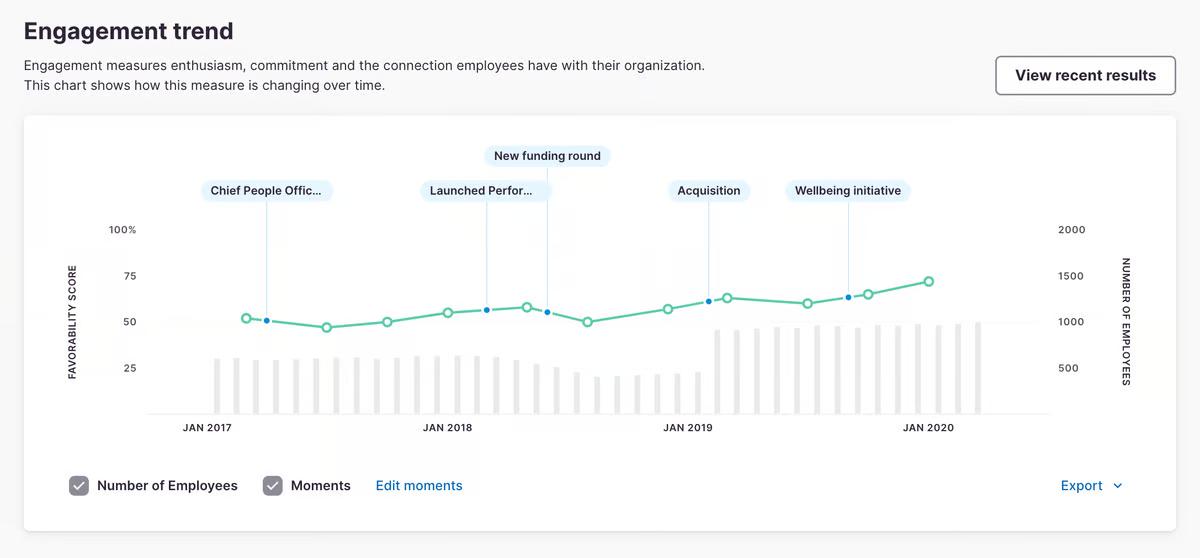
Culture Amp focuses on engagement survey analytics and provides managers with coaching prompts based on feedback from their teams. You receive driver analysis that reveals which factors most impact engagement, plus external benchmarks by industry and company size.
The platform walks managers through action planning after surveys close. If your team flags workload concerns, the system suggests conversation starters and resources rather than leaving managers to figure out next steps alone.
You can layer Culture Amp onto your existing HRIS, although this means managing engagement analytics separately from performance and compensation data. It's a strong fit if employee experience and manager development are your top priorities.
Key features:
- Engagement survey analytics and driver analysis
- Manager coaching prompts tied to survey results
- External benchmarks by industry and size
- Action planning workflows
Pros:
- Strong engagement-focused analytics with guidance
- Helps managers know what to do with feedback
- Good benchmark data
Ideal use case:
Mid-market to enterprise teams prioritizing employee experience and manager development.
Limitation:
Culture Amp doesn't include an HRIS, so you'll need to integrate with external systems for core HR functionality.
4. HiBob — HRIS with visual dashboards and proactive alerts
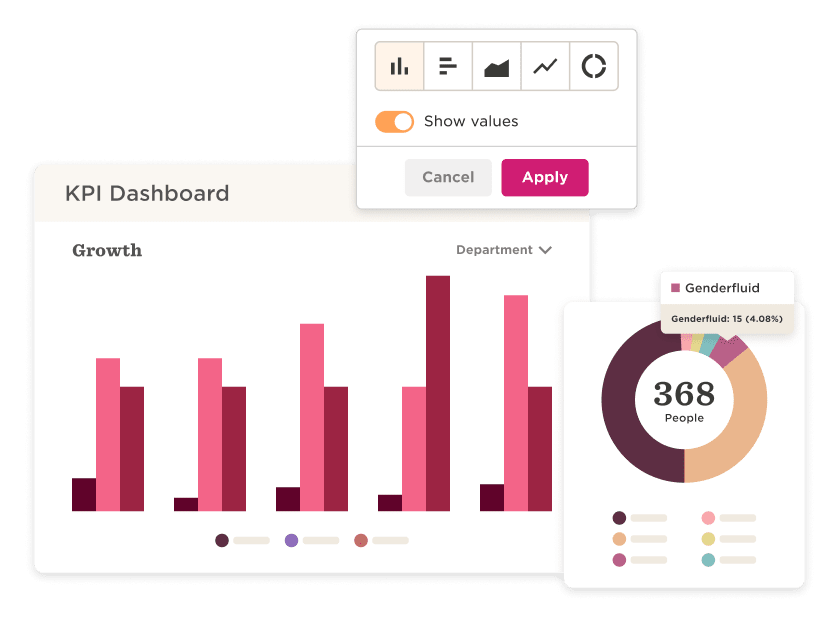
Bob gives you core HRIS functionality with embedded analytics dashboards. You get visual reports on headcount, time off, turnover risk, and basic workforce planning without needing a separate analytics tool.
The platform sends proactive alerts for events such as work anniversaries, upcoming time off, and potential turnover signals. Managers don't need to constantly check dashboards because the system notifies them when something requires attention.
It's built for mid-market teams that want HRIS and analytics in one place without complex integrations. However, if you need deeper analytical capabilities or advanced governance features, you might outgrow it as your organization scales.
Key features:
- Visual, customizable dashboards
- Proactive alerts for anniversaries, turnover risk, time off
- Workforce planning and headcount reports
- Embedded analytics within core HRIS
Pros:
- All-in-one HRIS with solid analytics
- Easy to adopt for mid-market teams
- Alerts keep managers informed
Ideal use case:
Mid-market companies who need HRIS and analytics in one platform without extensive integrations.
Limitation:
Advanced analytics depth may fall short compared to dedicated analytics platforms.
5. Personio — unified HR data for analytics, dashboards & reporting
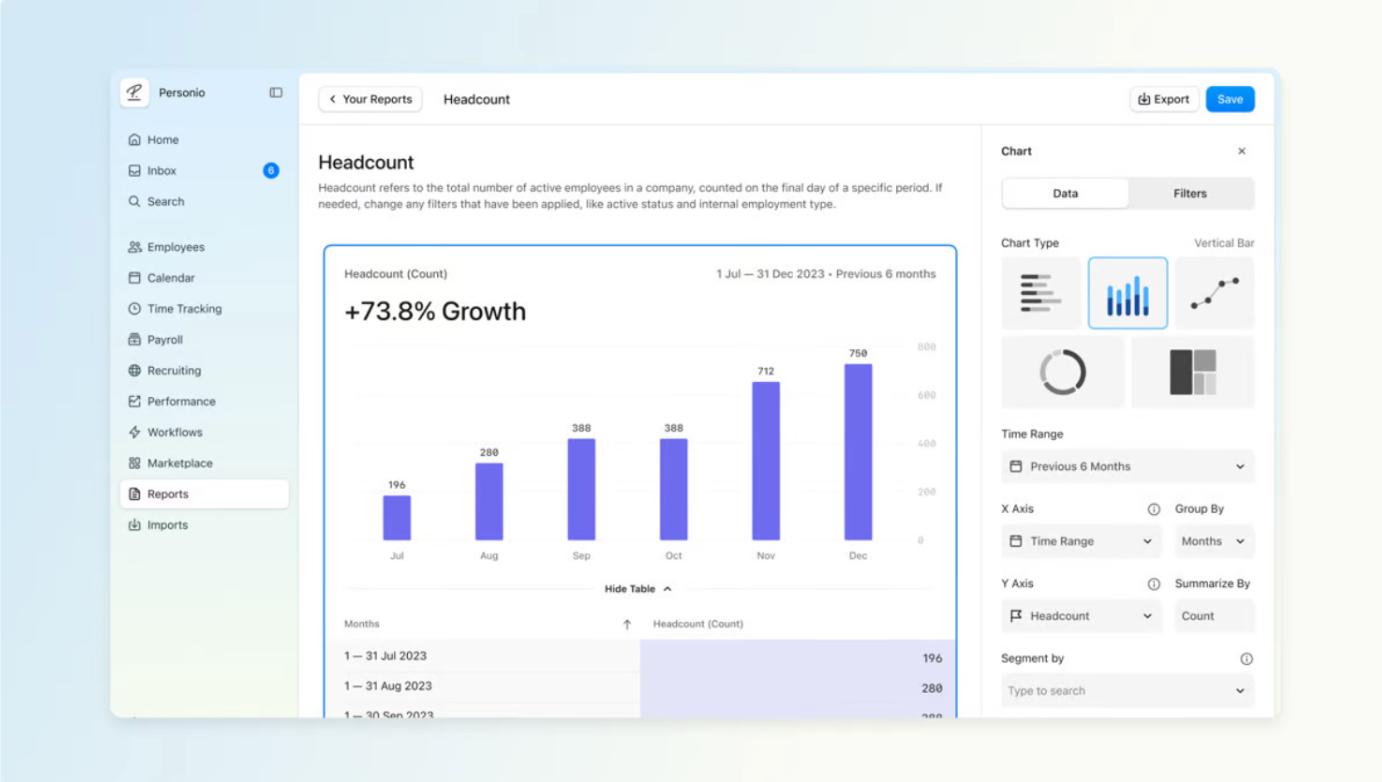
Personio consolidates all essential HR data into one platform, enabling HR teams to build and run analytics dashboards and reports without external tools. Its People Analytics module offers ready-made templates and a report builder for metrics such as headcount, turnover, absenteeism, performance, and more.
Managers and HR can explore trends, spot workforce issues, and export or share insights with stakeholders. The dashboard visualizes real-time data from across the employee lifecycle, ensuring visibility when metrics change. Thanks to centralized data, Personio helps reduce manual spreadsheet work and minimize fragmentation across systems. It works best when your HR data (time, attendance, performance, etc.) is maintained consistently and comprehensively across the platform.
Key features:
- Pre-built HR metric dashboard templates (headcount, turnover, attendance, performance, etc.)
- Custom report builder for ad-hoc reporting and slicing/filtering data by department, role, time period, etc.
- Real-time data updates
- Role-based permissions and report sharing
Pros:
- Accessible, easy-to-use HR dashboards
- Broad coverage of essential HR metrics
- Quick reporting without external BI tools
- Good for standard, operational HR insights
Ideal use case:
Companies that want an integrated HR platform with ready-to-use analytics dashboards for headcount, turnover, attendance, performance, and other core HR metrics.
Limitation:
Analytics are limited to basic HR metrics and rely heavily on complete, well-maintained data to produce reliable insights.
6. Rippling — workforce analytics with customizable dashboards
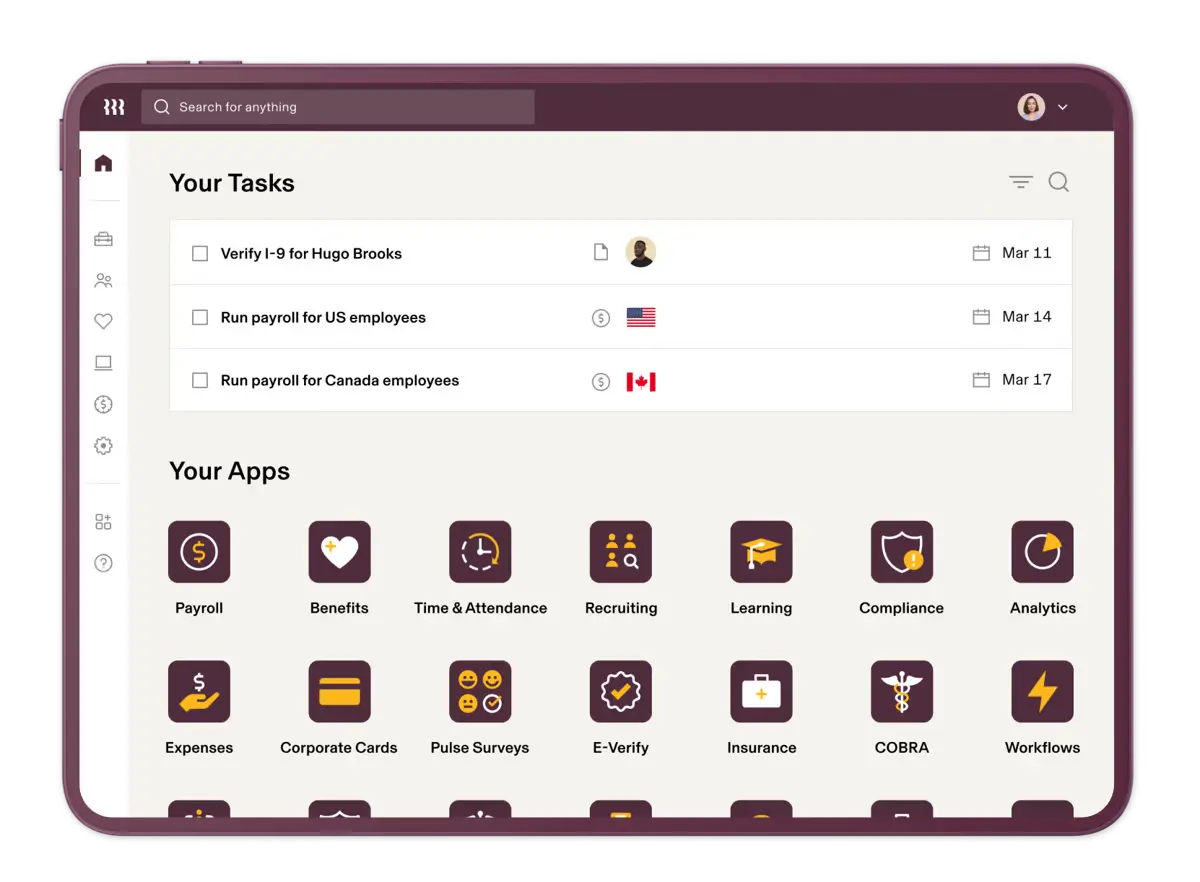
Rippling consolidates all workforce data into a single system, enabling you to create analytics dashboards from a unified employee record. Managers can create custom reports without needing BI tools, using drag-and-drop fields for headcount, turnover, compensation, and performance metrics.
Its connection to HR, payroll, and time-tracking data enables cross-functional insights that many HR platforms can’t provide. The platform also supports automated reporting schedules so leaders receive updated metrics without manual work.
While dashboards are flexible, they rely on accurate field setup and consistent data hygiene during implementation. Rippling works best when your organization already maintains standardized data across the modules you use.
Key features:
- Customizable people analytics dashboards
- Unified employee record powering all reports
- Cross-functional metrics (HR, payroll, time)
- Drag-and-drop report builder
Pros:
- Flexible, highly customizable dashboards
- Easy reporting for managers
- Strong cross-functional insights
Ideal use case:
Teams that want flexible, customizable people analytics dashboards powered by a unified dataset across HR and payroll.
Limitation:
Dashboard accuracy relies on proper data configuration and consistent record maintenance across all modules.
7. Workday — enterprise HCM with unified HR and financial analytics
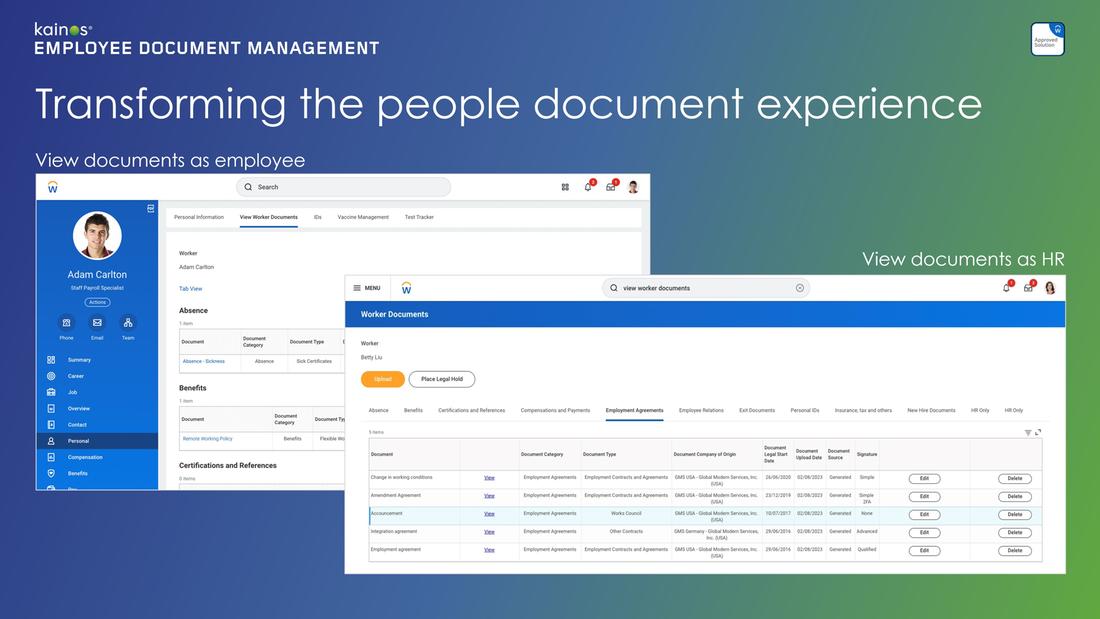
Workday combines HCM and financial data in one system, which is crucial if you need to directly connect workforce costs to budget planning. You receive role-based dashboards with built-in enterprise-grade security and compliance frameworks.
The platform handles global workforce analytics well and integrates HR data with financial planning workflows. It's designed for large organizations that require unified reporting across departments and rigorous data governance.
Expect lengthy implementation timelines and high costs. Workday makes sense for large enterprises that require integrated HCM and financial analytics with strong governance, but it's overkill for most mid-market companies.
Key features:
- Unified HCM and financial analytics
- Role-based security and compliance frameworks
- Workforce and financial planning integration
- Real-time operational reporting
Pros:
- Enterprise-grade governance and security
- Cross-functional analytics linking HR and finance
- Strong global capabilities
Ideal use case:
Large enterprises requiring integrated HCM and financial analytics with strong governance.
Limitation:
High cost and lengthy implementation timelines.
8. SAP SuccessFactors — HCM analytics for global SAP-aligned organizations
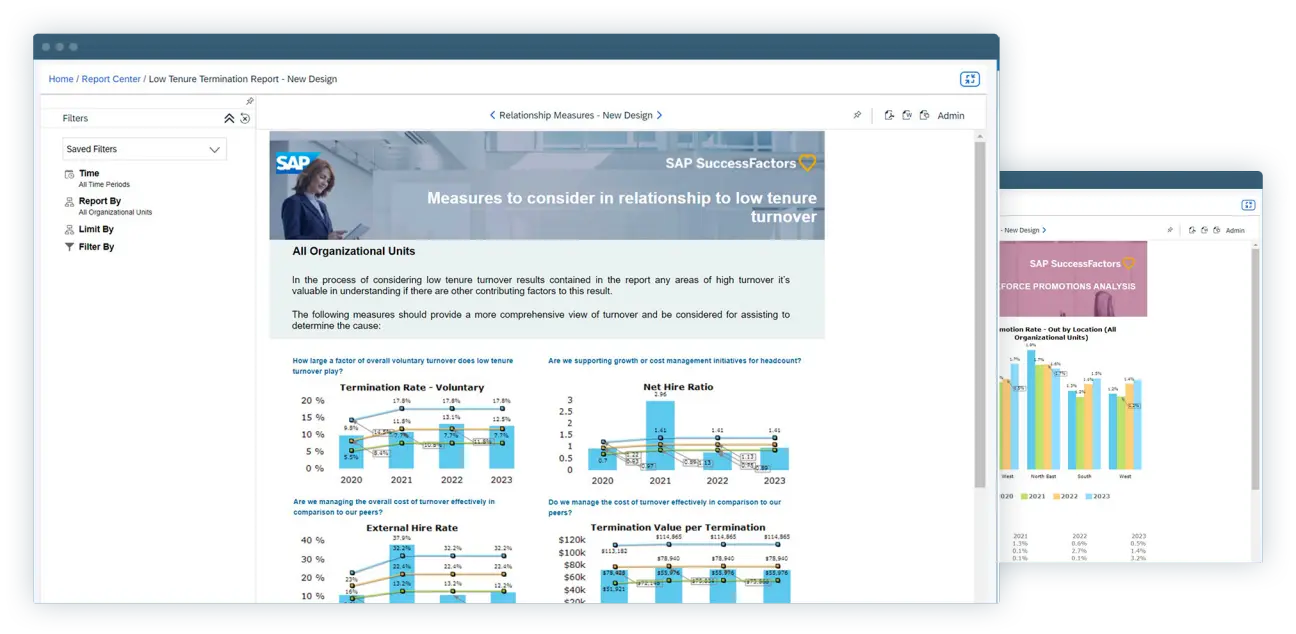
SuccessFactors offers HR analytics with prebuilt dashboards (called "stories") and workforce planning add-ons. It integrates deeply with SAP's ERP ecosystem, which is particularly important if your finance and operations teams already run on SAP infrastructure.
The platform effectively handles global compliance and localization across various countries and regulations. You can connect HR analytics to broader business data if your organization uses SAP end-to-end.
The licensing model is complex, and implementation can be steep. It makes sense for global enterprises already invested in SAP, but the learning curve and setup effort are significant.
Key features:
- People Analytics stories and prebuilt dashboards
- Workforce planning and predictive analytics add-ons
- Deep integration with SAP ERP ecosystem
- Global compliance and localization
Pros:
- Strong for global, SAP-aligned organizations
- Comprehensive HCM and analytics suite
- Good ERP integration
Ideal use case:
Global enterprises already using SAP infrastructure requiring HCM analytics alignment.
Limitation:
Complex licensing model and implementation. Steep learning curve.
9. Visier — analytics for workforce planning
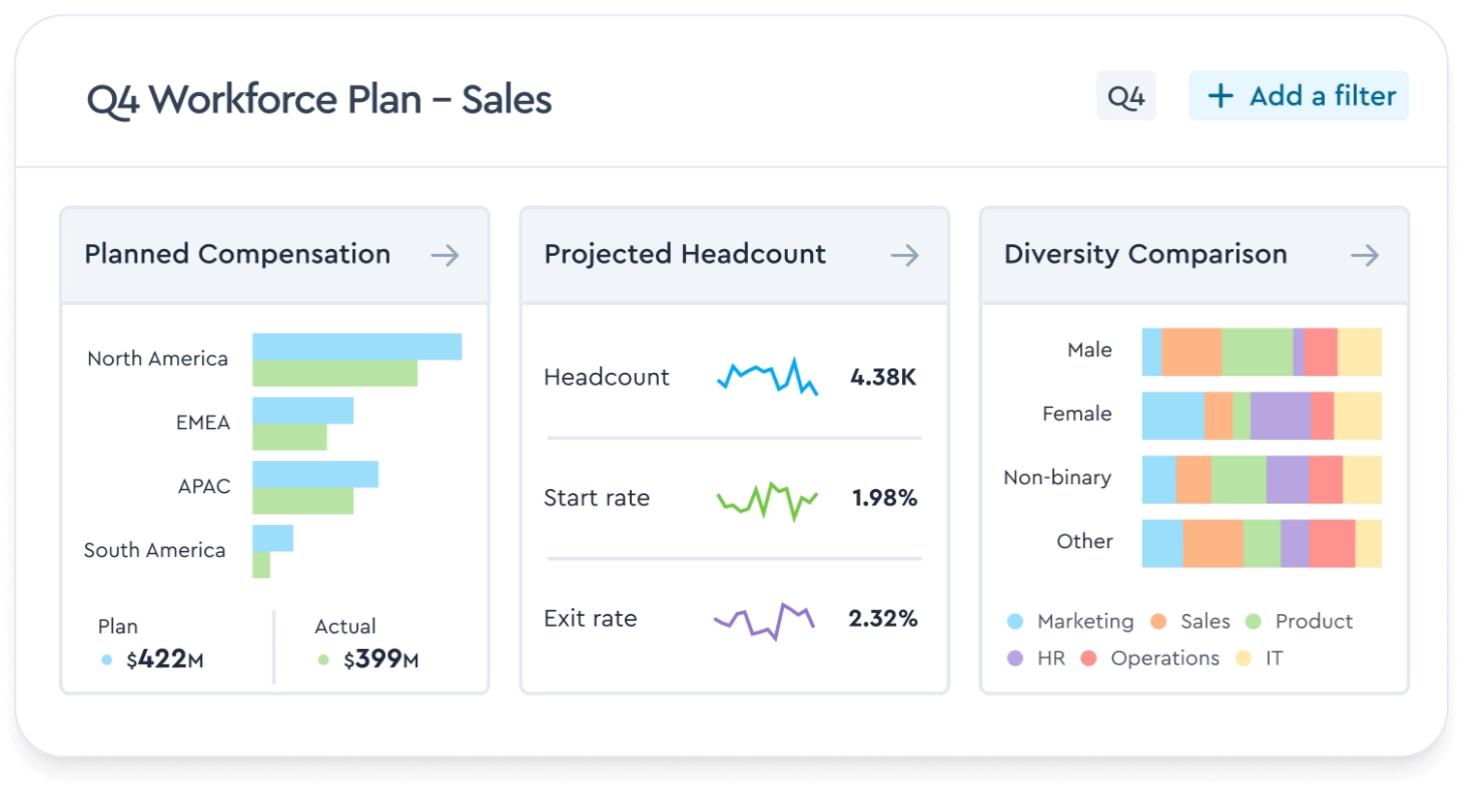
Visier focuses on analytics rather than being a full HRIS. You connect it to your existing HR systems, and it pulls data from multiple sources to give you workforce insights.
The platform comes with prebuilt metrics libraries, so you can answer common questions like retention forecasting and headcount planning without building reports from scratch. It handles cohort analysis well and offers natural-language queries through an AI assistant for managers who want self-serve access.
You'll need to keep your HRIS and other core HR modules running alongside Visier. It's designed for larger organizations with centralized people analytics teams that need deep analytical capabilities beyond what their transactional systems offer.
Key features:
- Prebuilt metrics library and natural-language queries
- Cohort analysis and retention forecasting
- Pulls data from multiple HCM systems
- AI-powered self-serve for managers
Pros:
- Deep analytics engine built for workforce planning
- Strong predictive models
- Handles complex, multi-source data well
Ideal use case:
Enterprise teams with centralized people analytics functions who need advanced workforce insights.
Limitation:
Requires HRIS and other modules alongside it. Not an all-in-one platform.
🏢 Simplify HR with an all-in-one platform
Leapsome HRIS connects core HR with performance, engagement, and analytics so all your people data works together.
👉 Explore Leapsome HRIS
Before you compare people management platforms, understand role-based analytics views
Not all analytics dashboards show the same information to every user. A well-designed people management platform tailors what managers, HR partners, and executives see based on their roles and responsibilities.
Understanding these differences will help you ask better questions during demos and spot when vendors are showing you polished executive views that your frontline managers will never actually see or use.
Here's what differs across roles:
- Default tiles — managers see their team's engagement scores and goal progress. HR sees company-wide turnover trends and headcount planning. Executives see strategic metrics tied to business outcomes.
- Drill-down depth — managers can view individual performance data for their direct reports. HR can access full employee records. Executives see aggregated views without individual-level detail.
- Redacted fields — compensation bands, DEI breakdowns, and sensitive personal data get masked or hidden based on permissions. Managers don't need to see salary details to coach effectively.
- Next-best actions — the best dashboards suggest what to do next. For example, if engagement drops in a team, Leapsome's AI copilot might prompt the manager to review recent survey comments and schedule one-on-ones with specific team members, rather than just showing a red number.
In summary, if a vendor can't demonstrate role-based analytics with field-level controls, their system might not be ready for broad adoption.
How to evaluate HR analytics dashboards in vendor demos
The dashboards vendors show you during demos might not always be suitable for your whole team, so ask them to show you how their analytics answer specific leadership questions with real data.
Use the questions and checklist below to better understand the fit and capability of the people management analytics dashboards you’re reviewing.
Questions to verify analytics match your requirements
Use these questions to assess whether a platform can deliver the analytics depth and flexibility you need. Ask vendors to demonstrate their answers live during demos, not just describe capabilities.
Platform coverage:
Does your platform cover analytics across the entire employee lifecycle, from onboarding through exit?
Can you show us analytics that connect performance, engagement, learning, and compensation data in one view?
Integration and data:
Does the tool integrate seamlessly with our existing HR platforms, or does it require an HRIS to function?
How often does data sync between systems, and how do we know when we're looking at current information?
Role-based access:
Can you demonstrate how dashboards change based on user roles (manager vs. HR vs. executive)?
How granular are your permission controls for sensitive data like compensation and DEI metrics?
Actionability:
Does the platform suggest next actions based on analytics, or just display data?
Can you show us an example of how a manager would act on a drop in engagement scores?
Governance and compliance:
Can you retrieve and export audit logs showing who accessed what data and when?
How do you handle data redaction for users who shouldn't see certain fields?
Customization:
Can we configure analytics views and alerts without involving your implementation team?
Are your benchmarks relevant to our industry and company size?
Ask vendors to demonstrate these capabilities live rather than just talking through them. If they need to build custom reports after the call or can't show real examples, their analytics may not be as flexible as advertised.
Demo-proof checklist for analytics platforms
Use this checklist when you're down to your final two or three vendors. These are yes/no items you can verify in live demos to separate platforms that talk about governance from those that actually deliver it.
Can the vendor:
- Demonstrate how dashboards adapt based on user roles such as manager, HR, and executive?
- Show granular permission controls for sensitive fields like compensation and DEI data?
- Display custom dashboards with filters by team, location, or tenure?
- Show analytics that connect performance, engagement, learning, and compensation in one unified view?
- Demonstrate pay gap analysis across different demographics?
- Show how the platform prevents unauthorized access to sensitive employee data?
- Walk through the process of configuring analytics views and permissions?
✅ Walk through this checklist with us
Bring these questions to your Leapsome demo. We'll show you exactly how our platform handles governance, role-based access, and real-time insights.
👉 Book a demo
FAQs about people management platforms with analytics dashboards
What is a people management platform with an HR analytics dashboard, and how does it differ from an HRIS?
A traditional HRIS stores employee data and handles payroll, time off, and documents. A people management platform adds performance reviews, engagement surveys, learning, and goals on top of that foundation.
The analytics dashboard pulls from all those connected workflows, not just transactional HR data. You get insights on engagement trends, goal progress, and skill development alongside headcount and turnover metrics.
Which HR metrics should appear in a people analytics dashboard for a mid-sized company?
Start with turnover rate, time-to-fill, and headcount by department. Add engagement scores, goal completion rates, and learning program participation as you mature.
Mid-sized companies benefit most from metrics that show early warning signs, like engagement drops in specific teams or high performers with stalled goals. Focus on metrics that prompt manager action, not just executive reporting.
How do analytics dashboards connect reviews, engagement, learning, compensation, and OKRs?
Most platforms use integrations to stitch data together from separate tools. This creates delays and data quality issues when systems don't sync properly.
Platforms like Leapsome handle performance management tools and employee engagement solutions natively, so the analytics dashboard pulls from one database. When a manager views engagement data, they also see related goal progress and recent feedback without switching systems.
Sam Abrahams