9 best HRMS software platforms for 2026


With 62% of companies* saying that organizing and orchestrating new tech is critically important, choosing the right human resource management system (HRMS) has become a strategic business decision, not just an IT one.
This guide compares the best HRMS software for 2026. We’ll present the top platforms that help HR teams scale operations, automate workflows, and turn people data into clear decisions — so you can confidently make yours.
Let’s get started.
🧭 See what a decision-ready HRMS looks like in practice.
Explore how Leapsome brings core HR, performance, engagement, learning, and analytics into a single system for easier scaling and better business decisions.
👉 Explore Leapsome’s HRIS
*Deloitte, 2025.
The best HRMS software for 2026
We evaluated each HRMS solution below based on decision impact, manager enablement, analytics depth, and how well it integrates core HR workflows into a single system, so your chosen HR software supports meaningful, strategic action beyond simple admin tasks.
For each tool, you’ll understand the ideal use case and features it offers beyond a simple HRIS platform, so you can select the software that truly matches your organization’s needs.
Disclaimer:
Information is accurate as of February 2026, based on publicly available product documentation, vendor websites, and review platforms. Features and capabilities evolve over time. Buyers should validate details directly with vendors before making a final decision.
{{TABLE}}
Leapsome: Best for mid-market and enterprise teams with people-centric HR at scale
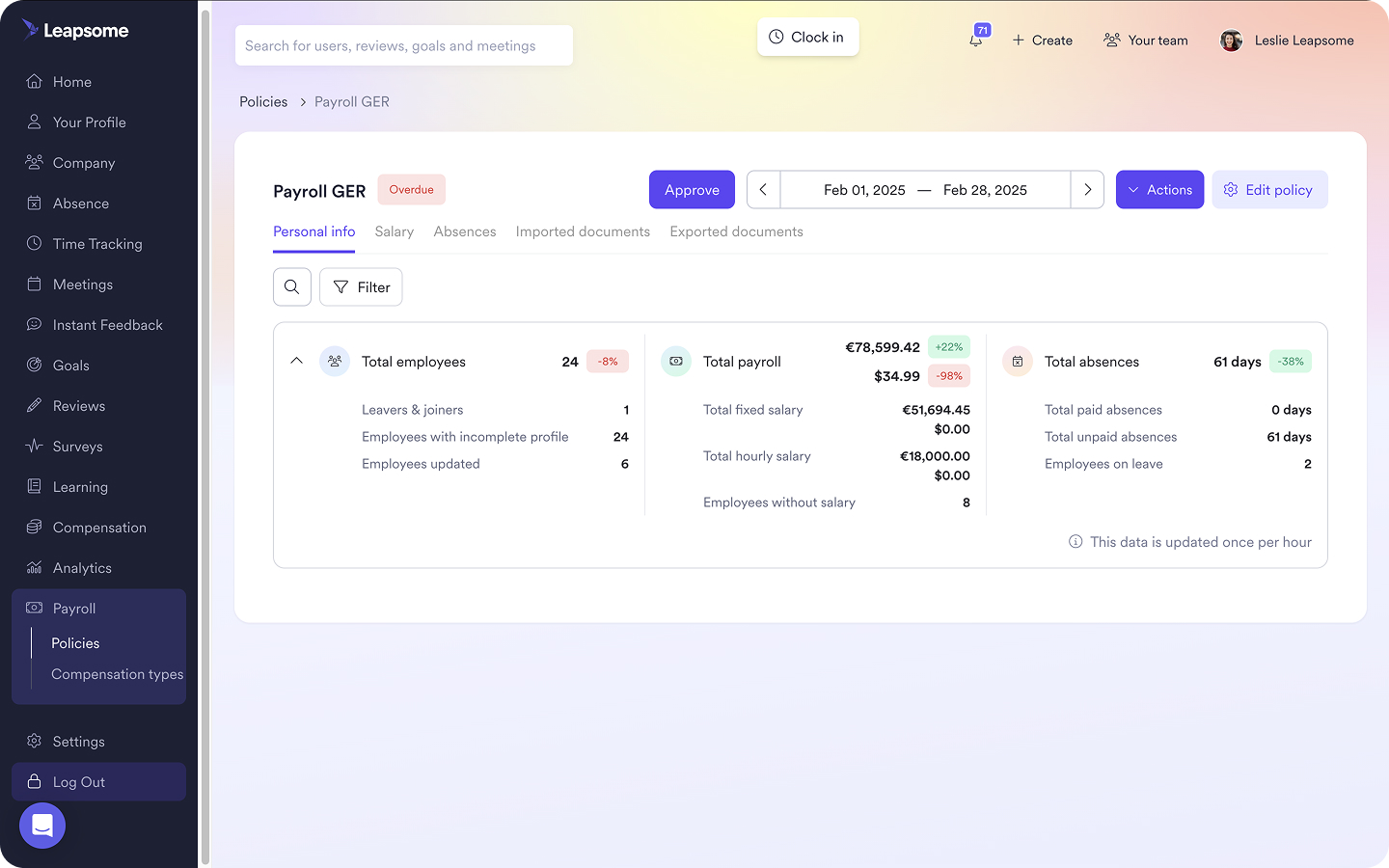
Leapsome is a people-centric HRIS that brings core HR data, performance, engagement, learning, compensation, and analytics together in a single HRMS software. It is designed for everyday adoption across HR, managers, and employees, so the system supports real work instead of becoming an admin-only database.
The platform connects data to action. Teams can run processes such as reviews, goals, and onboarding without moving between tools or rebuilding the same context in multiple places. That helps reduce duplicate work and makes it easier to keep information consistent across the employee lifecycle.
Leapsome also supports decision-making with built-in analytics and AI-supported insights. Instead of waiting on manual reporting cycles, you can surface people insights faster and act on them with clearer context.
Key features
- Unified, single-source-of-truth place for your employees’ personal, role, and compensation details
- Native OKR software that connects company and team goals to day-to-day work, helping teams align without adding extra admin
- Integrated performance management tools that keep reviews, goals, and development in one place
- Connected employee engagement solutions that link feedback, surveys, and sentiment directly to performance and development workflows
- An integrated learning and development platform that ties skills, goals, and growth plans to real performance context
- People analytics features without manual reporting or BI complexity
- A built-in compensation management system that supports review cycles, pay decisions, and context-aware adjustments
Pros
- High adoption beyond HR admins, especially among managers who need context and action in one place
- Accessible analytics that support regular decisions without BI expertise
- Modular architecture that scales from core HR to additional workflows over time
Limitations
- Not a payroll-first system, so most organizations integrate payroll rather than manage it natively
- Supports structured workflows and benefits from process clarity, rather than enforcing rigid defaults
Best for
Mid-market to enterprise companies replacing fragmented HR tools with one connected HRMS software and prioritizing manager adoption, clear people analytics, and integrated workflows over isolated features.
What customers say about Leapsome
- “With Leapsome, we were able to automate performance reviews, goal setting that was even prior, but now even further and onboarding and offboarding and that together helped us save about 20 percent of manual effort of our team.” — Weronika Czerny-Nowakowska, Chief Operating Officer at Neurons Lab
- “Leapsome did a really great job with performance, OKR, and feedback management — everything in one platform.” — Zhen Wang, People Servicer at Jina AI
- “I really enjoyed the UI front of Leapsome. It's super easy to use, modern, and not overbearing. [...] The built-in AI tool is amazing, prompting employees to give their best feedback without having to write a whole novel. [...] Everything being well-managed within the tool makes it easy to use as a manager and a function leader.“ — G2 reviewer
🚀 Scale your HR stack without adding more tools.
Learn how Leapsome replaces fragmented HR systems with one connected platform that grows with your organization and your managers.
👉 Book your demo
Personio: Best for HR administration and compliance in EMEA
.png)
Personio is an EMEA-focused HRMS software best known for core HR administration, payroll-adjacent features, and compliance workflows. Its typical users are small to mid-sized companies that seek an all-in-one system for employee management and HR operations.
For many EMEA-based teams, the strongest fit is core HR administration, time off, and attendance processes, supported by payroll options that can run through integrated solutions or, in some markets, Personio’s own payroll product. The platform emphasizes HR admin efficiency over advanced people analytics or manager enablement.
Key features
- Core HR software for employee records and HR processes
- Absence management for time off policies, requests, and approvals
- Payroll solutions through integrations and market-specific options
Pros
- Strong presence in Europe
- Solid HR admin coverage
- Built-in compliance support
Limitations
- Limited depth in people analytics
- Fewer tools for manager-led performance and development
- Employee experience is more admin-centric
Best for
SMBs and mid-market organizations in EMEA that want HRMS software focused on efficient HR administration and reliable time off and attendance workflows.
What customers say about Personio
- “I like that Personio brings all core HR tasks — attendance, leave management, recruiting, employee data — into one clean, organized platform. Some features feel limited, especially reporting and customization.“ — G2 reviewer
- “I like how everything is managed easily and in one place with Personio, so I don't need to move through multiple platforms. There's [also] confusion with the initial setup, especially when importing existing time off balances and adjustment dates.” — G2 reviewer
BambooHR: Best for simple core HR in smaller teams BambooHR: Best for simple core HR in smaller teams
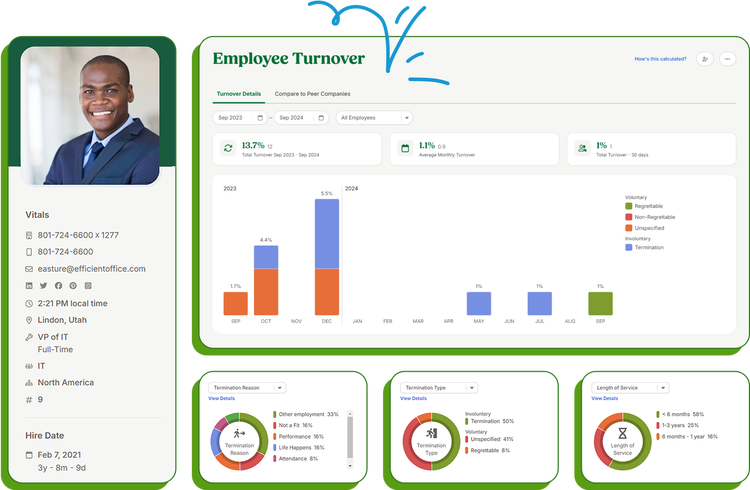
BambooHR is a US-based HRMS software designed for small and mid-sized businesses that want a straightforward system for employee management. It’s also often the chosen HR software for startups, as it centralizes employee records, manages onboarding, and keeps day-to-day HR tasks organized without a complicated setup.
Many teams treat BambooHR as the “core HR hub” in their stack, as it often sits alongside additional tools for more advanced needs, such as deeper people analytics, learning, or engagement programs, especially as the organization grows and processes become more complex.
Key features
- Employee records and document management
- Onboarding and offboarding workflows
- Basic performance management and reporting
Pros
- Easy to use and relatively quick to implement
- Strong adoption among HR teams
- Clear UI for core HR tasks
Limitations
- Limited people analytics depth
- Performance, engagement, and learning are lightweight
- Often requires additional tools as companies scale
Best for
Small to mid-sized companies that need reliable and simple HR tools for employee management, onboarding, and core HR administration.
What customers say about BambooHR
- “What I like most about BambooHR is how intuitive and easy it is to use. The interface is clean and visually appealing, so it doesn’t feel overwhelming, even if you’re not in the system every day. “ — G2 reviewer
- “I use BambooHR in our company; we have about 130 staff and it suits. Can be slightly glitchy with annual leave calculation each beginning of the year so that’s something to watch. Otherwise it’s simple to use, we don’t have many issues. Helpdesk is pretty good at responding, too, if you have any specific queries on how to do something, like a report.” — Reddit user
Rippling: Best for operational consolidation across HR, payroll, and IT
%20(1).png)
Rippling is an all-in-one HRMS platform that unifies HR, IT, and finance operations under one admin layer. The product is built around automation and centralized control, with HR data closely connected to device management, app access, and system permissions.
This approach makes Rippling less about people development and more about operational efficiency, especially in global, distributed teams. When evaluating Rippling, teams often look for features to simplify administration, reduce manual setup across systems, and manage a growing workforce consistently rather than invest deeply in performance or engagement workflow
Key features
- Core HR and employee data management
- Payroll and benefits administration
- IT device and app management
Pros
- Broad operational coverage
- Strong payroll and automation capabilities
- Centralized admin controls
Limitations
- Limited depth in people analytics and performance workflows
- Manager and employee experience may feel secondary to admin use cases
- Costs can increase as you add new modules
Best for
Growing companies that want HRMS tools focused on operational consolidation and workforce management, especially when they need to coordinate HR, payroll, and IT through a single system.
What customers say about Rippling
- “Most key HR tasks are automated, for example handling taxes and running payroll, among others. The platform prepares accurate payroll and helps ensure that each process meets the required standards. The administrative side of the app is clean and very efficient, which makes day-to-day management easier.“ — G2 reviewer
- “The automation and integrations make it easier to manage complex workflows while still allowing flexibility for company-specific needs, and the visibility across modules helps teams stay organized and proactive.” — G2 reviewer
UKG Pro: Best for organizations with large frontline or shift-based workforces
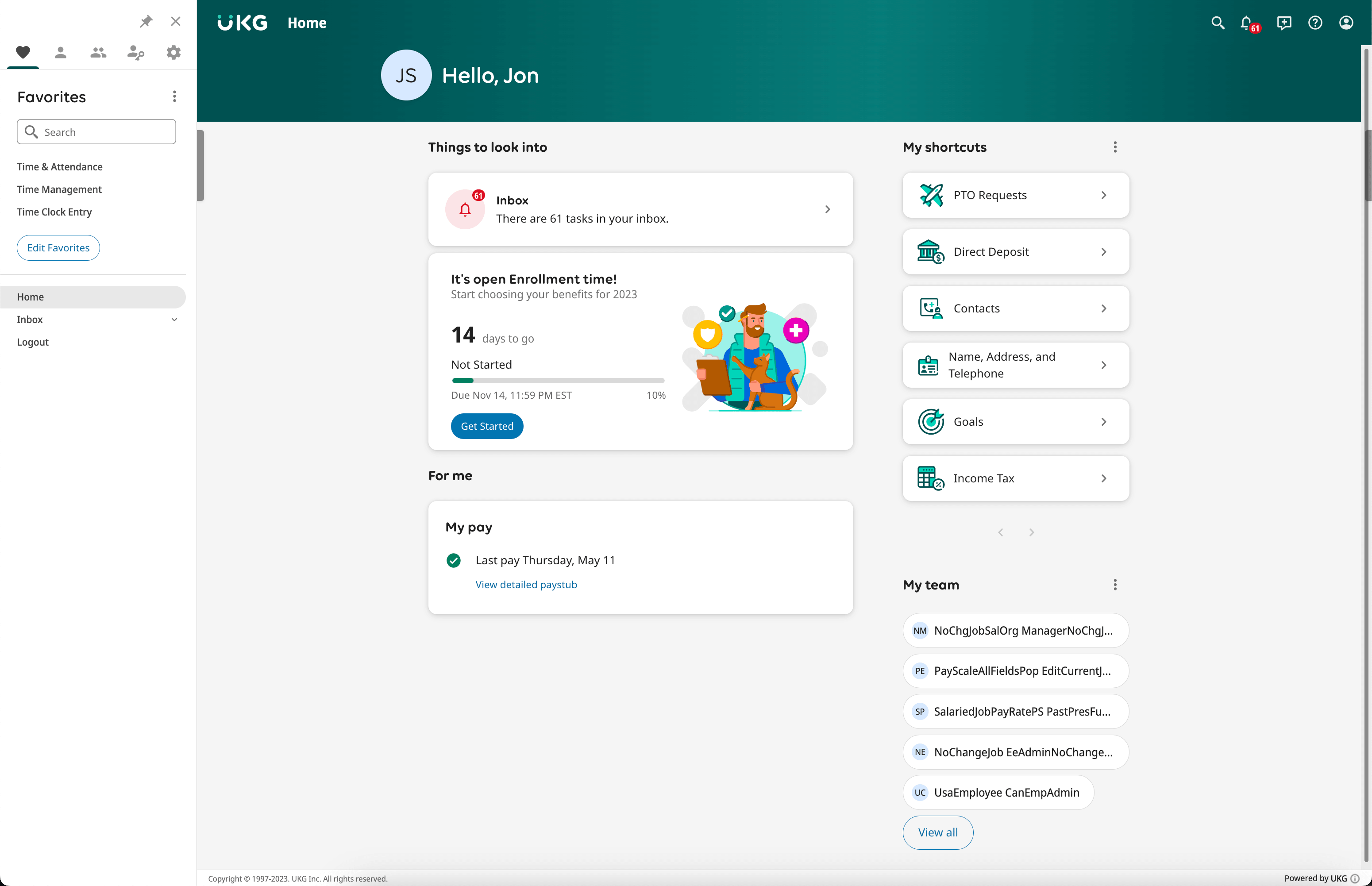
UKG Pro is an enterprise-level HRMS built around payroll accuracy and day-to-day workforce management. Organizations that need to manage large populations of hourly employees typically use it for scheduling, time tracking, and labor compliance are central to HR operations.
This tool brings HR, payroll, and time and attendance into a single ecosystem, which suits environments where operational reliability matters more than flexibility. It’s also useful for HR teams that must support complex rules, regulated labor practices, and high employee volumes across locations.
Key features
- Payroll and workforce management
- Time, attendance, and scheduling
- HR reporting and compliance tools
Pros
- Strong payroll and labor management capabilities
- Suitable for complex, regulated environments
- Scales to large workforces
Limitations
- Analytics and insights can feel admin-heavy
- Manager workflows are less intuitive
- Implementation can be resource-intensive
Best for
Large organizations with frontline or shift-based teams that need dependable workforce management more than advanced people development or analytics capabilities.
What customers say about UKG Pro
- “What I find most helpful about UKG Pro is that once you become familiar with the system, it becomes much easier to navigate and use over time. “ — G2 reviewer
- “I find the software to be very aesthetically pleasing and easy to use, which enhances my experience significantly. Moreover, I highly value the customizable reporting feature.” — G2 reviewer
Workday HCM: Best for complex, global enterprise environments
.jpg)
Workday HCM is a global HRMS platform that sits within the wider Workday ecosystem for finance, planning, and operations. It helps large organizations that want human resources to operate as part of a broader enterprise system, with shared data models and governance across functions.
As a human capital management solution, Workday emphasizes configurability and scale and supports complex organizational structures, multinational requirements, and advanced reporting needs. Typically, it assumes dedicated internal ownership and IT involvement to manage configuration, rollout, and ongoing changes.
Key features
- Global HR and talent management
- Advanced reporting and analytics
- Deep ERP and finance integrations
Pros
- Highly scalable and configurable for large enterprises
- Strong enterprise-grade analytics capabilities
- Widely adopted across global organizations
Limitations
- Long implementation timelines
- High total cost of ownership
- Limited flexibility for mid-market teams
Best for
Large enterprises with complex global structures that need HRMS software tightly integrated with finance and planning systems, and that are prepared to invest in a full human capital management platform.
What customers say about Workday HCM
- “Everything is centralized in one app, making it easy to complete your tasks, follow up, and manage your work and documents. [...] It also offers different communication and support options for customers. I manage all my full-time and part-time jobs in Workday every day.” — G2 reviewer
- “I like how user-friendly and well-structured Workday HCM is. The reporting and dashboards are very powerful, and having everything well integrated makes data-driven decisions easier. “ — G2 reviewer
SAP SuccessFactors: Best for SAP-aligned multinational enterprises
.png)
SAP SuccessFactors is an enterprise HRMS software that mainly caters to large organizations with complex, global HR requirements. It’s part of SAP’s broader human capital management portfolio, with close ties to finance, operations, and enterprise planning through the SAP ecosystem.
The platform supports multinational HR operations where consistency, compliance, and configurability matter more than speed of setup or lightweight workflows. As a result, SuccessFactors typically fits organizations that already operate SAP as a core system and have the internal capacity to manage enterprise-grade HR software.
Key features
- Core HR and talent management
- Performance and learning modules
- Global compliance and reporting
Pros
- Strong global coverage across regions and entities
- Deep enterprise functionality for complex HR environments
- Extensive configuration options
Limitations
- Steep learning curve for HR teams and managers
- Heavier admin and IT involvement
- Less intuitive manager experience than most platforms
Ideal use case
Multinational enterprises already invested in SAP infrastructure that need HRMS software to support standardized, global human capital management processes.
What customers say about SAP SuccessFactors
- “We use it frequently for core HR, performance management, and employee lifecycle activities, and it offers a wide range of features that cover most HR needs. Integration with other SAP systems and third-party tools is smooth, and customer support is reliable [...].” — G2 reviewer
- “It brings all HR-related tasks and information into one place. I can access all my employee data from a single location, which makes everything easier to find. It’s well organized and very transparent overall. The interface also looks clean and professional, which makes it pleasant to use.” — G2 reviewer
ADP Workforce Now: Best for payroll and compliance accuracy
.png)
ADP Workforce Now is a payroll-centric HRMS that supports organizations in which accuracy, consistency, and compliance are top priorities. Typically used by mid-market and enterprise companies, particularly in North America, ADP Workforce Now provides dependable payroll processing and strong regulatory coverage.
The platform brings together payroll, core HR, benefits administration, and reporting under one vendor. Rather than focusing on advanced people development or analytics, ADP Workforce Now helps reduce risk and administrative burden. This makes it a common choice for organizations that value stability and compliance over flexibility.
Key features
- Payroll and tax compliance
- Core HR and benefits administration
- Workforce analytics and reporting
Pros
- Market-leading payroll expertise
- Strong compliance infrastructure
- Trusted enterprise vendor
Limitations
- Limited depth in people analytics
- Manager and employee experience is primarily functional
- Modular structure can increase system complexity
Best for
Large organizations that prioritize tax compliance and regulatory support, and prefer a proven provider even if people analytics and manager-facing workflows are less central to the system’s role.
What customers say about ADP Workforce Now
- “ADP is a reliable payroll and HR system that many businesses use to manage employee pay, taxes, and timekeeping. One of its biggest strengths is accuracy — payroll processing and tax calculations are dependable, which helps reduce errors and compliance issues. “ — G2 reviewer
- “When I get an ADP rep that I can understand clearly and they seem to want to make sure all my questions and needs are addressed.” — G2 reviewer
HiBob: Best for mid-market teams prioritizing usability and adoption
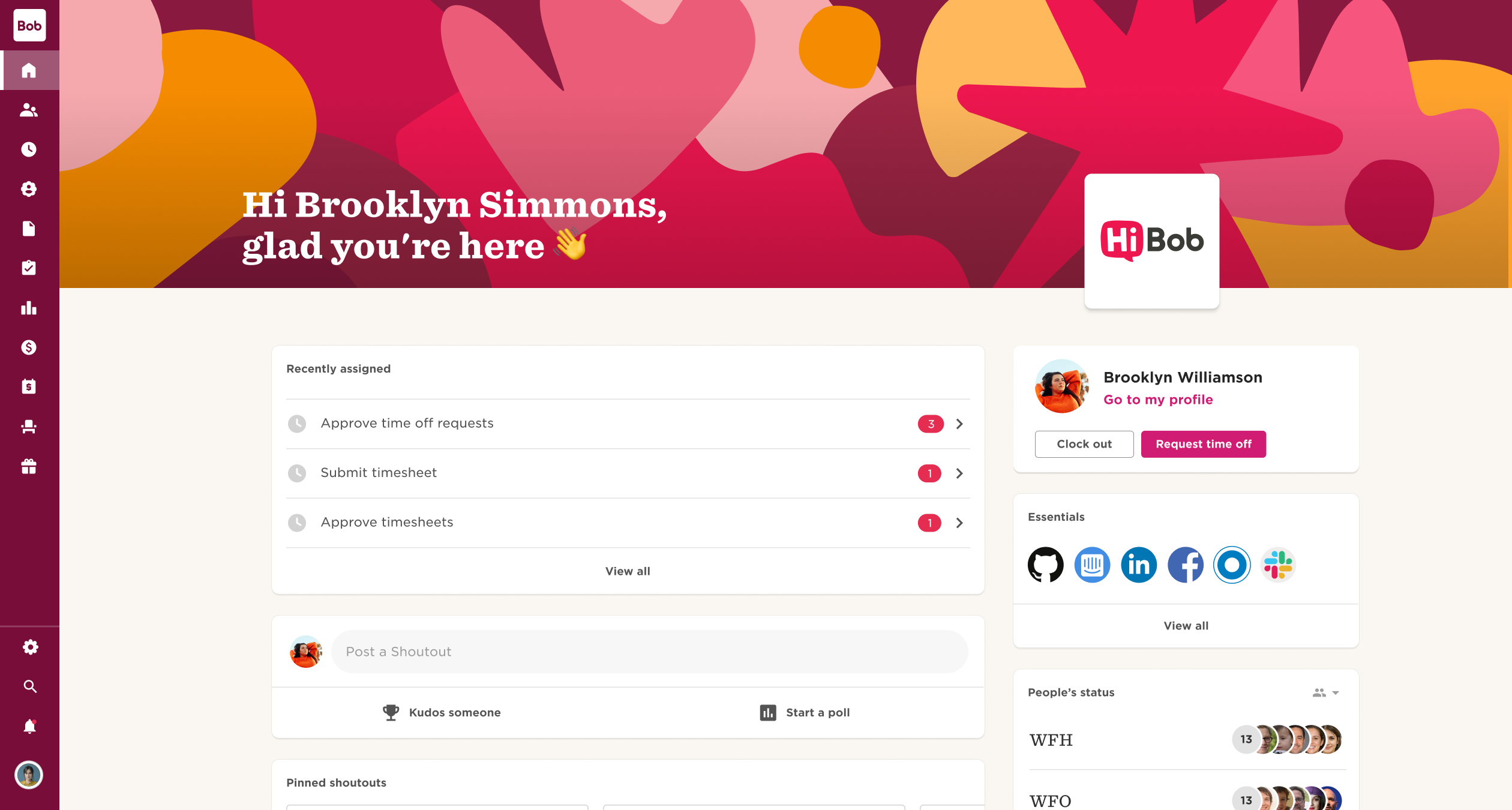
HiBob is a modern HRMS software designed for fast-growing organizations, with a strong focus on employee experience. Employee records, engagement, and performance are all connected in a single interface that’s easy for teams to set up and use.
Many companies adopt HiBob to improve visibility into people data and support culture and engagement initiatives without introducing heavy configuration or complex workflows. Compared with more enterprise-oriented systems, HiBob emphasizes clarity and adoption over deep customization.
Key features
- Core HR and employee profiles
- Performance and engagement tools
- People dashboards and reporting
Pros
- Strong focus on employee experience
- Modern UI that supports fast adoption
- Well-suited for growing teams
Limitations
- Limited depth in advanced people analytics
- Less suited for highly complex enterprise environments
- Payroll relies on integrations rather than native functionality for markets other than the US
Best for
Small and mid-market companies that want visibility into people data and value ease of use over extensive configuration or enterprise-grade complexity.
What customers say about HiBob
- “I like that HiBob HRIS has a very clean user interface. It's easy for anyone to learn and use, even those using it for the first time. Accessing settings and anything on HiBob is very easy, so the learning curve is much easier for beginners using HiBob.” — G2 reviewer
- “We've used HiBob for a few years now and been very happy. It's user friendly and we like the integration of multiple options, like payroll and onboarding.” — Reddit user
A buying guide for HRMS software
We’ve designed this buying guide to help you move from comparison to a confident strategic decision. Instead of evaluating HRMS software on surface-level features, the guide will help you focus on how each system supports day-to-day decisions, manager execution, and sustainable operations over time.
Define the decisions your HRMS must support
Start with the questions leadership expects HR to answer, not with vendor feature lists. These questions often relate to headcount risk, engagement trends, performance gaps, or readiness for growth. A strong HRMS software choice makes these answers easy to surface and explain.
When tools are selected based on features alone, HR teams often end up with data that looks impressive but is hard to translate into action. Mapping systems to decisions forces clarity on what information matters, who needs it, and how often it must be updated. This step also helps eliminate tools that look powerful but add little value to leadership conversations.
Evaluate integration depth, not integration count
Most HR platforms advertise long integration lists, but the real question is how deeply those systems connect. Payroll, ATS, LMS, and analytics tools should be able to exchange data reliably and with minimal manual work required from your team. Shallow integrations often recreate the same reporting gaps you’re actually trying to escape.
Pay attention to where data lives, how often it syncs, and whether workflows span systems or stop at handoffs. Workflow automation only delivers value when integrations support real processes, not just data exports. This is where many HRMS implementations fall short.
Assess manager workflows early
Manager adoption has a direct impact on return on investment. If managers struggle to give feedback, review goals, or complete approvals inside the system, HR becomes the bottleneck again. Over time, this slows execution and reduces trust in the platform.
Early evaluation should focus on common manager tasks and how much context is available at the moment of action. Systems that separate data from execution often increase follow-up work for HR, even if reporting looks strong on paper.
Model total cost beyond license fees
License pricing rarely reflects the true cost of an HRMS. Implementation effort, ongoing administration, internal support time, and additional tools all affect long-term value. Tool sprawl is one of the most common and least visible cost drivers.
A realistic cost model accounts for what happens after launch. It considers how many systems must be maintained, how often workflows change, and how much manual work remains. If you need a structured way to approach this evaluation, this guide on how to choose HRIS software or our top HRIS systems comparison can help frame the trade-offs clearly.
Taken together, these steps help ensure your HRMS software supports growth without adding complexity. The goal is a system that scales with your organization and continues to justify its place in the stack over time.
Choosing the best HRMS software for 2026
Choose the best HRMS software by testing how well each human resource management system supports three outcomes:
- Decision speed,
- Manager execution, and
- Long-term system gravity.
Pick a platform that answers leadership questions quickly, without manual reporting or scattered data. Vendors should be able to show you the exact path from data input to an insight you can share with leadership.
Choose a system where managers can complete key actions in the same place they view context, such as goals, feedback, learning, and compensation inputs. Dependency on HR for routine follow-through should be minimal.
Your ideal platform can become both your system of record and your system of action, not another layer that forces you to maintain multiple tools and duplicate workflows.
Want a practical starting point for shortlisting and demos?
Review what a modern HRIS platform includes and how it supports connected workflows across the employee lifecycle.
🏢 See how Leapsome supports complex HR decisions at enterprise scale
Take a guided product tour to see how Leapsome unifies people data, standardizes workflows, and supports consistent decisions across teams and regions
👉 Take the Leapsome product tour
Frequently asked questions about HRMS software
What is the difference between HRMS, HRIS, and HCM?
HRIS usually refers to a system that stores and manages employee data and core HR administration.
HRMS often means a broader system that includes HRIS features plus additional management workflows, such as performance, engagement, learning, compensation, and analytics.
HCM is often used as an umbrella term for end-to-end talent and workforce management, and vendors use it differently. When choosing a platform for your business, focus less on labels, and more on whether the product offers the features and workflows your organization needs.
Is HR Acuity an HRMS or an employee relations tool?
HR Acuity is typically positioned as an employee relations platform focused on case management, investigations, and related workflows.
Teams often use it alongside an HRIS or HRMS rather than as a replacement for core HR records and broad people management workflows. You can confirm scope by checking whether the product covers core HR system-of-record needs, or a specialized employee relations layer.
Which HRMS is best for mid-market companies?
The best HRMS for mid-market companies is the one that reduces tool sprawl while staying easy to implement and use. Assess with your must-have workflows in mind, then check if the platform supports manager self-service, clear reporting, and integrations you want to keep.
If you are scaling quickly, you should prioritize systems that handle change without requiring constant rework in workflows and permissions.
Which HRMS platforms scale best for enterprise?
Enterprise-ready HRMS platforms typically support complex org structures, global policies, advanced permissions, and deeper configuration. Scale also depends on implementation capacity, internal ownership, and how well the platform integrates with payroll, identity and access, and finance systems.
You can validate scale in demos by asking to see real examples of multi-entity setup, reporting across regions, and manager workflows at volume.
How long does HRMS implementation usually take?
Implementation timelines can vary significantly based on scope, integrations, data migration complexity. Also, it depends on how many modules you aim to roll out at once. Shorter timelines usually happen when teams phase the rollout, start with clean data, and assign clear owners for decisions and testing.
Ask vendors to share a phased plan that includes data migration, admin setup, manager training, and reporting validation.
What features actually drive ROI in HRMS software?
ROI usually comes from fewer manual processes, less duplicated work across tools, faster reporting, and stronger manager execution.
Features that reduce recurring effort, such as workflow automation, reliable reporting, employee self-service, and role-based permissions are the ones that keep processes moving without HR acting as the middle layer. Tie your evaluation to a small set of measurable outcomes you can defend in leadership conversations.
Leapsome Team



.jpg)
.jpg)