7 best attendance management software solutions for 2026
.png)
.jpg)
Too many attendance tools still treat time tracking as a control mechanism or an isolated admin task. In practice, this creates extra work for HR teams, confusion for employees, and data that can’t be trusted when payroll runs.
This guide compares leading attendance tracking software to help you shortlist solutions that support scale, hybrid work, and more reliable day-to-day operations.
🔎 See how attendance fits into a modern HRIS
Discover how Leapsome brings time tracking, absences, and employee data together in one system built to scale.
👉 Explore the HRIS
The best attendance management software for 2026
Rather than standalone time tracking, this list prioritizes solutions that integrate with existing HRIS setups and scale with the complexity of modern organizations.
We focused on platforms built to handle attendance as part of a broader HR infrastructure. The tools included here support clean data flow into payroll, absence tracking, and workforce planning, reducing the need for manual reconciliation as teams grow.
Information is based on publicly available vendor materials and review platforms as of January 2026. Verify current features, coverage, and pricing directly with each vendor.
{{TABLE}}
Leapsome
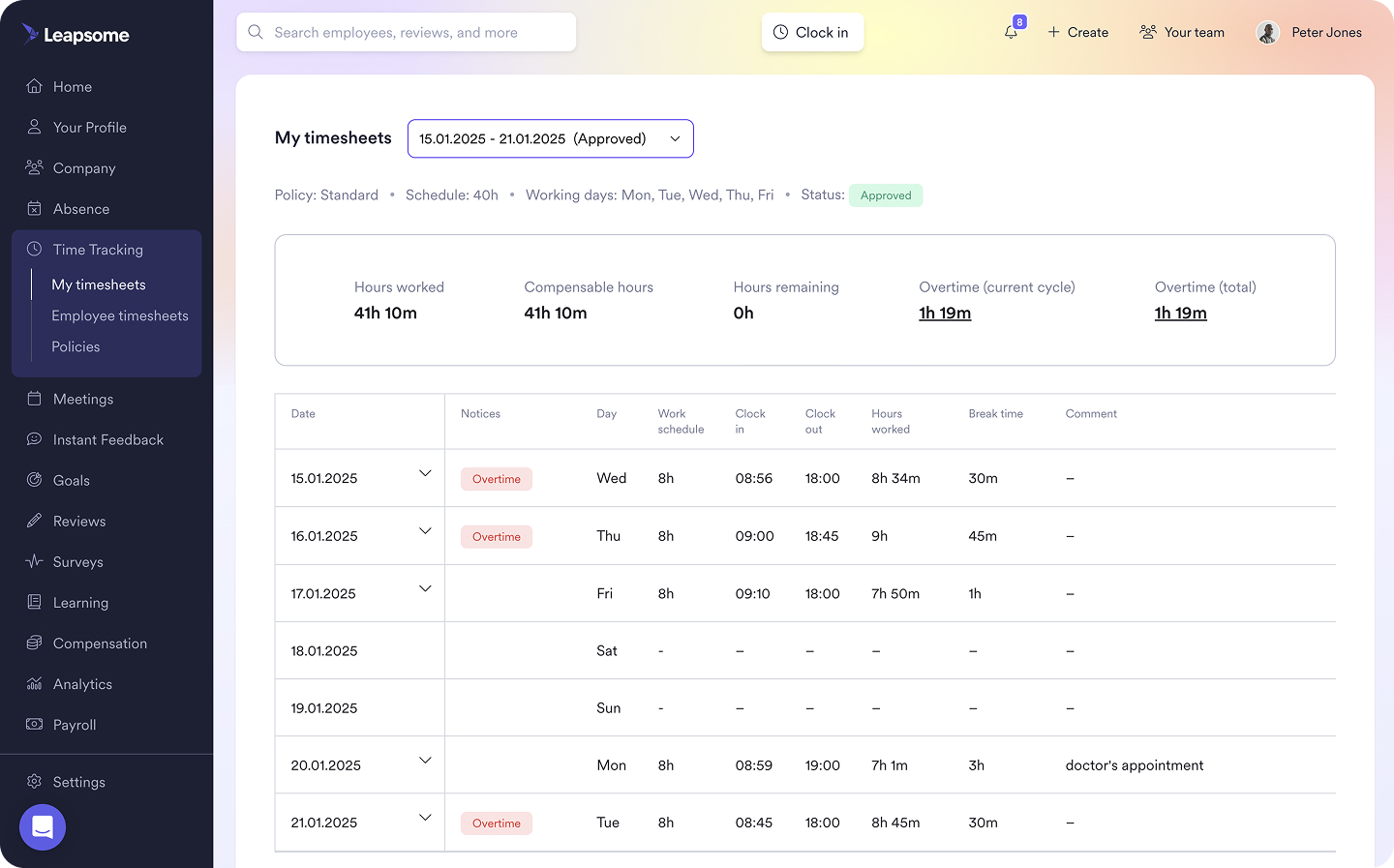
Leapsome is an all-in-one HR platform built for mid-sized and scaling organizations that want to connect core HR with how people actually work and grow. It brings together performance, engagement, learning, and compensation, alongside HRIS essentials such as attendance management software, time tracking, and absence management.
Unlike standalone attendance tools, Leapsome treats time tracking as a connected part of your wider HR system rather than a separate layer of admin. Attendance data sits alongside performance reviews, engagement insights, and compensation planning, helping HR teams understand how working patterns relate to productivity, well-being, and broader workforce trends — without jumping between tools or cleaning up data.
This integrated approach becomes even more valuable as organizations grow. As policies evolve, teams grow, and reporting requirements change, having attendance built directly into your HRIS reduces ongoing maintenance and keeps people data consistent, connected, and ready to support better decisions.
“Leapsome is the most customizable, best analytics, and easy to use.”
— Reddit user in r/humanresources, June 2025
“[I like] the features of having all aspects of HR in one, the automation processes, and that when I talk to my implementation coordinator, she listens and follows up extremely well!”
— G2 review, August 2025
Key features
- Attendance and time tracking that are embedded within the HRIS, with consistent web and mobile access
- Absence and leave management that are linked to employee profiles, with configurable policies and approval workflows
- Payroll-ready exports and approval workflows that reduce manual preparation and reconciliation
- Calendar views showing individual and team availability to support planning and prevent scheduling conflicts
- Centralized reporting with AI-powered insights that help HR teams review attendance patterns alongside other workforce data
- Role-based access controls to ensure managers and employees see only relevant attendance information
- Configurable attendance rules by role, team, or location to support different working patterns
- Self-service tools for employees to request time off, view balances, and track attendance history
Pros
- HRIS-native architecture removes the need for manual data exports between systems
- Attendance data flows cleanly into payroll and absence management workflows, reducing errors and follow-up work
- Centralized data model supports consistent reporting across teams, locations, and organizational structures
- Flexible configuration supports regional requirements without fragmenting systems or processes
- Scales well as headcount, policies, and reporting needs become more complex
Limitations
- Less suited to organizations looking for a standalone time clock solution
Best for
Mid-sized and scaling businesses that want attendance management embedded within their HRIS, with consistent data flow across payroll and absence management software.
“Employees can now find everything in one place — their data, absences, goals, and reviews. I don’t have to explain which tool to use for what. It’s all in Leapsome.”
— Merilyn L, Senior People Operations Specialist at Bob W
⏱️ Simplify attendance and time tracking
Learn how Leapsome’s HRIS-native time tracking tool reduces manual admin and keeps attendance data payroll-ready.
👉 Take at tour
Personio
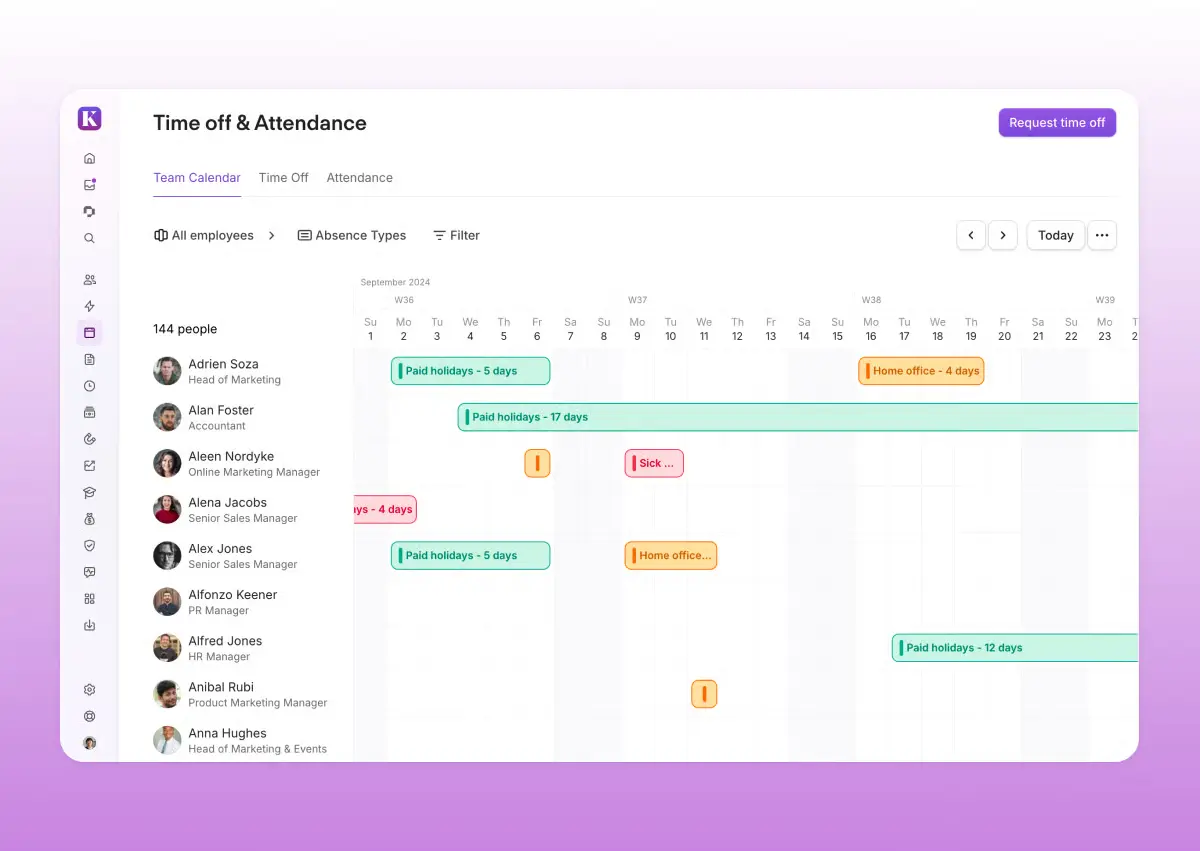
Personio positions itself as a comprehensive HRIS with built-in attendance and time management capabilities, primarily designed for the European market.
The platform can handle core administrative tasks related to attendance while providing the foundational HRIS infrastructure that many European organizations require. It combines absence tracking, time management, and payroll preparation within a single system, making it popular among small to mid-sized companies in the DACH region.
“I like the team calendar a lot; it helps me check other colleagues' attendance. The time off and attendance feature is also great because it helps me track my time and plan future holidays.”
— G2 review, November 2025
Key features
- Absence and time management with automated approval workflows
- Customizable absence types and accrual policies
- Calendar views showing team availability
- Time tracking through a mobile app
- Integration with native payroll processing
- Employee self-service portal for requesting time off and viewing balances
Pros
- Strong presence in DACH markets with localized compliance features
- Native payroll capabilities reduce the need for third-party integrations
- Multi-language support across European languages
- Combines core HR, recruiting, and payroll in one platform for European SMBs
Limitations
- European focus may limit its suitability for global companies
- Limited visibility into daily attendance at a glance
- Search doesn’t always surface relevant attendance actions
Best for
European SMBs and mid-market companies seeking an HRIS with built-in attendance tracking, particularly those operating across DACH markets.
HiBob
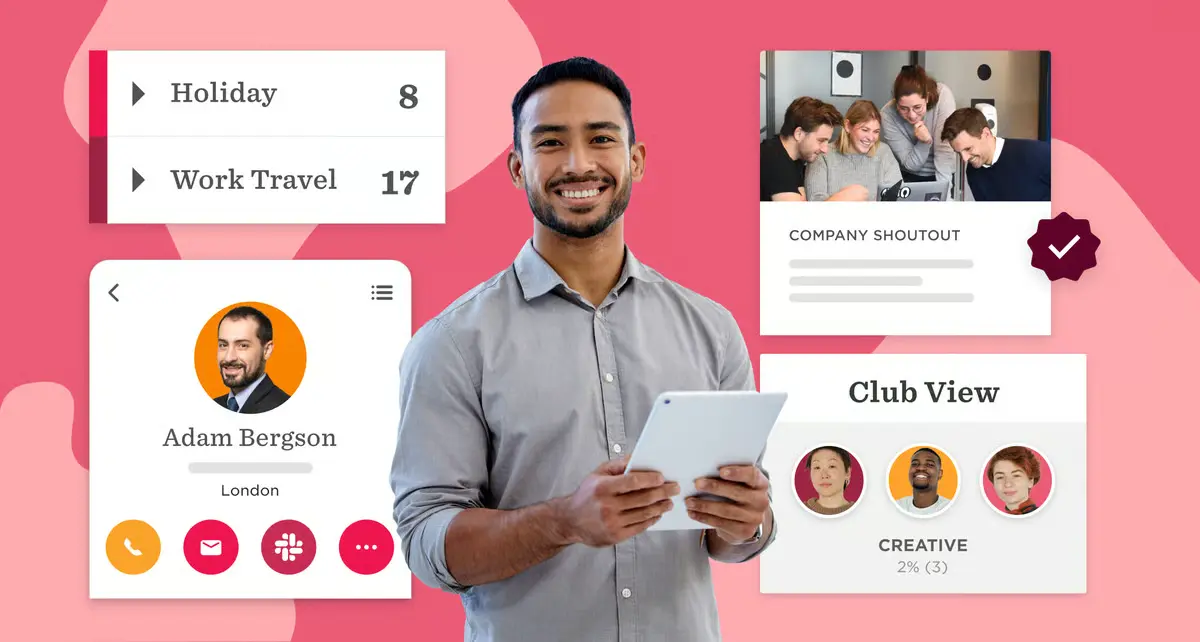
HiBob offers attendance management as part of its people-centric HRIS platform designed for mid-market companies with distributed teams. The platform combines time tracking and absence management with employee engagement features, which is an approach that works well for teams that want attendance to feel part of everyday employee experiences rather than a separate HR task.
“Hibob ended up working really well for us because it’s flexible, easy to use, and combines HRIS, onboarding, PTO, and a light ATS in one place.”
— Reddit user in r/humanresources, September 2025
Key features
- Time and attendance tracking with mobile accessibility
- Absence management with customizable policies by location
- Automated approval workflows and balance calculations
- Team calendar views showing availability across departments
- Integration with payroll providers for seamless data transfer
- Self-service portal for employees to request time off and view accruals
Pros
- Modern, intuitive interface designed for employee engagement
- Strong support for multi-country operations with localized compliance
- Attendance data integrates with broader people experience modules
- Configurable policies accommodate different regional requirements
Limitations
- Limited flexibility for complex multi-country setups
- Limited flexibility when adjusting start times
- Flex time calculations require manual handling
Best for
Mid-market companies prioritizing employee experience alongside core attendance management, especially for distributed teams across multiple countries.
BambooHR
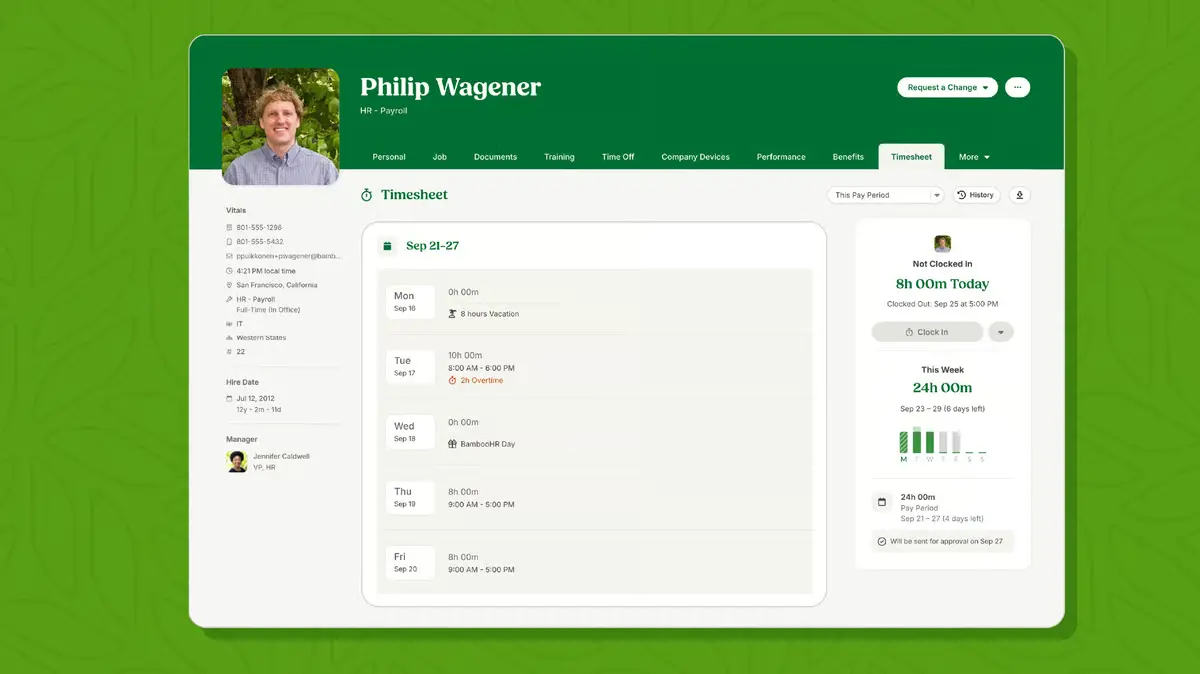
BambooHR provides straightforward attendance and time-off tracking within its HRIS platform, aimed at small to mid-sized businesses. It prioritizes simplicity and ease of use, offering core absence management features without the complexity of enterprise-grade workforce management tools. BambooHR's time tracking and PTO management can integrate directly with its HR database, which is great if you’re looking for a system to manage employee records and attendance data together.
“BambooHR makes it easier for me to manage a large team by providing daily updates and notifications, such as who is out of the office today. Requesting time off is also very easy and straightforward within BambooHR, and the approval emails for the team’s requests come through instantly.”
— G2 review, January 2026
Key features
- Time-off tracking with customizable PTO policies
- Absence management with automated accrual calculations
- Calendar views showing team availability and scheduled absences
- Employee self-service for requesting time off and viewing balances
- Approval workflows with email notifications
- Integration with BambooHR's payroll module and external payroll providers
Pros
- Intuitive interface requires minimal training for HR teams and employees
- Straightforward setup and implementation process
- Strong presence in the US market
- Combines time-off tracking with core HR records in a single platform
Limitations
- Limited automation for recurring timesheet entries
- Clocking in and out requires logging in each day, which can be inconvenient
- Reporting can feel limited for companies needing highly detailed or customized data
Best for
Small to mid-sized US businesses seeking straightforward attendance and time-off tracking within a simple HRIS.
Connecteam
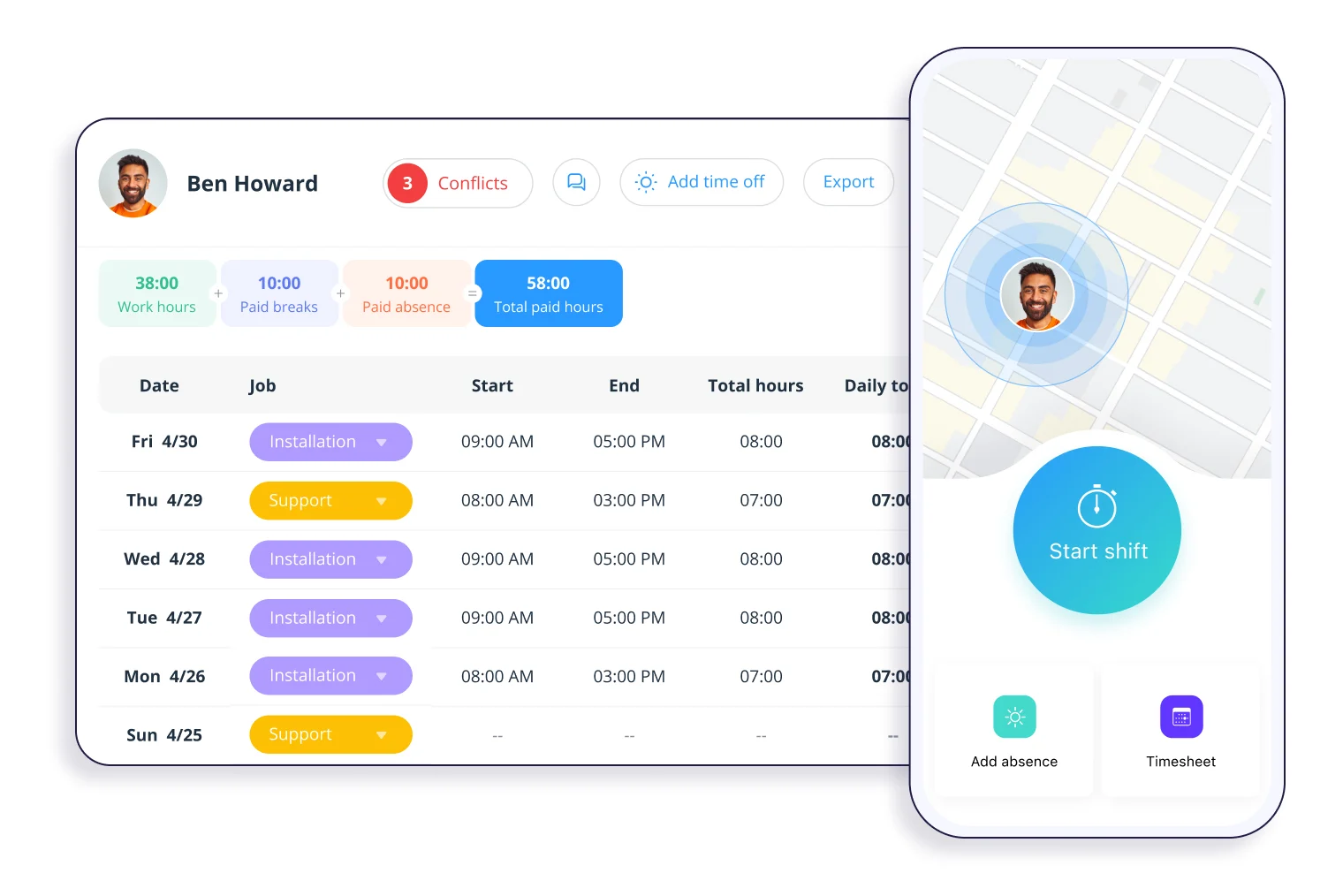
Connecteam specializes in mobile-first workforce management designed for deskless and frontline teams. The platform combines time tracking with GPS verification, shift scheduling, and team communication tools built specifically for field operations. Connecteam's attendance features focus on supporting accurate location-based clock-ins when role requirements make location verification necessary, making it distinct from traditional office-based HRIS platforms.
“The time clock feature alone has saved us a significant amount of money; we can now accurately track representatives’ exact hours and ensure shifts are worked in full. This solved a major issue we previously faced when staff were simply invoicing us for their time, which often led to early departures going unnoticed.”
— G2 review, January 2026
Key features
- GPS-based time clock with location verification
- Geofencing to restrict clock-ins to specific work sites
- Shift scheduling with a drag-and-drop calendar interface
- Mobile app designed for field workers and deskless teams
- Automated timesheet generation and approval workflows
- Real-time notifications for late arrivals and missed shifts
Pros
- Mobile-first design optimized for field and frontline workers
- GPS tracking provides location accountability for remote teams
- Free plan available for teams of up to 10 users
- Flat-rate pricing for the first 30 users reduces costs for small teams
Limitations
- Advanced features can be harder to discover initially
- Location tracking accuracy can be inconsistent
- Reporting depth may be limited for advanced HR analysis
Best for
Smaller companies with deskless teams that rely on mobile-first attendance with GPS verification and shift scheduling for field operations.
Buddy Punch
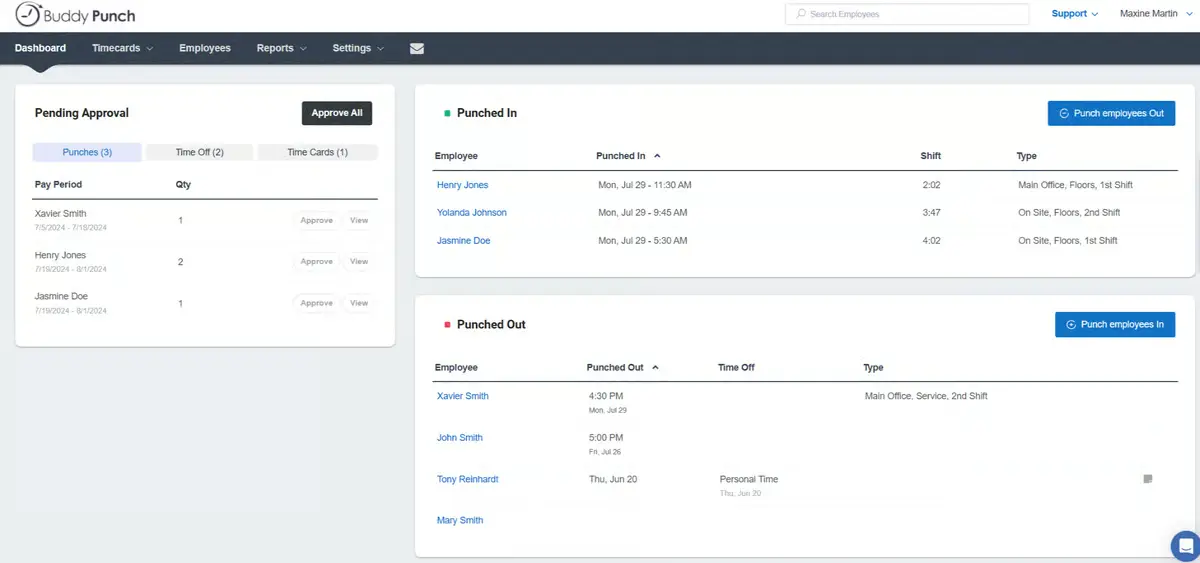
Buddy Punch also focuses on preventing time fraud through verification features such as GPS tracking, geofencing, and photo capture at clock-in. The platform provides straightforward time tracking and scheduling designed for businesses managing remote or mobile workforces where location verification matters more than deep HRIS integration. Buddy Punch's core strength lies in accurate time capture and payroll-ready reporting rather than broader HR functionality.
“They have a communications hub that really helped with our employee engagement as well, in addition to time tracking and job scheduling.”
— Reddit user in r/buhaydigital, September 2025
Key features
- Photo verification at clock-in to prevent buddy punching
- GPS tracking and geofencing for location-based attendance
- Time tracking with automatic break and overtime calculations
- Scheduling tools with shift assignments and notifications
- Payroll-ready timesheet exports
- Integrations with QuickBooks, ADP, Paychex, and other payroll providers
Pros
- Strong time fraud prevention through photo and GPS verification
- Transparent pricing with clear per-user costs
- Fast implementation with minimal setup required
- Responsive customer support with live chat availability
Limitations
- Report customization options are limited
- Web-based time punching can be unreliable and clunky
- An attendance-only tool rather than a full HRIS
Best for
Teams requiring time fraud prevention through GPS tracking, geofencing, and photo verification for remote workforces.
Clockify
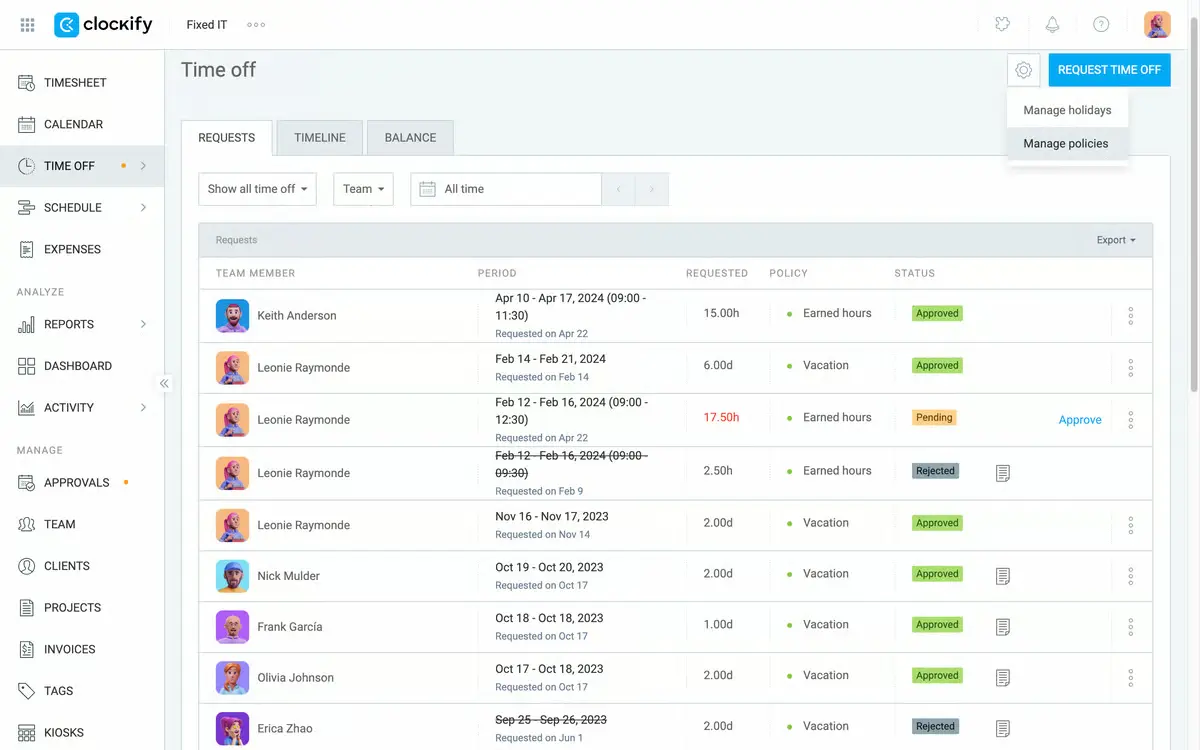
Clockify offers free time tracking with unlimited users, making it accessible for budget-conscious teams and freelancers who need basic attendance recording without upfront costs. The platform focuses on simple time logging and project-based tracking rather than complex workforce management or HRIS integration. Clockify's straightforward approach appeals to teams seeking transparency in how time is spent across projects and tasks.
“The detailed reports and analytics help me review productivity and make informed decisions on pricing and resource allocation.”
— G2 review, January 2026
Key features
- Free plan with unlimited users and projects
- Time tracking via timer, manual entry, or kiosk mode
- Project and task-based time logging
- Timesheet approval workflows
- Basic reporting and time summaries
- Invoicing capabilities on paid plans
Pros
- Generous free plan eliminates cost barrier for small teams
- Simple interface requires minimal training
- Works across web, desktop, and mobile platforms
- Suitable for both internal teams and client billing
Limitations
- Interface can feel rigid for advanced use cases
- Limited automation for scheduling recurring tasks
- Limited visual customization in reports and views
Best for
Budget-conscious teams needing basic time tracking without extensive payroll integration requirements.
How to choose attendance management software that fits your HR infrastructure
Choosing attendance management software starts with deciding the role you want attendance data to play in your HR stack to support clarity and reliable decision-making. The most effective platforms integrate cleanly with core systems and scale as teams grow, without forcing HR into rigid workflows or additional manual checks.
Attendance software vs HRIS-native attendance
Standalone attendance tools are typically designed for operational control, offering features such as shift scheduling or location-based tracking. These tools work well for deskless or shift-heavy teams but usually require integrations or exports to pass data into HR and payroll systems.
HRIS-native attendance treats time-tracking software as part of the wider HR data model. Attendance data lives alongside employee records, absences, and payroll inputs, reducing tool sprawl and the need for ongoing reconciliation. Over time, this approach simplifies reporting, improves payroll accuracy, and supports system consolidation as organizations scale.
Where attendance data should flow and why it matters
Attendance data works best when it feeds directly into payroll, leave management, and workforce planning, rather than sitting in a separate system. When data flows cleanly, payroll preparation becomes more reliable, and you can handle absences, overtime, and policy exceptions more efficiently.
Linking attendance to leave management solutions and clear attendance policy guidelines also improves day-to-day visibility. Your HR teams and managers can see availability and coverage more easily, making it easier to spot resourcing gaps and plan ahead.
Balancing automation with employee and manager experience
Automation only delivers value when people trust the system and find it easy to use. If attendance tools feel clunky or disconnected from everyday workflows, employees and managers will fall back on spreadsheets, messages, or informal approvals to keep things moving. This kind of shadow tracking creates gaps between recorded data and reality, increasing the risk of errors and follow-up work for HR.
Straightforward self-service, simple approval workflows, and visibility into team availability help prevent this. If people can request time off, approve absences, or check who’s available in just a few clicks, they’re more likely to follow the official process. Over time, consistent usage leads to more reliable attendance data and can support broader strategies to reduce absenteeism.
What to pressure-test during demos and trials
Demos are designed to show best-case scenarios, so trials are the time to test how a system handles real-world HR complexity. They’re the perfect opportunity to ask vendors to walk through the full process from a time-off request to payroll preparation, and to flag any steps that still need manual input.
It’s also worth checking how well the platform supports payroll automation benefits, particularly with policy exceptions and retroactive changes. Test attendance rules against your actual policies and see whether reports answer the questions your HR teams receive every day, without relying on exports. Finally, clarify what implementation really includes by reviewing payroll checklist essentials and understanding the ongoing maintenance required.
Using attendance data as an operational signal, not just a record
Attendance data may start as a compliance requirement, but its real value comes from how you use it. When attendance feeds directly into payroll, leave management, and workforce planning, HR teams can spot patterns like sustained overtime or rising unplanned absences early.
That insight depends on infrastructure. Reducing fragmented tools and manual reconciliation improves the reliability of attendance analytics across payroll reports, payroll metrics, and long-term payroll trends. Over time, attendance shifts from a record-keeping task to a practical input for capacity and workforce decisions.
If attendance data still lives in a separate tool, it likely adds friction for employees and extra work for HR. HRIS-native attendance helps teams move beyond tracking hours to understanding how work actually happens, without added complexity or loss of trust.
🚀 Turn attendance data into reliable operational insight
Experience the way Leapsome connects attendance, absences, and payroll workflows without fragmented tools.
👉 Book a demo
Frequently asked questions about attendance management software
What is attendance management software?
Attendance management software helps organizations track when employees are working, absent, or on leave. It typically covers clock-ins and clock-outs, time off, absences, and approvals, and provides HR teams with visibility into attendance patterns across the organization. In modern setups, it often integrates with payroll and leave management systems to reduce manual administration.
How is attendance management different from time tracking?
Time tracking primarily records hours worked, typically for payroll or billing purposes. Attendance management is broader, covering absences, leave types, approvals, and policy enforcement, as well as working time. In HRIS-based systems, attendance management also supports reporting, compliance, and workforce planning rather than just hour logging.
Does attendance management software integrate with payroll?
Many attendance management tools integrate with payroll in some form, but the depth of integration varies. More advanced solutions pass approved hours, absences, and exceptions directly into payroll preparation, reducing reconciliation work. Simpler tools may still require manual exports or checks before payroll runs.
What should mid-sized companies prioritize when choosing a tool?
Mid-sized companies should prioritize integration with their existing HRIS and payroll systems, ease of use for employees and managers, and flexibility to support different policies as the organization grows. Reducing manual admin and avoiding fragmented tools matters more than niche features.
Can attendance software support hybrid and remote teams?
Most modern attendance management software supports hybrid and remote work through web and mobile access. Key considerations include self-service for time-off requests, clear visibility into team availability, and workflows that don’t rely on location-based tracking unless it’s genuinely required.
Is biometric attendance tracking necessary?
Biometric tracking is useful in specific environments, such as shift-based or on-site roles where precise verification is required. If you’re considering biometrics, involve employees early and document why it’s necessary, how data is protected, and what alternatives exist.
Daisy Moon

.jpg)


.jpg)