Leapsome's product updates: cross-module AI & smarter workflows for HR teams

This month, Leapsome gives your AI Copilot the keys to nearly every module at once, while a brand-new visual canvas makes building workflows feel less like spreadsheet work and more like sketching on a whiteboard. Whether you're an admin setting up onboarding flows or a manager writing year-end reviews, the updates below are designed to cut busywork and put better information in front of you, right when you need it.
🤖 Leapsome AI: one Copilot, answers from everywhere
AI platform access
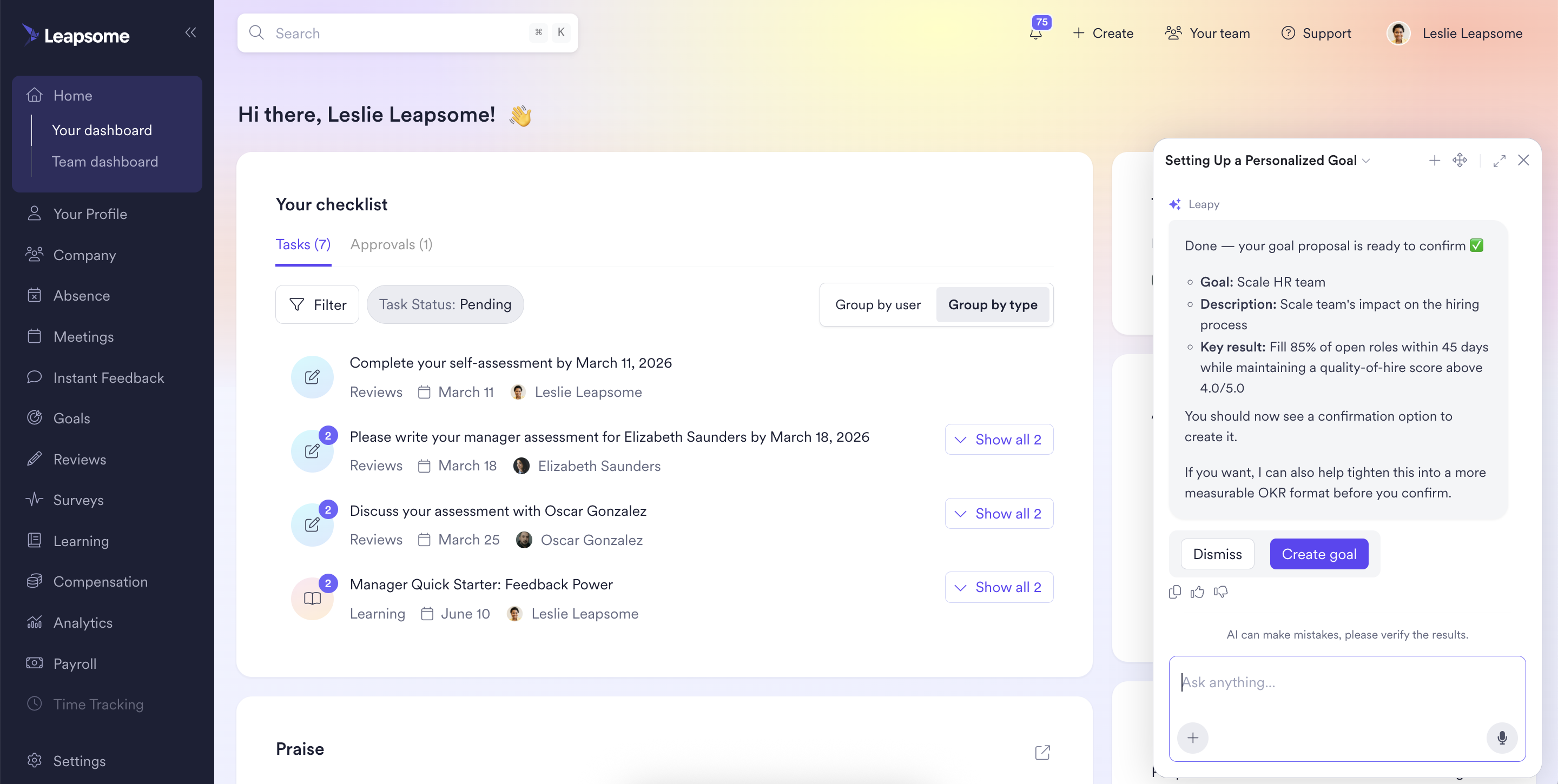
Your AI Copilot just got a much wider view. Because Leapsome runs on one connected data layer, the Copilot can now answer questions that span absences, payroll, meetings, documents, goals, reviews, surveys, learning, and more. That means you can ask complex, cross-module questions like "Of the teams that appear least engaged in the survey, which ones don't have effective goals set up?" and get a direct answer with clickable citations so you can verify the source yourself.
Beyond answering questions, the Copilot can now take direct actions from chat. Request an absence, add a talking point to an upcoming 1:1, or create a goal, all through a conversational prompt. Confirmation steps appear before anything is saved, so nothing happens without your go-ahead.
For admins, there's a new layer of control over AI-powered document access. You can extend AI access to employee PDFs by document category, which means managers can ask about a past review, payslip, or contract without hunting through files. Access controls stay exactly as you've configured them, so sensitive documents remain visible only to the right people.
AI form wizard
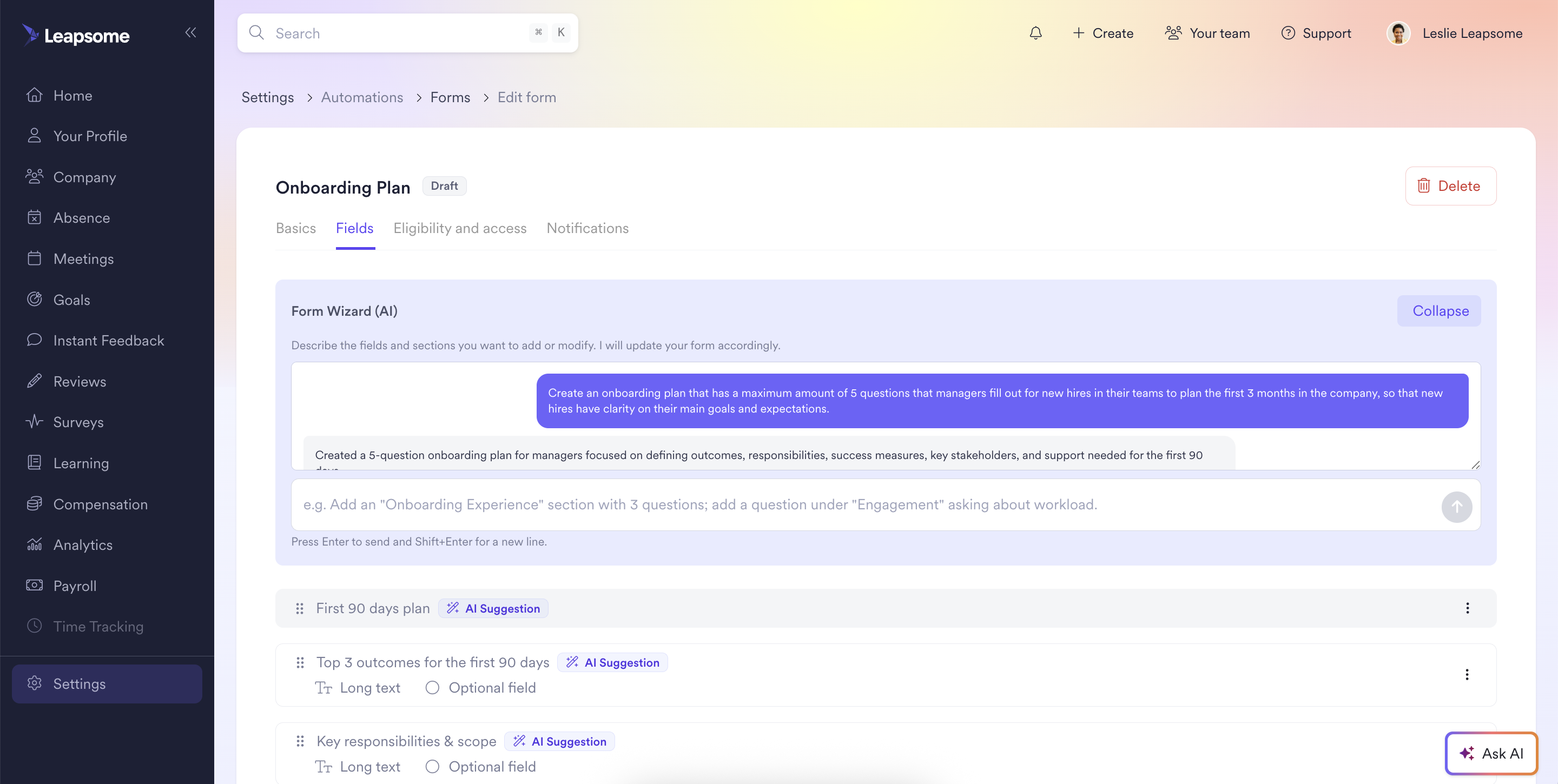
Building forms used to mean starting from scratch and toggling between field types until something worked. Now you can describe what you need in plain language and the AI assistant generates a complete, ready-to-use form. From there, you can refine individual fields and sections through conversation until every question is right. No more blank-page paralysis.
Dashboard insights improvements
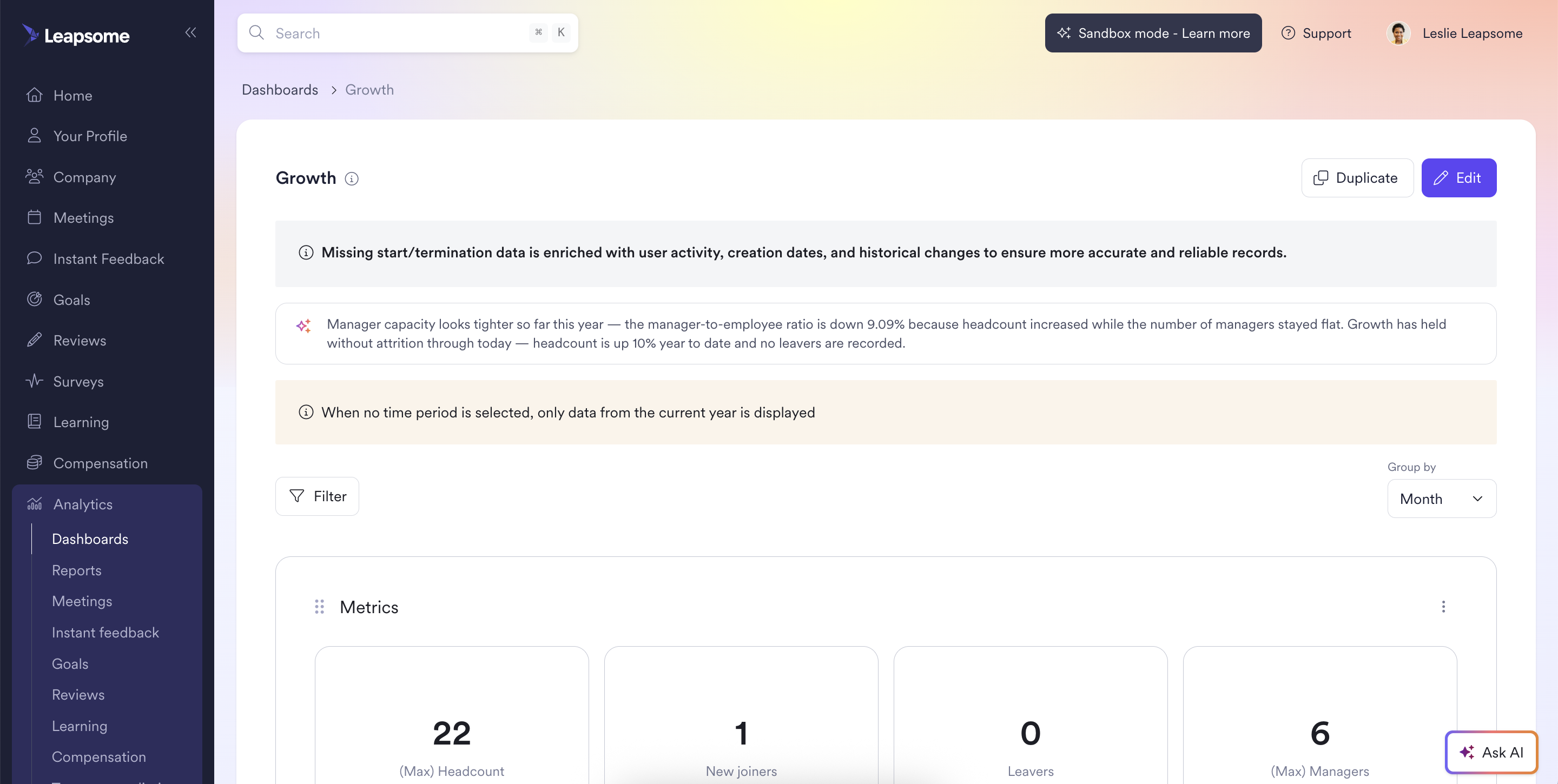
AI insights in dashboards are now smarter about what they surface. Future data is automatically filtered out, so the trends you see reflect what's actually happened, not projections that haven't materialized yet. Each insight is validated for accuracy before it reaches you, which means less sifting and more acting on findings that genuinely matter.
🗂️ HRIS, centralized employee data: faster setup, fewer clicks
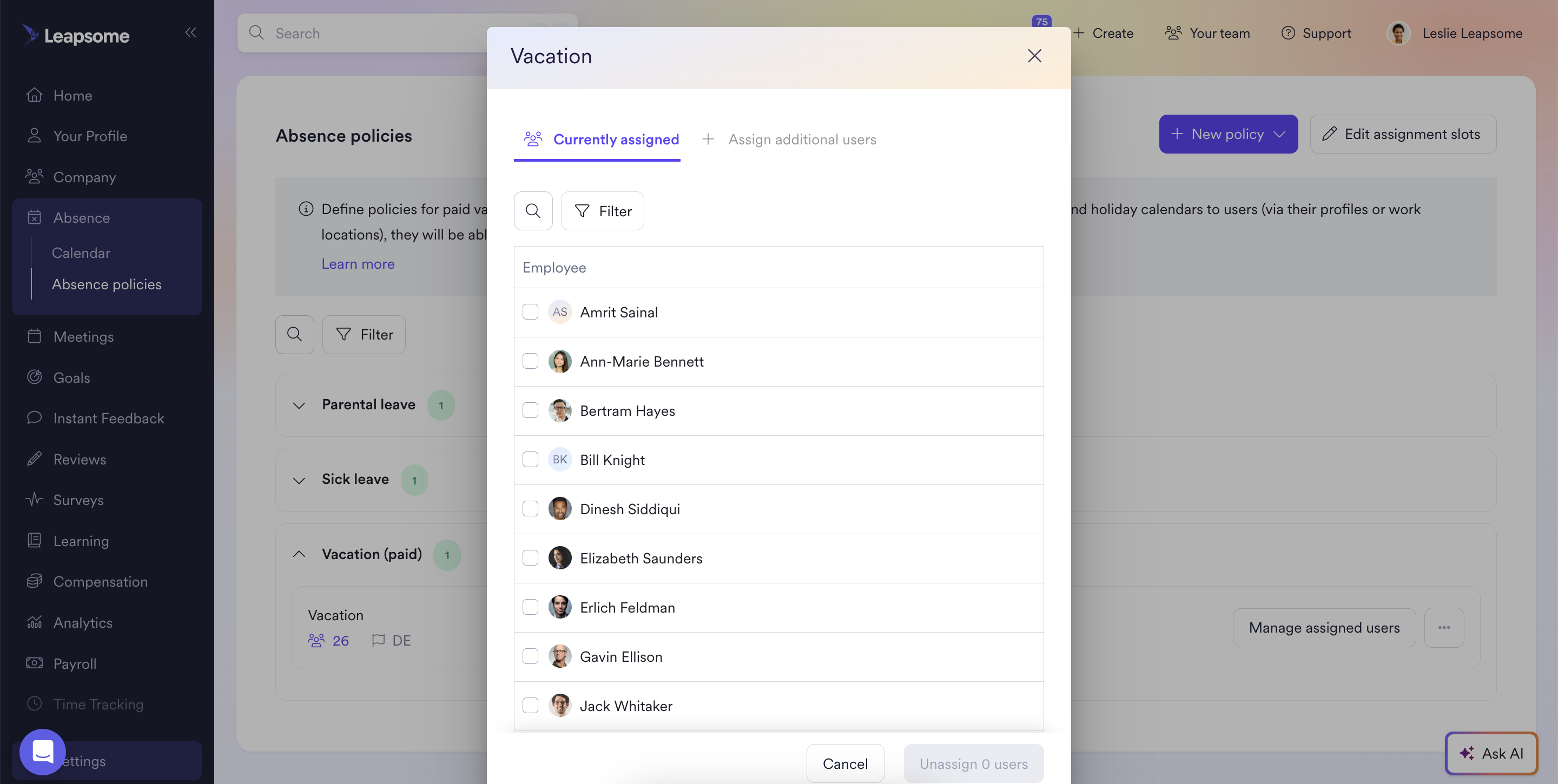
Improved UX for assigning policies, locations, projects, and work schedules
Admins can now assign and unassign policies, locations, projects, and work schedules directly from the list view, without opening individual employee pages. It's a small change that removes a lot of repetitive clicking, especially during onboarding waves or restructures when you're updating dozens of profiles at once.
⚙️ HRIS, workflows: build visually, trigger automatically
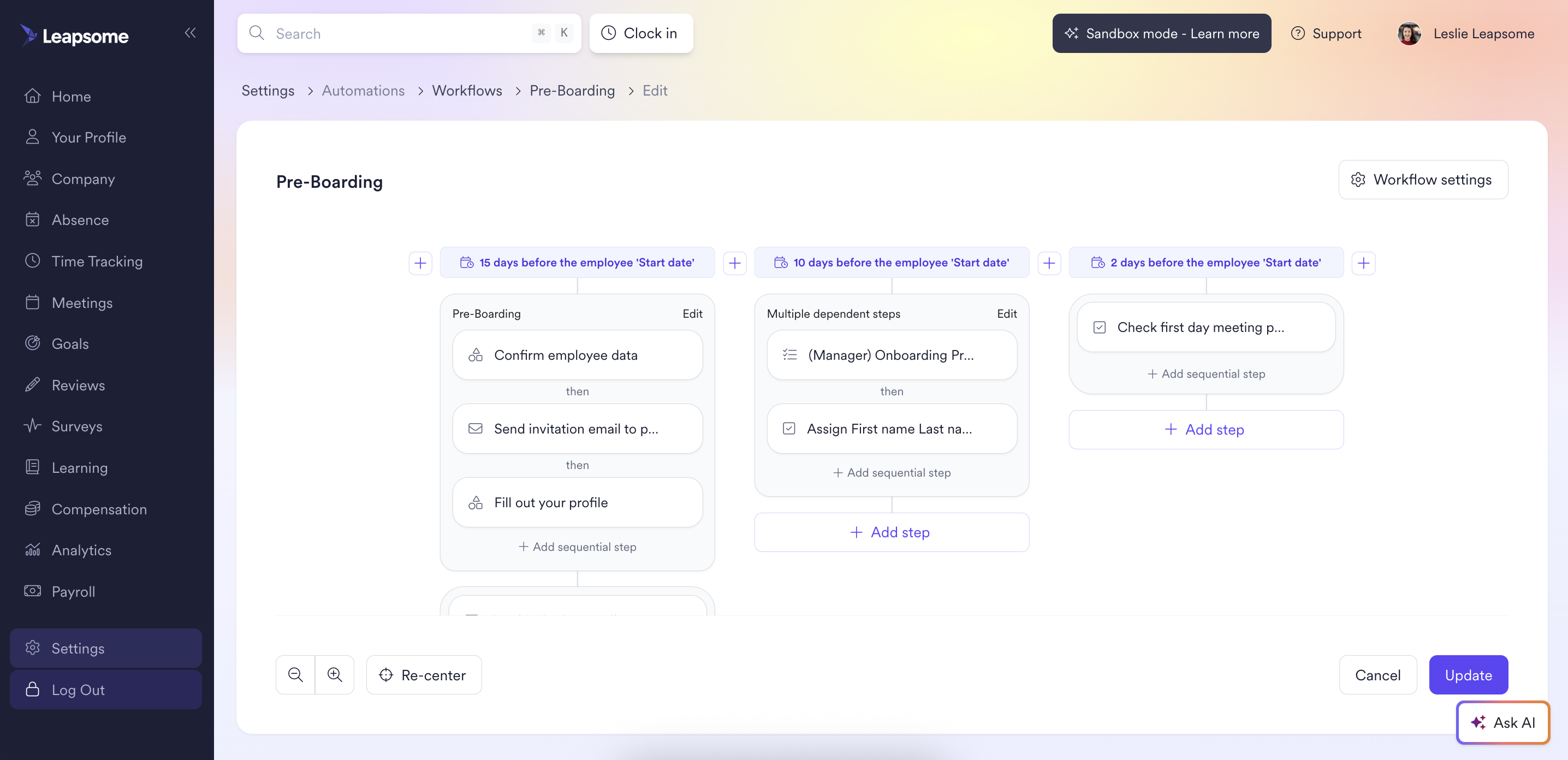
Timeline Canvas
The new Timeline Canvas lets you map and edit your entire workflow at a glance. Steps are organized into time-based columns relative to the trigger date, so you can define exactly when each action fires and how sequential steps connect to one another. Instead of scrolling through a flat list and mentally reconstructing the order, you get a visual layout that makes complex workflows intuitive to build and easy to adjust.
This feature simplifies creative process drafting significantly: drag steps around, reorder timelines, and see the full picture without switching views
📽️ See how it works
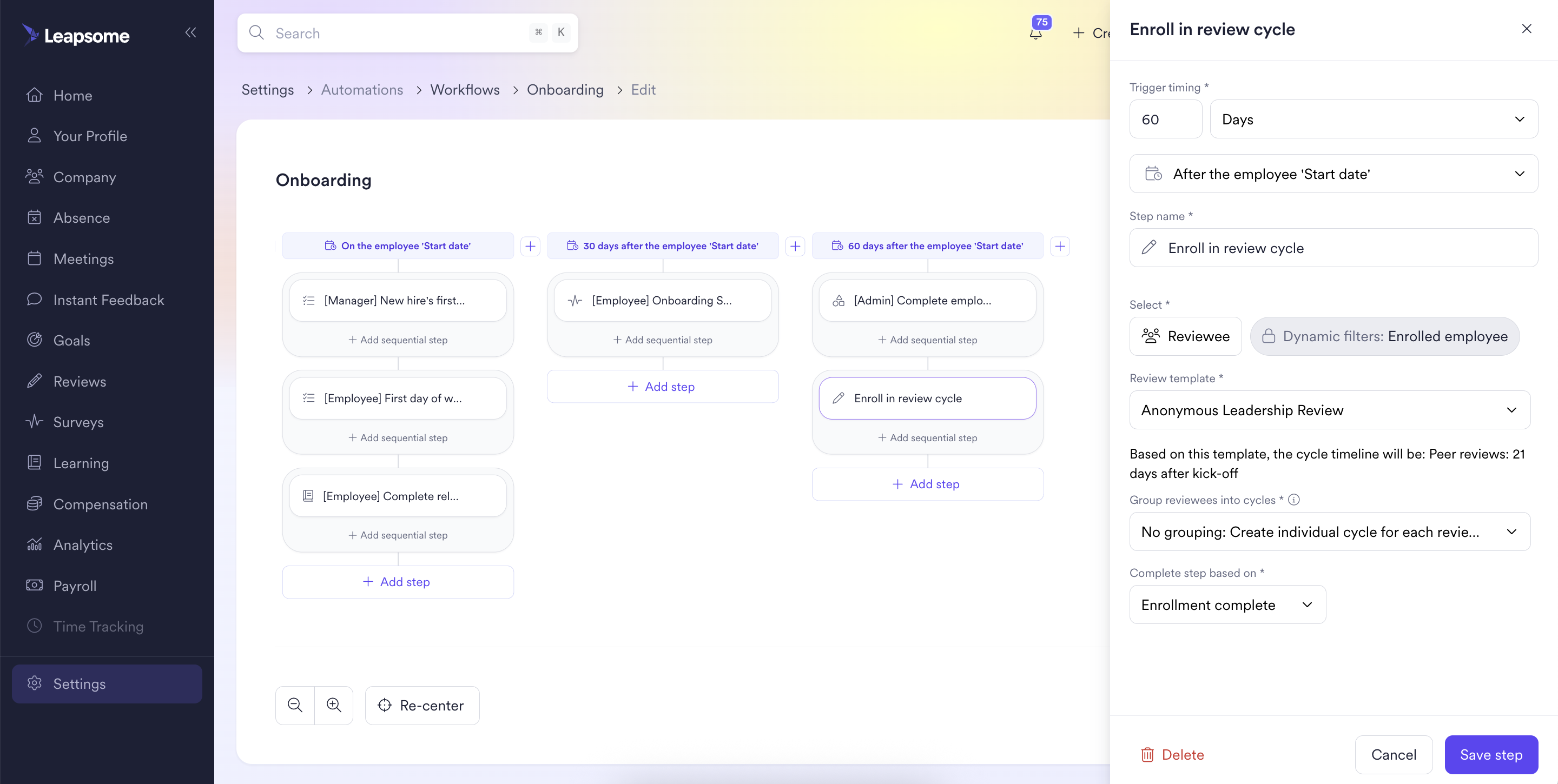
New step types: enroll in review cycle & fill form
Two new step types extend what workflows can handle. Admins can now enroll employees into review cycles directly from any workflow, so probation reviews, project debriefs, and PIP check-ins trigger on cue with participation and deadlines tracked from the start.
Form completions work the same way. You can add a "fill form" step that turns submissions into tasks landing on users' dashboards at exactly the right moment. No manual follow-up, no chasing people down.
Default workflow templates
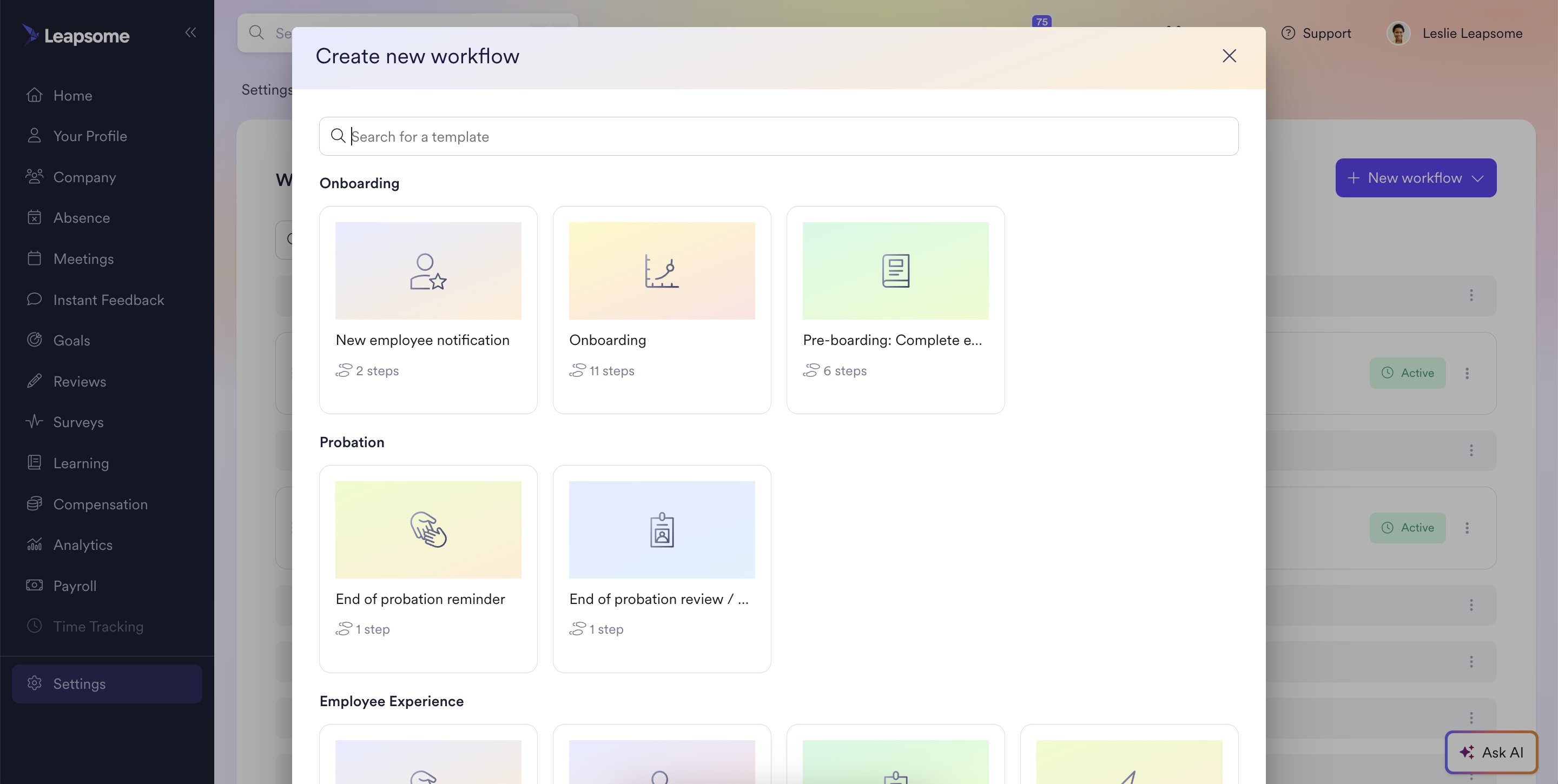
Five curated workflow templates are now available out of the box, so admins don't have to start from a blank canvas. Pick the template closest to your use case, customize the steps and timing, and you're running. First drafts now take seconds instead of hours.
🏖️ HRIS, absence management: cleaner views, faster approvals
Improved UI/UX of the absence tab on the user profile
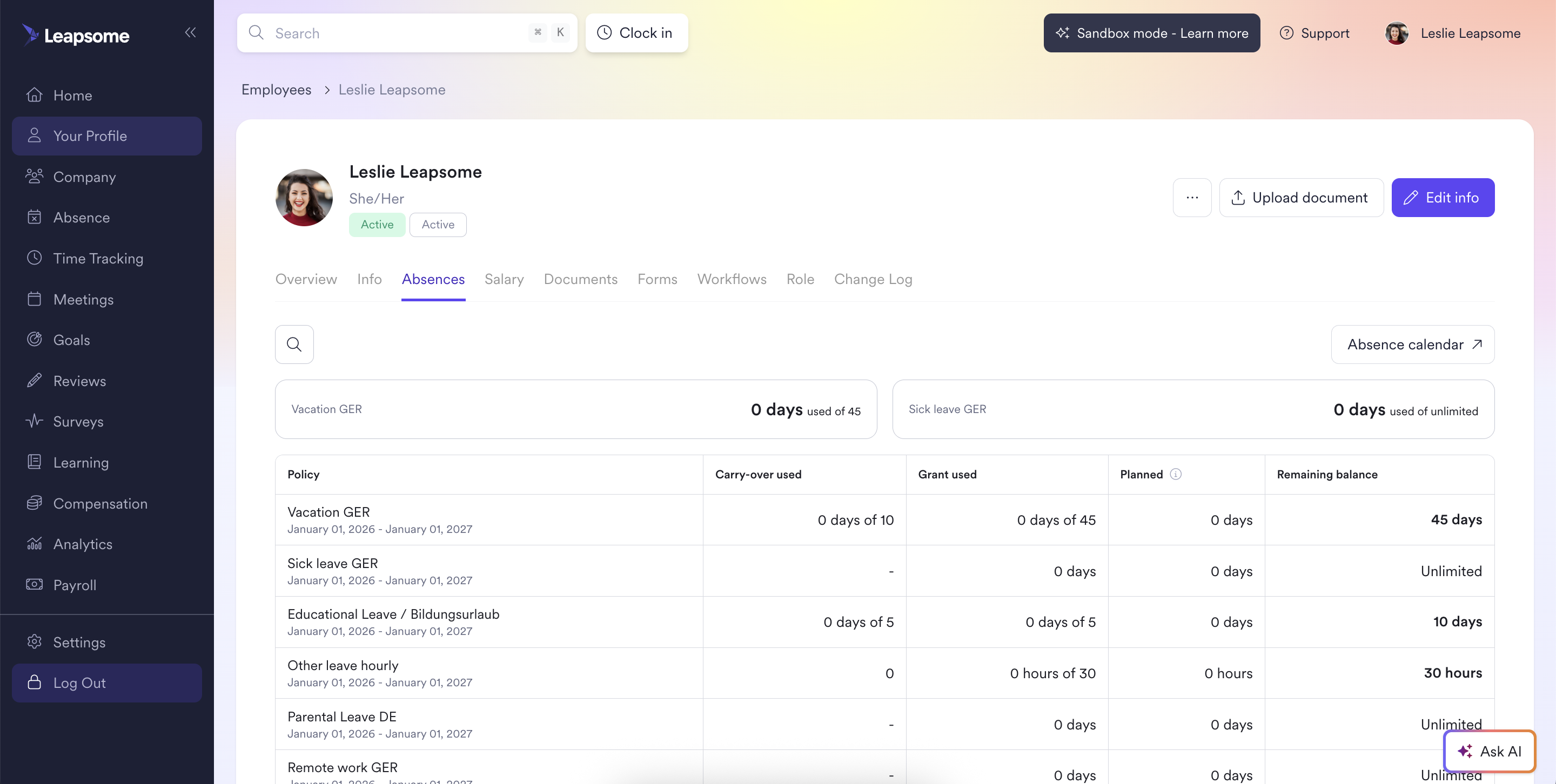
The redesigned absence tab puts paid vacation and sick leave balances front and center, with a direct link to detailed logs for anyone who needs to go deeper. For employees, checking remaining leave is now a one-glance task. For managers assessing team availability, the layout is noticeably faster to scan.
Approval actions via Slack and email for absences
Approvers can now approve or reject absence requests directly from Slack or email notifications, without opening Leapsome at all. The decision syncs back automatically, so there are no delays from tab-switching or forgotten browser tabs. Employees get their answer faster, and approvers stay in their flow.
📝 Reviews: sharper feedback, richer context
AI in the review rich-text editor
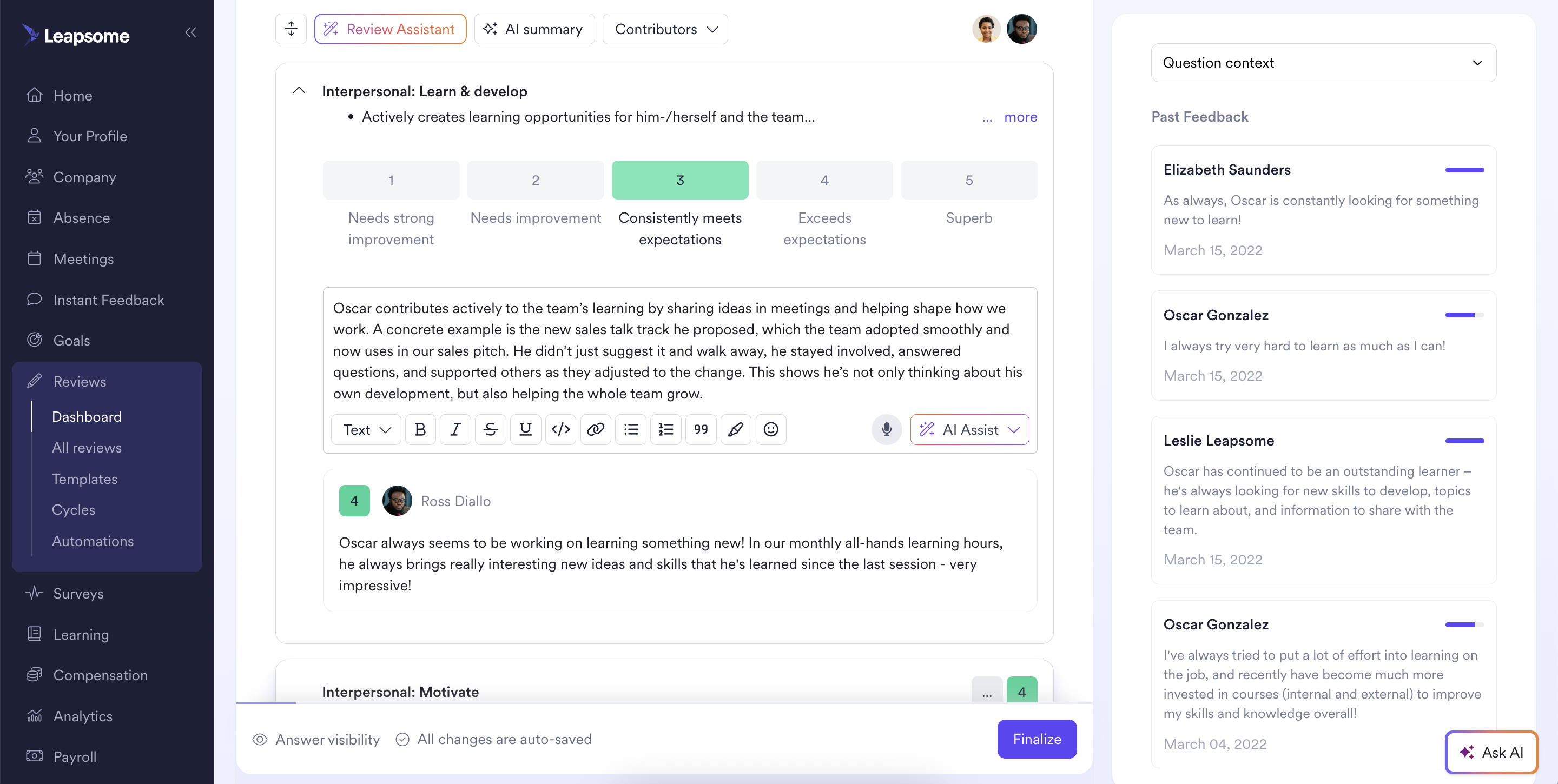
Inline AI assist now surfaces suggestions directly inside the review editor, so employees can refine their writing without leaving the page. Custom prompts let you steer the output toward the kind of feedback you're actually trying to give, whether that's making a comment more specific, adjusting tone, or restructuring a paragraph. The goal is better feedback, not auto-generated feedback.
Additional review context from employee info
The Review Assistant now pulls in meeting transcripts, role and level history, and goal progress comments alongside the review form. Managers get concrete context to reference while writing, which leads to more accurate, role-specific feedback. Fewer vague impressions, more grounded assessments backed by real data points.
📊 Surveys: respond without leaving Slack
Complete surveys via Slack
Survey prompts now open directly in a Slack modal, so employees can respond right where they're already working. All submissions feed straight into Leapsome's reporting pipeline, with no data lost and no extra steps. Less friction in the response process typically translates to higher participation rates and more representative data.
🎓 Learning: onboard yourself, stay on schedule
HRIS onboarding in Leapsome Academy
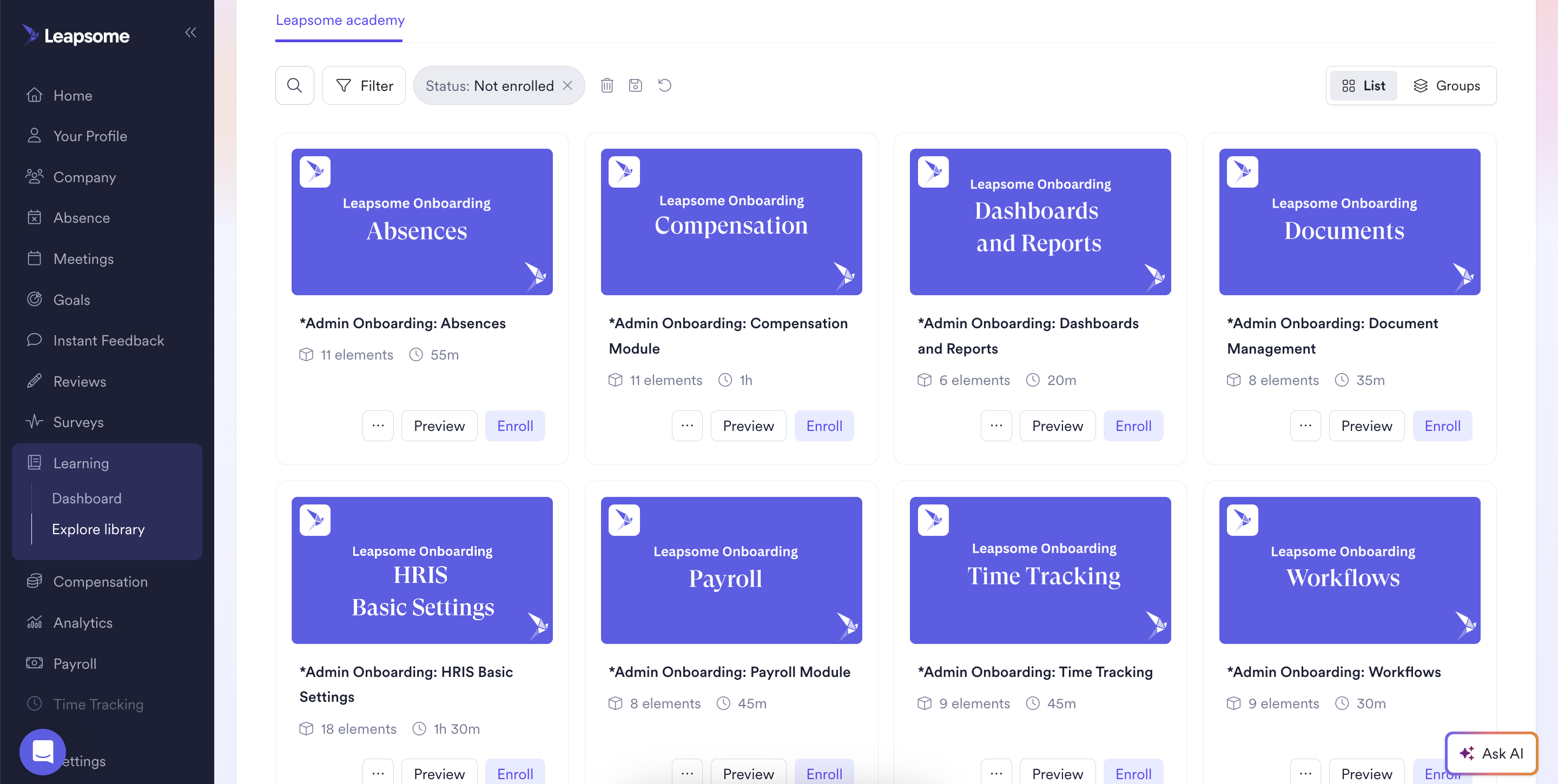
Every HRIS module now has a dedicated video walkthrough available in Leapsome Academy. New customers, existing teams expanding into HRIS, and newly promoted admins can all follow a structured learning path and get set up at their own pace from day one, without waiting for a scheduled onboarding call.
Auto-add live training slots to the user calendar
Live training bookings now sync automatically to users' calendars, with updates and cancellations reflected in real time. No more missed sessions because someone forgot to add a calendar invite manually. If calendar sync is turned off, a confirmation modal gives users the option to add the session by hand.
See the newest Leapsome features in action. Register here.
🌟 Want a sneak peek at what’s ahead?
Visit our public roadmap to see what we’re building next.
💡 Need support?
Reach out via the platform’s help button, contact form, or our Success Center.
🪄 Ready to simplify your HR operations?
Discover how Leapsome’s all-in-one platform helps you create scalable workflows, actionable insights, and a more connected employee experience.
👉 Book your personalized demo
Leapsome Team