
How to fairly manage leaves of absence from work

.jpg)
A leave of absence from work is an extended, formally approved period away from an employee’s role. While the definition of leave of absence might sound simple, leave management rarely is. Each request can leave HR interpreting policies while the employee waits for next steps and managers work out how to cover the absence.
Many organizations create detailed policies that attempt to resolve every case in advance. But having a procedure written down is meaningless if no one knows how to enforce it. In a Mercer survey, 55% of employers said training teams to manage absences and leave was a challenge.* That finding exposes the gap between having a policy and knowing how to use it when circumstances get complicated.
This guide explains what a work leave of absence involves and why employees may take one. It also covers how to handle difficult cases so your employees feel they’re treated fairly.
* Mercer, 2024
What’s a leave of absence from work?
A leave of absence (LOA) is a formal and approved break from work that lasts longer than routine vacation or paid time off (PTO). The employment relationship continues during this period, although the employee may stop working or temporarily move to a reduced schedule.
A leave from work may be paid or unpaid. It may also be legally protected or granted at the employer’s discretion, so HR can’t use one set of rules for every request.
For example, the Family and Medical Leave Act (FMLA) gives eligible employees unpaid, job-protected leave for qualifying reasons, such as giving birth or adopting a child. The Americans with Disabilities Act (ADA) may require additional unpaid leave as a reasonable accommodation, and the Uniformed Services Employment and Reemployment Rights Act (USERRA) protects employees who leave work for military service.
Other requests depend on your company policy and approval criteria.
Common reasons for taking a leave of absence
The most common reasons for leave of absence usually involve health needs or substantial changes in an employee’s personal circumstances. Examples might include:
- Medical treatment or recovery: An employee may need medical leave of absence for surgery or treatment for a serious health condition.
- Caring for a family member: An employee may request family leave of absence to care for a qualifying relative with a significant health problem.
- Childbirth or becoming a parent: Parental leave may follow childbirth, adoption, or foster placement.
- Education or a sabbatical: Some employees may request extended time away for study or personal development. This type of leave is usually discretionary, so company policy should define who qualifies and who can approve the request.
How to take and manage a leave of absence from work
“Individuals can’t muscle a 500-person org through chaos. Build the systems so good responses are easy, natural, and repeatable, especially when stress is high.”
— Craig Forman, Founder & Principal Consultant, CultureC Consulting
Leave management has become an operational priority for employers. Mercer found that 66% ranked improving it among their top concerns, up from 41% in its previous survey. For HR, the practical question is how to move each request through a clear process without making the employee coordinate it themselves.
A well-planned process connects the initial request with coverage planning and the employee’s return. The following steps explain what HR should establish at each stage.
1. Submit the request and confirm the requirements
The employee should follow a request process on your HR portal when possible. However, you shouldn’t expect them to identify the relevant law or use a specific phrase such as “FMLA leave.” HR must assess which protections might apply based on the information provided.
First, determine whether the request falls under employment law or company policy. Then confirm what supporting documentation the employee needs to provide and when they can expect a decision. Explain any effect on pay separately, so the employee doesn’t confuse wage replacement with job protection.
<h3>2. Plan coverage and record the leave</h3>
“Managers shouldn’t email HR to ask who’s on leave or what a team’s balances are; they should see it live. The moment people self-serve, interruptions drop and decisions speed up. That’s the point of a single source of truth.”
— Carolin Leidel, Senior Consulting Associate, torq.partners
Once HR approves leave, the manager should identify which responsibilities need temporary coverage and assign a clear owner. The employee can provide advance notice and context for essential handoffs, but they shouldn’t have to solve the team’s capacity problem before stepping away.
Record the approved dates and the basis for the decision in one place. Add any follow-up actions as the leave develops. Medical documents and other sensitive data should have restricted access, since managers usually need scheduling information rather than details about the employee’s condition.
Central employee records also prevent different versions of the leaves of absence documentation from circulating. If the return date changes, HR and the manager can update the same record instead of trying to reconcile old notes.
3. Prepare for the employee’s return
Contact the employee before the expected return date to confirm whether the agreed-upon plan still works. Ask if they need any workplace adjustments and clarify what they can expect during their first week back.
If the employee requests an extension, review company policy and the case again before making a decision. An original deadline should never become an automatic trigger for termination without that review.
Longer absences may call for a gradual return, temporary workload changes, or other work-life accommodations. Agree on the plan before the employee comes back so they don’t return to unclear expectations or an unmanageable backlog.
“Workflows now organize by category, support webhooks, show on employee profiles, upload docs into categories, trigger on absence dates or any attribute change — and in HRIS you can generate documents and send for signature automatically.”
— Aubrey Bryan, Customer Success Coach, Leapsome
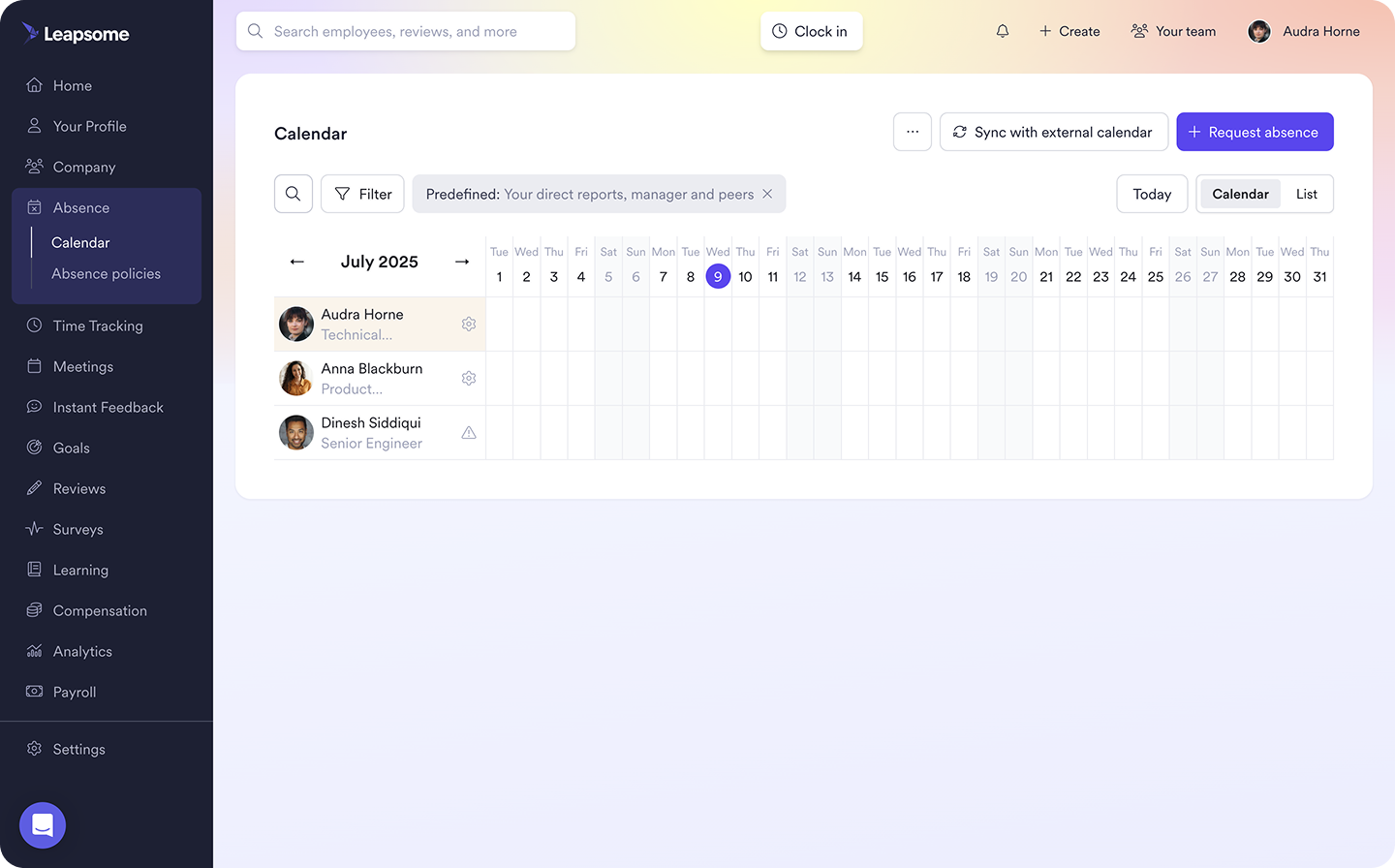
📅 Manage employee leave in one workflow
Leapsome’s Absence Management lets employees submit requests with attachments, while managers approve them in one place. Balances update automatically, and teams can check availability without bogging down HR.
👉 Explore Absence Management
Can your leave process handle the exception?
A clear leave policy defines the rules employees can rely on and gives HR a consistent basis for decision-making. But no policy can resolve every request, especially when an employee’s circumstances fall outside the situations it covers.
A good leave policy is only as strong as the judgement people apply in specific situations. An employee may need longer leave than expected, or they may not qualify under the usual policy. A manager may also push for an arrangement HR has never approved before. Without shared decision principles, each exception becomes a negotiation shaped by who asks and how much influence they have.
While you can’t give every employee the same outcome, you can make the reasoning behind each decision fair and repeatable. Use the following framework when the answer to a leave request is not clear:
- Know where the rules end and discretion begins: Determine whether applicable law, such as FMLA or ADA, requires you to grant or consider the leave. Then check whether company policy gives the employee a right to it. If neither determines the outcome, HR has discretion. Define who can approve an exception and which factors they may consider, such as the requested duration and effect on team coverage.
- Consider whether you would make the same decision again: Think about how the reasoning behind approved leave would apply to another employee in comparable circumstances. If the answer changes because of the worker’s seniority or manager, the decision may be difficult to defend.
- Document the reasoning and protect personal details: Record the outcome and the criteria behind it in an HRIS like Leapsome. Include who approved the decision and when HR should review it again. Keep sensitive information restricted to people who need to see it.
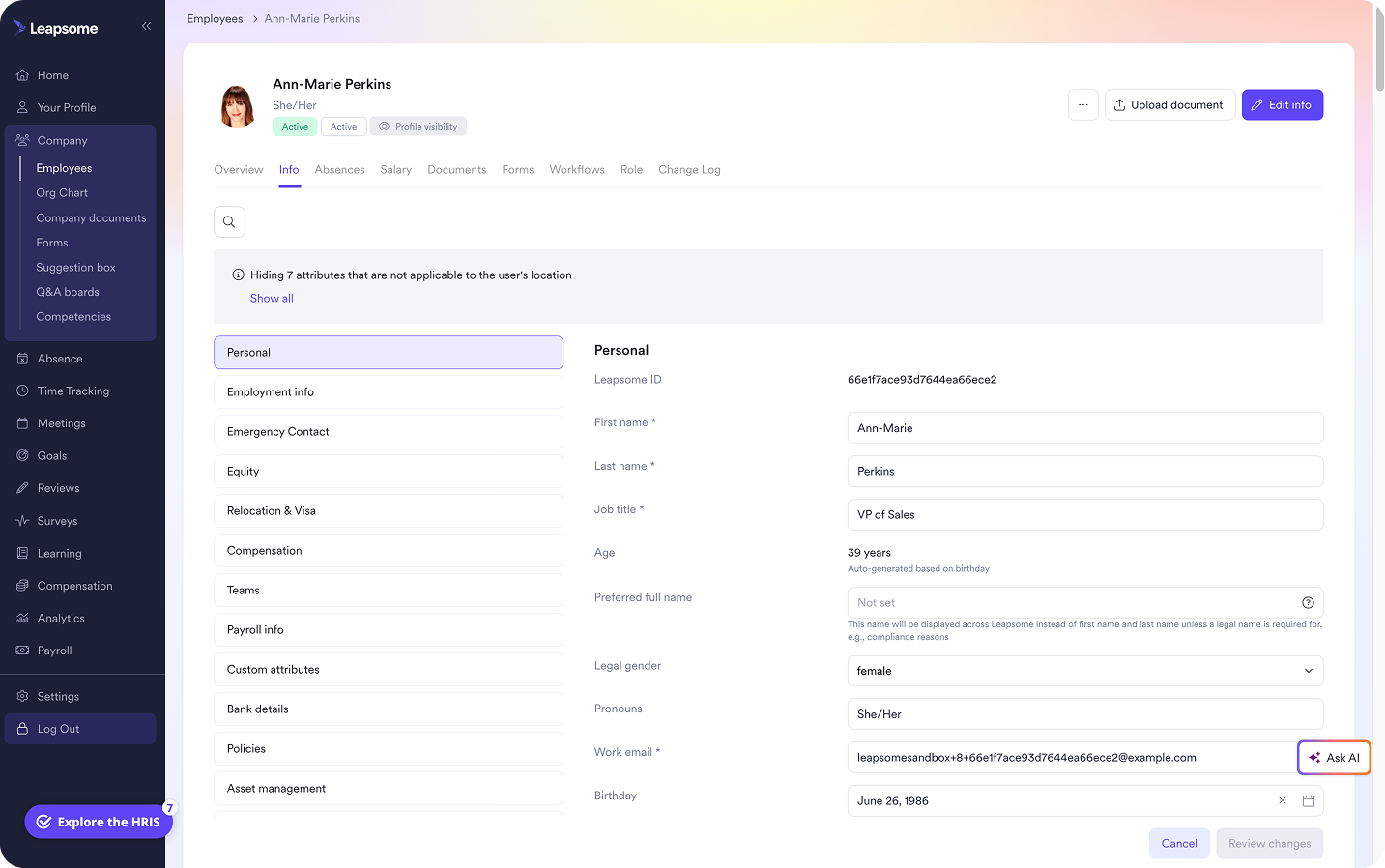
🗃️ Save the context behind every leave decision
Leapsome’s Employee Records connect leave documents to employee profiles, while version histories and configurable permissions protect the context behind each decision.
👉 Explore Employee Records
Build a clearer, more consistent leave of absence process with Leapsome
For a lean HR team, one leave request can create work across several disconnected places. The request arrives by email while the supporting document sits in a folder. HR then updates the absence balance manually and answers the manager’s questions in chat.
Scattered information makes it harder to confirm which policy applies or review how a similar case was handled. Leapsome brings leave workflows and employee information into one system, giving HR a reliable record of each request. With Leapsome, HR teams can use:
- Absence Management: Employees submit requests through a defined workflow, and managers approve them in the same place. Balances update automatically, giving teams an accurate dashboard view of available leave and workload coverage.
- Employee Records: Each employee profile centralizes employee data and related documents. Approved absences sync with those records, giving HR the context behind each request. Role-based permissions control access to sensitive data.
- Documents & E-Signatures: HR can store leave documents and send policies to employees for acknowledgment. Signed documents attach to the relevant employee profile. Version histories and signature logos show who signed each document and when.
“There is no more fighting with the review process for managers, and the administrative work for HR is reduced by about 90%. It makes all our lives that much easier and the entire review process more transparent, efficient and valuable.” — Amanda Heeg, Senior HR Manager | Junique
👷 Build a reliable leave process
Give your HR team one place to manage requests and preserve the reasoning behind each decision.
👉 Request a demo
FAQ
Why would a leave of absence be denied?
HR may deny a LOA when the employee has no legal entitlement to the time off, and the request doesn’t meet company policy. Before issuing a denial, HR should check applicable state law and consider whether the ADA requires leave as a reasonable accommodation. The team should then document the reason for the absence denial and apply the same criteria to comparable requests.