HR platform customization: How to achieve flexibility without complexity


HR platform customization lets you adapt an HR system to your company’s structure and policies. It also helps you shape how the software supports your people management and development. While your current HR stack might enable smooth people operations, workflows usually change as your company grows. You may find that different roles need different onboarding steps or new locations may follow different approval rules.
As these requirements multiply, many companies add new tools; however, only 35% of HR leaders feel confident that their approach to HR technology helped achieve business objectives.* If your goal is to help your team be more efficient in their work, make sure you choose based on the customization your organization needs rather than an HRIS features list.
This guide covers what you can customize in HR software and how to adapt workflows. It also explains what to look for in a platform and where a shared process serves you better.
* Gartner, 2024
What’s HR platform customization, and what can you customize?
HR platform customization determines what information your system records, how it guides people through a process, and what data users can access. For instance, you might track expiring professional licenses in employee profiles or restrict access to compensation data.
You can make many of these changes through configuration, using settings already built into the HR platform. There’s also custom development, which involves writing code or building an integration when those settings can’t meet your requirements. It’s a good idea to check the built-in options first. This path is typically easier to maintain past initial implementation, especially for lean HR teams with limited time and resources.
Depending on the HRIS platform, you can usually customize:
- Employee data and access: Add fields for information your company needs. Set permissions for sensitive records and choose who approves requests.
- Employee journeys and performance: Assign onboarding tasks by role and adjust review questions so they assess the skills relevant to someone’s work.
- People development and reporting: Define role-specific competencies and tailor reports to the decisions leaders need to make.
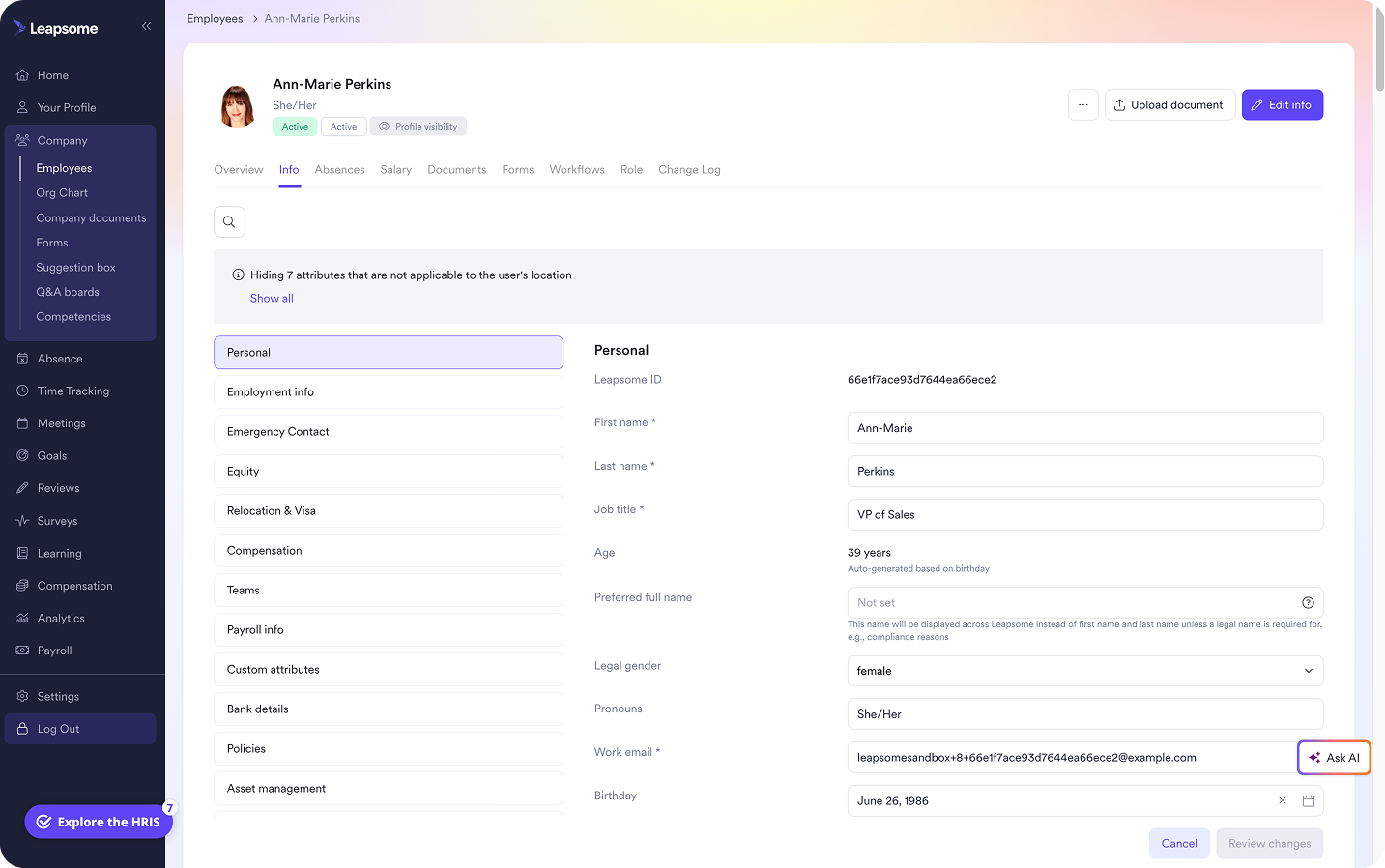
🔏 Improve control over employee records
Leapsome’s Employee Records lets you configure profile fields and control who can view or edit them.
👉 Explore Employee Records
What should companies look for in a customizable HR platform?
“Look for one platform that covers your key needs and integrates with your stack. Don’t scatter data across 10 or 20 disconnected tools.”
— Katerina Arsova, Head of People & Talent Operations & Partnerships, Leapsome (at the time)
Here are a few top criteria when shopping for a customizable HR platform:
- Ease of administration: Ask a vendor to show you how an HR admin changes a field or approval route. Find out how many changes require technical support.
- Room to grow: Check whether the platform can support scaling teams or new tool integrations while keeping employee data connected.
- Ease of use: Test a tailored process as both an employee and a manager. Each person should intuitively understand what the next step is.
How to customize an HR platform for different teams and workflows
If you want to customize an HR platform to fit different teams and workflows, you need to understand why their processes differ. That helps you make changes people will use and HR can maintain.
Here are the steps for an efficient customization.
1. Start with the problem the workflow needs to solve
“Make onboarding more flexible” is too vague to configure. You need to find the tangible problem.
Ask recent hires where they had to chase an answer, and ask managers what information arrived too late. A short onboarding survey can show if the same issue keeps coming up, and the workflow history highlights where the delay happens.
For example, HR may confirm a hire two weeks before their start date, while the manager receives their first task only two days beforehand. Now you have a specific handoff to customize.
2. Decide where teams genuinely need different processes
Keep the steps every new hire needs in a shared process. Then customize differences that depend on the role. For instance, a customer support hire might need call shadowing, while a finance hire needs access to accounting software.
Instead of bogging down operations with separate workflows, consider only adding them when the variations make the shared process difficult for people to follow or for HR to maintain.
3. Test the process with the people who will use it
“Bring Finance, managers, and leaders in early, show them what’s possible. When they help shape the views and get trained, they actually use the HRIS. That’s when the time savings show up.”
— Carolin Leidel, Senior Consulting Associate, torq.partners
Ask a manager to complete their assigned onboarding steps and a new hire to find their next task. Have HR check whether the tasks reach the right people automatically. If your HR team has to redirect work or send separate instructions, revise the customized workflow before rolling it out.
Consistent onboarding leads to reliable quality across all departments. Achieve automatic tasks you can rely on by designing workflows with Leapsome.
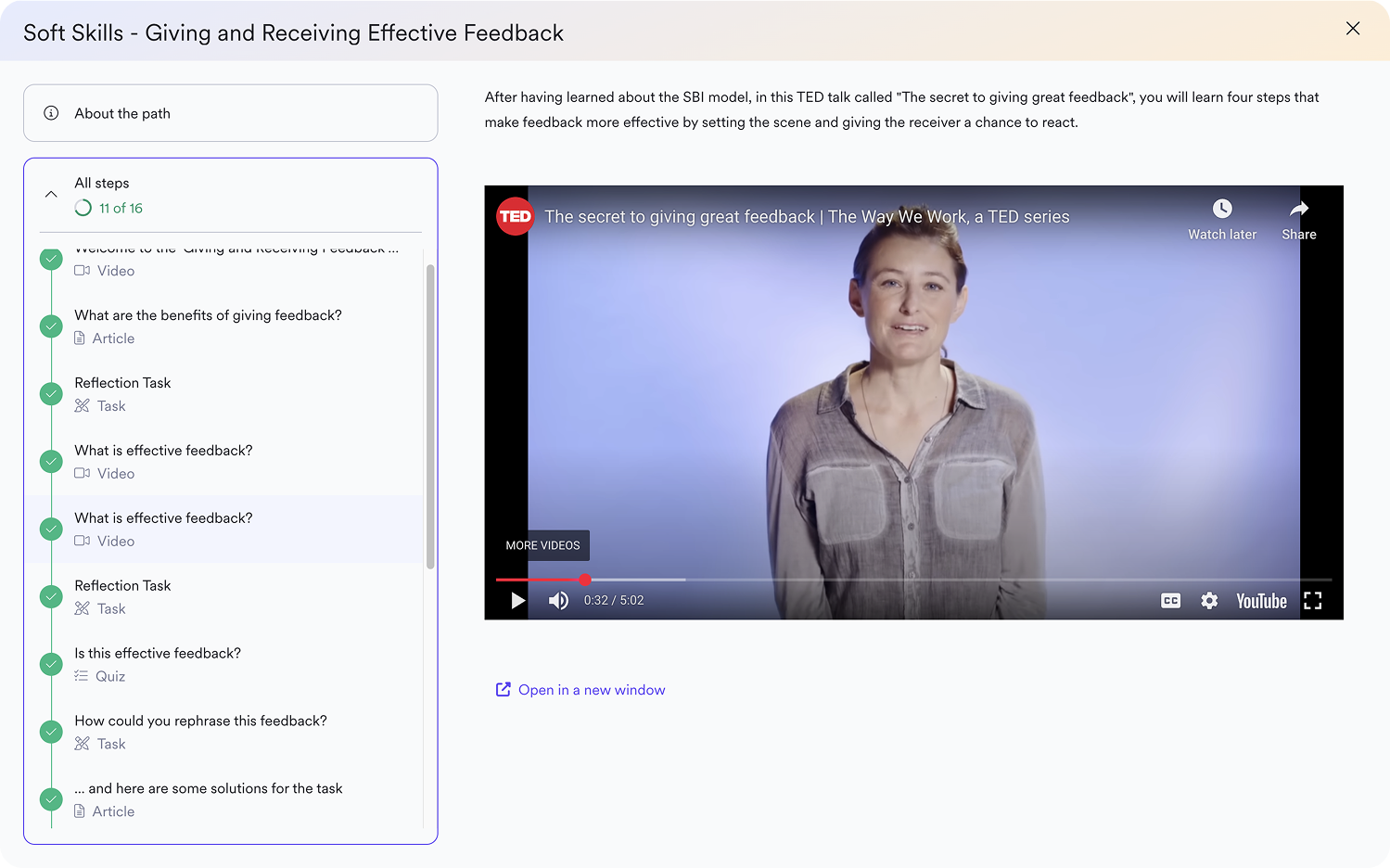
🏃 Give each new hire the right start
Leapsome’s Pre-boarding and Onboarding lets you tailor onboarding tracks by role or department and assign tasks to the people responsible.
👉 Explore Pre-boarding and Onboarding
What should you customize and what should you standardize?
“Choose the levers that move the business forward and let go of everything else. When you share your roadmap and explain your trade-offs, you build trust and credibility, people start seeing HR as strategic, not reactive.” — Emma Leeds, Founder, CEO & Chief People Consultant, People Function
During HRIS implementation, your goal should be to customize differences that affect how people work while keeping shared processes simple and consistent. It’s tempting to add a field or approval rule whenever someone asks; but that will increase the admin pressure on HR to keep the field accurate and revisit the rule when policies change.
In fact, a SAPInsider survey found that 33% of community members identified customization as a major challenge in their HCM systems. Assessing each proposed change by the difference it makes for employees and the work it creates for HR prevents major maintenance and rework down the road.
Customize when the difference has a clear purpose
You should consider customizing when a shared process would overlook a policy or a job requirement. For example, if locations follow different leave policies, set request rules for each location. Or, if a job requires specialized skills, assess those skills in that role’s performance reviews.
Standardize when the difference adds little value
Standardization works well for routine processes that meet the same need across teams. It also makes sense when an exception creates more work to maintain than it saves.
For instance, if two departments use different labels for ratings that mean the same thing, use one review scale. Or, if an extra approval doesn’t help anyone make a better decision, remove it.
Ask whether you would design the process this way today
“Most successful people initiatives aren’t company-wide — they’re driven at team level. Partner with managers and tailor solutions that actually stick.”
— Melanie Naranjo, Chief People Officer, Ethena
A new HR platform gives you a chance to question processes you’ve carried over for years. Before creating a field from an old spreadsheet, ask who uses it and why. Before rebuilding an approval chain in the new HR software module, check whether each sign-off still serves a purpose. If a step no longer helps anyone do their job or meet a requirement, leave it out of the new setup.
Build HR processes that fit your company without creating more admin with Leapsome
A customizable HR platform should make your team’s work easier as the company grows. But after the setup, HR still has to update rules when policies change and explain processes to new managers. For a lean team, every unnecessary exception takes time away from supporting employees. If you’re looking for a strategy-first system that supports the personalization you need, take a look at Leapsome.
Leapsome connects core HR with performance and development, letting you adapt the processes that change while managing the rest. With Leapsome, teams can use:
- Employee Records: Add fields that reflect your company’s requirements and control who can view or edit sensitive information.
- Pre-boarding and Onboarding: Tailor tasks to a new hire’s role or department while giving everyone a clear path through their first days.
- Performance Reviews: Match the review questions to the work leaders assigned. Use HRIS automation to run recurring cycles and send reminders, so HR spends less time following up.
- Competencies: Define expectations shared across the company, then add role-specific skills where they help managers give useful feedback.
“I really love how easy the system is to use and how it can be tailored to fit your existing processes. It delivers so much data. We love the survey heatmap, for example. It tells you right away where the problem areas in your organization are located and where you need to focus to create a better work environment. [...] There are a lot of initiatives coming out of the use of Leapsome.” — Tina Chater, Director People and Organization | hy Axel Springer
🧩 Build HR processes that fit
Leapsome helps you keep shared processes simple and tailor workflows where your teams need them.
👉 Request a demo
FAQ
What’s the difference between HR platform configuration and customization?
Configuration means using built-in settings to change how the platform works, such as adding employee fields or setting approval rules. Customization means changing or extending the HR software beyond those settings, usually through custom development. People often use “customization” for both, so ask vendors which changes your HR team can make itself and which require technical support.
What’s the best HR software for a midsize company?
The best HR software depends on your company size and which processes you need to adapt. If performance management needs to connect with employee records, include Leapsome in your evaluation. If payroll is your priority, compare Gusto and ADP Workforce Now. Rippling is worth considering if you also need HR and IT workflows to work together. For recruiting, look at BambooHR and Workday.

.jpg)

.png)


.jpg)