What is an HR app? Four key features and how to choose the right one

.png)
Toggling between spreadsheets and logging into multiple tools a day can take a toll on HR teams. As you look for an HR app to better streamline admin and manage your workforce, pay attention to tools that actually suit your company needs.
Too often, organizations pay for HR solutions with robust feature lists and native mobile apps that they don’t actually need. This guide covers key features of HR apps and how to choose the right tool for your organization so you can maximize HR time, nurture stronger people experiences, and avoid paying for unnecessary complexity.
What is an HR app? Four people-first features
"Managers shouldn't email HR to ask who's on leave or what a team's balances are; they should see it live. The moment people self-serve, interruptions drop and decisions speed up. That's the point of a single source of truth."
— Carolin Leidel, Consultant, torq. partners
An HR app (also known as a human resources app or an HR management app) is an accessible digital hub that simplifies HR tasks and workflows. While HR apps range in scope, they’re designed to cut time spent on admin tasks so teams can focus on higher-level strategy and people experiences.
According to McKinsey, 60% of HR time today involves admin work. HR apps reduce this burden by managing key areas of human resources, such as employee records, onboarding, performance, time off, payroll, communication, and career development.
While some HR software platforms offer a simple self-service portal, others integrate comprehensive HR management features. Here are some key features to look for in your search.
Employee information system
“Employees continue to rank self-service HR portals above HR help desk portals, indicating preference for autonomy to manage and resolve HR queries.”
— Gartner, 2024
Self-service portals and apps allow employees to independently access files and records, submit requests, and update their personal information without any HR team intervention. Having self-service capabilities reduces the time employees need to spend handling routine tasks, such as paid time off requests, manually. These features also help HR professionals reduce the number of typos and missing documents.
Performance and employee development
Continuous employee development involves setting goals, providing feedback and performance reviews, and tracking learning opportunities. Top-rated HR apps for employee management centralize career development documentation and assign new milestones to create a clear roadmap for employees.
Reporting, analytics, and workforce insights
HR apps act as digital repositories, allowing teams to instantly access documents and glean ongoing workforce insights. With everything in one place, HR managers can get a real-time overview of important metrics, from attendance to payroll and compliance. The more advanced HR solutions can even flag low engagement, turnover risk, and skill gaps.
Applicant tracking and hiring
HR apps can help speed up the recruitment process and create stronger applicant experiences. Applicant Tracking Systems or apps with these types of features automate tasks, such as cross-channel recruitment, applicant tracking and assessment, and interview scheduling, so you can focus on connecting with candidates.
🔗 Get built-in, AI-native recruitment support
Manage the end-to-end hiring process directly in Leapsome — including AI-supported screening, interview self-booking, and competency-based scorecards. Unlike standalone ATS, Leapsome can instantly turn candidate data into employee data for full post-hiring vision.
👉 Explore Recruiting
How to choose the right HR online system
"Look for one platform that covers your key needs and integrates with your stack. Don't scatter data across 10 or 20 disconnected tools." — Katerina Arsova, Head of People & Talent Operations & Partnerships, Leapsome
The right HR online system for you isn’t necessarily the one with the most features or a native mobile app. It’s common for HR groups to overspend on sophisticated software, only to discover that it doesn’t practically enhance their work.
Here’s how to define what “best” means for you and your team:
- Assess your workforce's needs: Audit your current HR processes, requests, and forms to identify your most time-consuming and employee-critical areas. Factor in your employees’ needs, too. For example, desk-based workers may not require on-the-go access to an HR mobile app the way frontline employees might.
- Prioritize connected HR capabilities over standalone features: To get the most impact for your budget, focus on capabilities that will unify your employee data, automate your workflows, and sync with your greater tech stack.
- Choose a human resources platform that can scale with your organization: Know how the HR app handles larger data volumes and what type of features are available as you grow. Looking ahead to potential needs and pricing tiers can save you the headache of migrating to a new HRIS tool in the future.
Your chosen HR software should support the moments that matter most in the employee lifecycle and make your daily operations easier.
Do you need a mobile-native HR app? It depends on your workforce
“HR automation is not about replacing HR; it is about automating repeatable, rules-based tasks so HR can focus on higher-value work.”
— SHRM
Mobile HR apps are often touted as must-have tools for growing organizations, but that’s not always the case. In truth, the efficacy of a native HR app depends on your specific workforce.
Assess how your employees work and where they could benefit most from self-service or automation. For example, if your teams are primarily frontline and field-based, native mobile apps may be right to streamline everyday tasks such as clocking in, accessing pay stubs, requesting time off, and receiving company-wide push notifications.
But if you have desk-based employees, your HR interactions may mostly revolve around company culture and career development needs, such as performance reviews, goal-setting programs, and skill training. In this case, having a people-first HR app is more important than a native mobile experience.
Whether you access it via a mobile app or on a desktop, the best HR online system fits your workforce, connects your people data, and enables new efficiencies in your HR workflows.
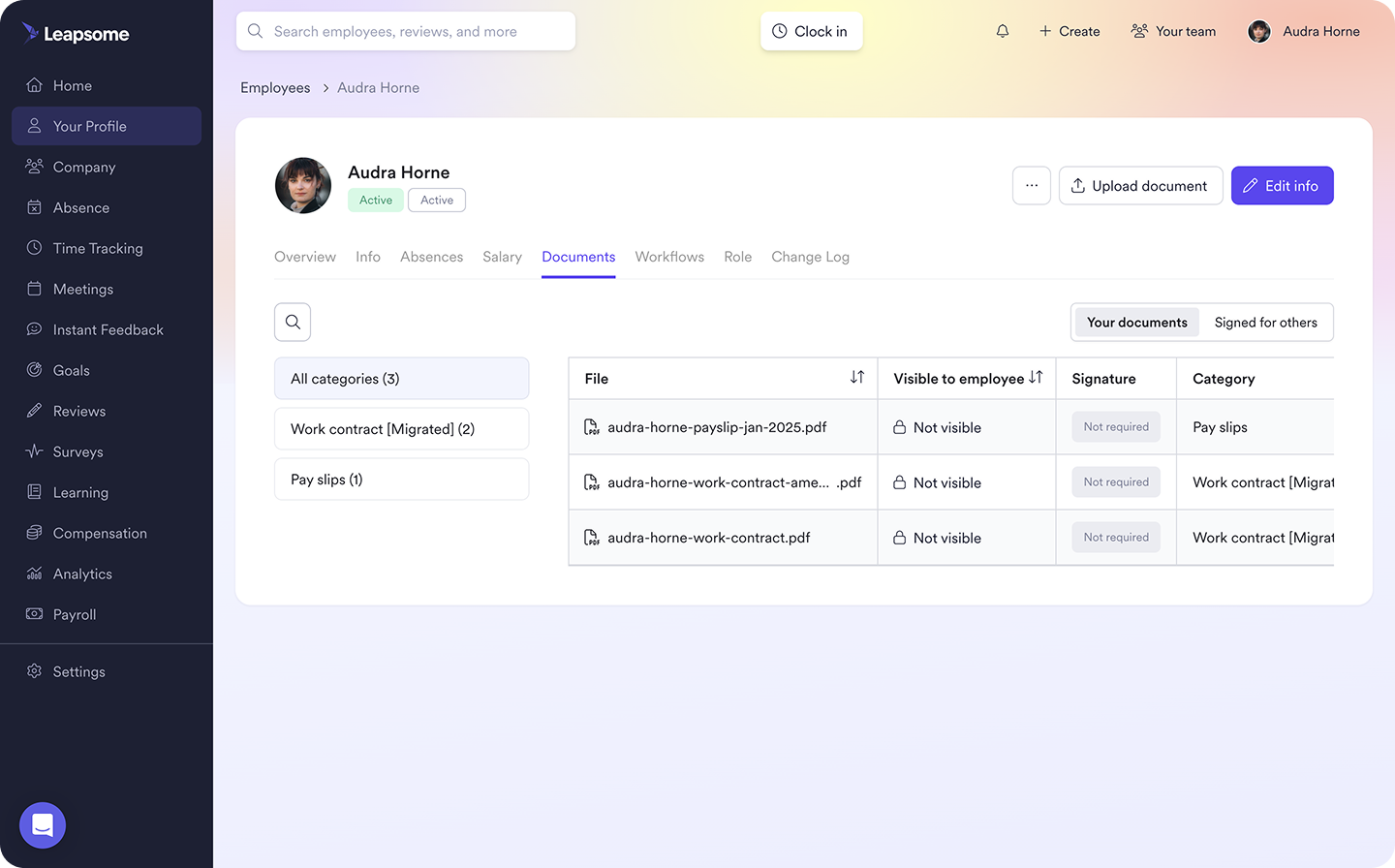
🗂️ Centralize your employee data
Capture every stage of the employee lifecycle in one place. With Leapsome, you can connect your data, automate compliance-related workflows, and enable real-time, accurate reporting.
👉 Get people-first HRIS
Build a better employee experience with Leapsome
"Many HR teams still struggle with the basics — too many disconnected tools, limited insights. That's why we built a truly people-first HRIS that unifies all employee data into one source of truth." — Suraj Paneru, Customer Success Coach, Leapsome
Whether you're replacing spreadsheets or consolidating multiple HR tools, Leapsome helps you create more connected, efficient, and people-centric HR experiences:
- Bring together core HR functions, such as performance reviews, goal setting, engagement surveys, and learning milestones in one platform.
- Integrate your full HR stack, so you can centralize your people data and activate automated workflows that save time and unlock data insights.
- Get access from any browser for a consistent experience across desktop and mobile devices. Leapsome removes the need to download an app or switch between different versions.
Spend less time managing systems and more time developing people with Leapsome. Set up complex, everyday workflows in-platform to reduce admin and create better employee experiences as you grow.
"Employees can now find everything in one place — their data, absences, goals, and reviews. I don't have to explain which tool to use for what. It's all in Leapsome." — Merilyn L., Senior People Operations Specialist, Bob W
🎯 Focus on people, not paperwork
Consolidate your employee data and processes into a single HR system. Leapsome covers all your core HR needs, so you can dedicate your time to enhancing people experiences and building stronger teams.
👉 Request a demo
HR app FAQs
What are the best apps for human resources?
The best HR app for your organization depends on your key priorities. Assess your workforce needs and establish a budget before you start your search. Some common features to look for include:
- Employee information systems
- Performance and employee development resources
- Reporting, analytics, and workforce insights
- ATS capabilities





.png)
.jpg)