
Overtime calculator: Calculate pay and spot capacity issues


Overtime pay looks like simple math: Record the extra hours, and compensate employees at the correct rate. Yet costly errors often begin before the calculation. A manager may miss hours on a timesheet, or HR may apply the wrong employee classification. Mistakes like these can recur each pay cycle and lead to underpayment. In fiscal year 2025 alone, the U.S. Department of Labor recovered $146.4 million in back wages for overtime violations.*
Errors start with incomplete or incorrect inputs. That’s why HR needs a dependable way to confirm the final amount owed. Our overtime calculator helps you establish what an employee should receive. Once that number is clear, you can examine why the extra hours appeared. That step matters because overtime often reflects more than a busy week.
A short rise in overtime may reflect a temporary surge in demand. When it keeps appearing in the same team’s timesheets, your organization may be using extra hours to cover a capacity problem it hasn’t addressed. HR should treat that pattern as a workforce warning, not another payroll line to process.
This guide will help you calculate overtime accurately using a calculator and recognize when overtime points to a deeper problem.
* U.S. Department of Labor, 2026
[Overtime calculator here]
What’s overtime pay?
Overtime pay is the higher rate an eligible employee earns after working beyond a set number of hours. Under the Fair Labor Standards Act (FLSA), covered non-exempt employees in the United States must generally receive at least 1.5 times their regular rate for any hours worked beyond 40 in a workweek.
This higher rate is commonly known as time-and-a-half. Double time may apply under some state laws or collective agreements, but federal law doesn’t require it.
Overtime laws differ outside the U.S., so you should check the requirements in every location where your organization employs people.
"Leapsome is powerful enough to already know the local regulations that apply in your geography — and flags it if your setup isn't compliant."
— Suraj Paneru, Customer Success Coach, at Leapsome
Exempt vs. non-exempt employees
Non-exempt employees receive the FLSA’s overtime protections and generally qualify for overtime pay after 40 hours in a workweek. Their working time is tracked, and employers must pay for every hour worked. Many earn an hourly wage, though some have a salary.
Exempt employees don’t qualify for overtime under the FLSA when their pay and job duties meet the conditions of a specific exemption. They receive a fixed salary and aren’t paid extra for long weeks.
To calculate overtime correctly, verify the classification rules and local laws that apply to the employee.
How to calculate overtime pay: A step-by-step guide
Before you calculate overtime pay, confirm the figures you’ll use:
- Regular hourly rate: The rate used to calculate overtime. Under federal rules, certain additional payments may form part of this rate.
- Regular hours worked: The hours you paid at the standard rate during the relevant workweek.
- Overtime hours: The hours that exceed the applicable overtime threshold.
- Overtime multiplier: The higher rate applied to overtime hours, such as 1.5 for time-and-a-half.
You can then use the following formula:
Overtime pay = Overtime hours x regular hourly rate x overtime multiplier
The formula only produces the correct result when you use the right hourly rate and overtime threshold. Confirm the labor laws that apply to the employee before you begin, especially if additional compensation contributes to their regular rate.
The following example shows how to calculate the overtime rate per hour for an employee who earns $20 per hour and works 46 hours in one workweek.
Step 1: Identify total hours, regular hours, and overtime hours
Start with the employee’s approved time record and separate their regular hours from their overtime hours. In our example, the employee worked 46 hours:
46 total hours - 40 regular hours = 6 overtime hours
Calculate overtime by workweek rather than averaging hours across the wider pay period. For example, an employee who works 46 hours in one week and 34 the next has worked 80 hours across two weeks. However, the shorter second week doesn’t cancel out the six hours from the first.
Accurate overtime totals depend on consistent records. When an employee logs their hours in one place, but a manager approves changes in another, HR may calculate pay from incomplete data and miscalculate paychecks. A centralized system like Leapsome connects approved hours to the right employee and carries accurate data into payroll preparation.
“Many HR teams still struggle with the basics — too many disconnected tools, limited insights. That's why we built a truly people-first HRIS that unifies all employee data into one source of truth."
— Suraj Paneru, Customer Success Coach, at Leapsome
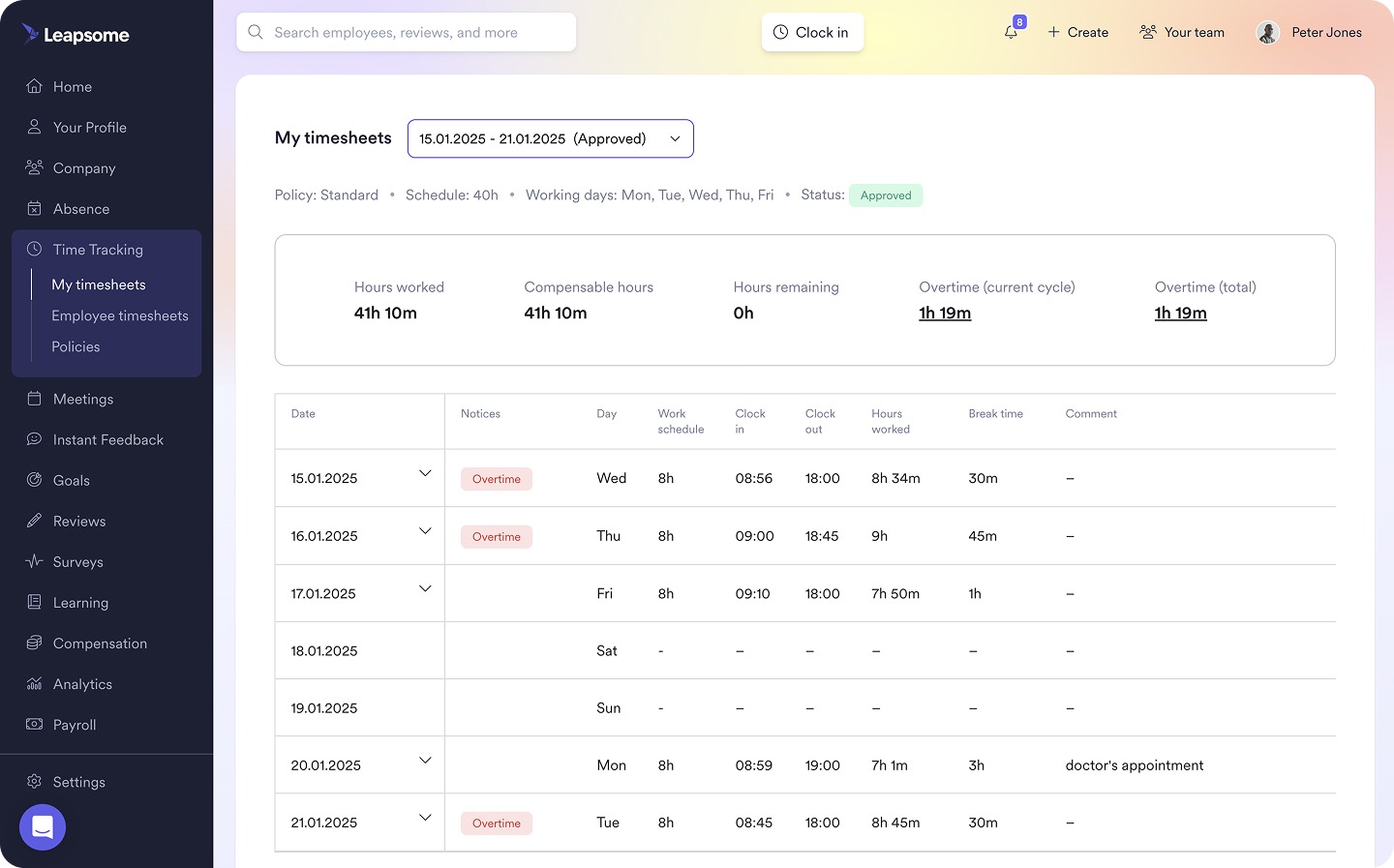
⏱️ Keep overtime records connected
Leapsome brings time tracking and approvals into one workflow, giving HR reliable records for payroll preparation.
👉 Explore Time Tracking
Step 2: Calculate regular pay and overtime pay
First, calculate the employee’s regular pay:
40 regular hours x $20 hourly rate = $800 regular pay
Next, multiply the hourly rate by the applicable overtime multiplier:
$20 hourly rate x 1.5 = $30 overtime rate per hour
Then apply that rate to the six overtime hours:
6 overtime hours x $30 overtime rate = $180 overtime pay
If the employee receives a salary or another non-hourly rate, convert that amount into an equivalent hourly rate before applying the overtime multiplier. The correct conversion depends on the employee’s standard hours and local rules.
Confirm whether additional compensation affects the regular rate. Under federal rules, some nondiscretionary bonuses and other payments may need to form part of that rate. Using the employee’s base wage without checking those payments can produce the wrong overtime amount.
Step 3: Add both amounts to get total pay
Finally, combine regular pay with overtime pay:
$800 regular pay + $180 overtime pay = $980 total gross pay
The employee earns $980 in gross pay for the workweek, before deductions. If a second overtime tier applies, calculate that amount separately and add it to the same total. This may be the case when state law or a collective agreement requires double time in specific circumstances.
Beyond the calculation: What overtime reveals about your workforce
An overtime pay calculator settles the immediate payroll question, but it doesn’t explain why the extra hours were necessary. When overtime repeatedly appears on the same team’s timesheets, HR needs to identify what keeps employees at work beyond their normal hours.
Failure to address that pattern can put employee well-being at risk. Gallup identifies an unmanageable workload as a leading contributor to burnout. Its research also shows that employees report higher levels of frequent burnout when their working hours rise above 45 hours per week. Recurring overtime may signal that employees are approaching a workload they can’t sustain.
To determine whether the overtime pattern reflects a temporary peak or a deeper capacity problem, look at what is driving the extra hours:
- Staffing gaps: Vacant roles leave the remaining team to absorb unfinished work. High turnover can turn that temporary cover into a permanent expectation.
- Business demand: A seasonal surge or big project may require more hours for a limited period of time. When demand remains high, the organization may need additional capacity rather than another round of overtime.
- Staffing gaps: Vacant roles leave the remaining team to absorb unfinished work. High turnover can turn that temporary cover into a permanent expectation.
Overtime data becomes more useful when you compare it with other workforce metrics. For example, rising overtime alongside increased absenteeism may indicate that the workload is unsustainable. If engagement survey scores also fall in the same team, HR has stronger evidence that the extra hours reflect a wider capacity problem.
"Frequent or prolonged absences can be a real indicator of disengagement… Reporting to leadership helps spot patterns early and address them."
— Sophie O'Donoghue, Customer Success Coach, at Leapsome
Leapsome connects absence and engagement data with employee records and payroll preparation. This gives HR a unified view of workforce patterns and helps teams understand where support is needed.
"We're connecting different parts of Leapsome to create dashboards that merge absence data with performance and engagement data."
— Ankit Saigal, Head of Product, Leapsome
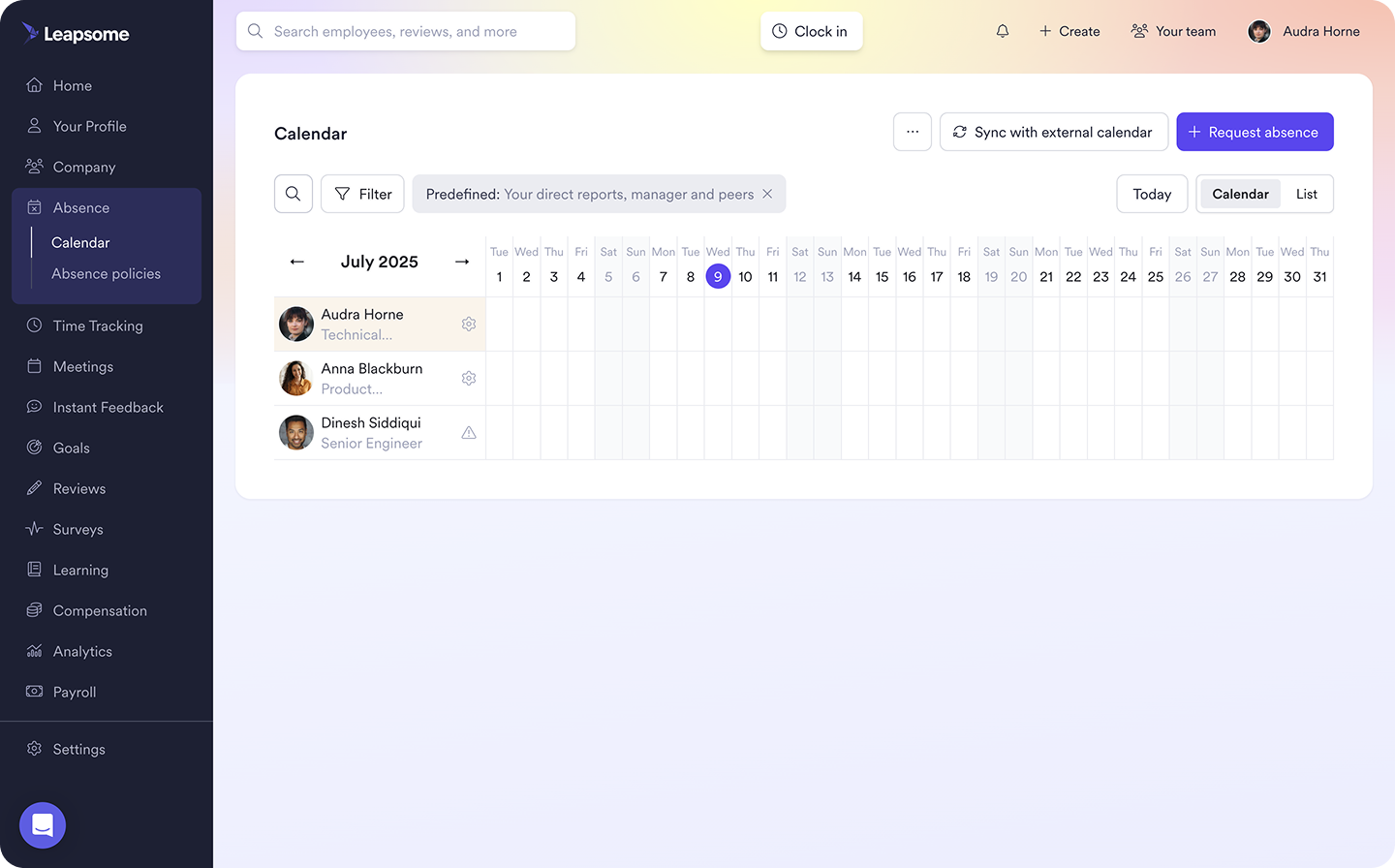
🌡️ See what overtime might be covering
Leapsome Absence Management connects with employee records, payroll prep, policies, and engagement to help HR understand the workforce needs behind recurring overtime.
👉 Explore Absence Management
Leapsome: Turn overtime calculation into workforce insights
Calculating overtime correctly keeps payroll compliant, but it doesn’t explain why employees needed the extra hours. If the same team regularly works extra hours, HR needs to know whether overtime work covers a temporary increase in demand or an ongoing capacity gap.
Disconnected systems make that distinction difficult. Employees may log their hours in one tool while managers approve absences in another. HR can calculate the correct payment, but it can’t easily see why the overtime occurred or whether the same problem keeps causing it.
Leapsome connects the workforce data behind each overtime payment. With Leapsome, HR teams can:
- Track working hours: Keep time records and manager approvals in one workflow to support accurate overtime calculations and processing payroll.
- Connect absence data: View overtime alongside employee time-off data to identify when absences may be creating recurring workload gaps.
- Centralize employee records: Maintain the employment details needed to confirm overtime eligibility and prepare payroll data.
- Review engagement trends: Use employee feedback to understand whether teams with recurring overtime also report workload strain.
"Employees can now find everything in one place — their data, absences, goals, and reviews. I don't have to explain which tool to use for what. It's all in Leapsome." — Merilyn L., Senior People Operations Specialist, Bob W
⚙️ Use overtime patterns to shape your workforce decisions
Leapsome connects workforce data so HR can distinguish temporary demands from deeper capacity gaps and decide where teams need support.
👉 Request a demo
FAQ
How do I know if overtime is required or optional for employees?
Overtime is required when an eligible non-exempt employee works more than the applicable threshold, such as 40 hours in a workweek. Exempt employees generally aren’t owed overtime unless local laws say otherwise.