9 best workforce planning software tools for 2026
.png)
.jpg)
Companies that excel at maximizing their talent investments generate 300% more revenue per employee.* The key to unlocking this kind of performance? Strategic workforce planning that ensures you’re always hiring the right people for the right jobs at the right time.
Workforce planning software helps organizations forecast hiring needs and optimize team structures. In 2026, these tasks require more than basic headcount tracking. They also require advanced scenario modeling, skills gap analysis, and integration with performance and compensation data.
In this article, we'll help you choose the right tool by comparing the very best workforce planning software platforms for 2026. We'll focus on solutions that support strategic hiring as well as day-to-day scheduling, with practical advice on how to know what's right for your organization based on your size, scaling goals, and many other factors.
Let’s get into it.
*McKinsey, 2025
🌱 See workforce planning in action.
See how Leapsome brings core HR, performance, and development together in one intuitive platform.
👉 Explore Leapsome’s HRIS
Unpacking the best workforce planning software for 2026
For this list, we prioritized tools that help HR leaders forecast future hiring needs and explore multiple workforce scenarios.
Usability matters here. Workforce planning excels when managers and leaders can engage with the data directly, rather than getting lost in complex models, spreadsheets, or finance-only systems.
After reading, you’ll be able to determine which platform is best-suited for your workforce planning program — whether it’s a people-first HRIS or a more advanced financial modeling tool.
Disclaimer: This information is accurate as of January 2026 and is based on publicly available information from each vendor’s website and product documentation. Workforce planning software evolves quickly, so readers should always review the vendor’s site for the most up-to-date details on features and capabilities.
{{TABLE}}
Leapsome
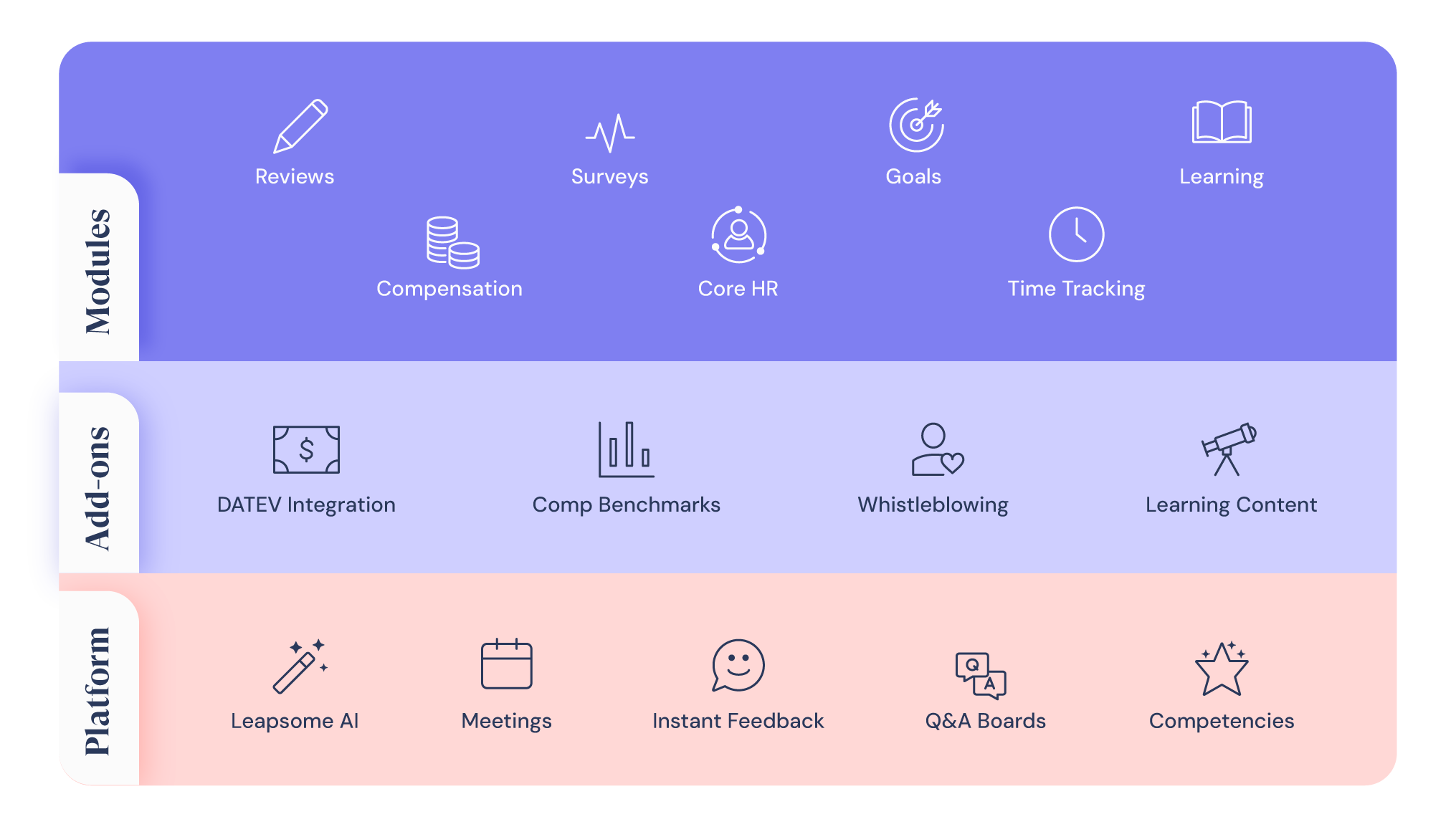
Leapsome supports workforce planning by grounding headcount and capacity decisions in a people-first HRIS, using live employee data to inform planning conversations rather than isolated forecasts.
Because workforce planning lives directly inside the HRIS, data related to employee engagement and performance stays current and accessible across HR, managers, and leadership. This allows teams to move faster, involve managers as active planning partners, and connect workforce decisions directly to your employees’ and organization’s day-to-day realities.
Key features
- Centralized employee data that supports headcount planning across roles, teams, and locations
- Real-time visibility into org structure and reporting lines to support capacity and growth planning
- Workforce insights informed by performance trends and engagement signals
- Skills and development data that helps teams understand future capability gaps
- Manager-accessible analytics that support planning conversations without requiring finance tooling
- Core HR data and analytics stored in one central HRIS
Pros
- Planning is grounded in live HR data rather than snapshots or exported spreadsheets
- Strong manager adoption because insights are easy to access and understand
- Workforce planning connects naturally to performance, learning, and development decisions
- Fewer handoffs between HR, managers, and leadership during planning discussions
- Suitable for organizations that want planning to be continuous, not a once-a-year exercise
- Scales well as organizations grow without adding planning complexity
Limitations
- Advanced financial modeling requires finance-system integration
Best for
Organizations of all sizes that want workforce planning embedded in their HRIS, aligning talent strategy, performance, and growth planning.
🚀 Turn workforce plans into action with connected people data
Discover how Leapsome helps HR teams and managers align workforce planning with performance, development, and long-term people strategy.
👉 Book a demo
Workday Adaptive Planning
.jpeg)
Workday Adaptive Planning is a modeling tool that organizations use for workforce forecasting alongside financial planning. Workforce planning is handled through configurable models that connect headcount, roles, and compensation assumptions to broader budget and business forecasts.
This platform is a good option if your workforce planning needs will require frequent re-forecasting. With Workday, HR often contributes workforce assumptions, while finance owns the models and controls how workforce plans roll up into financial outcomes.
Key features
- Workforce planning models connected to financial forecasts
- Scenario modeling for different hiring and growth assumptions
- Headcount and compensation forecasting
- Rolling forecasts and re-forecasting capabilities
- Integration with HR systems for workforce data inputs
- Collaboration features for planning cycles
- Reporting and dashboards tied to planning models
Pros
- Strong scenario modeling for workforce planning
- Designed for frequent re-forecasting
- Clear connection between workforce plans and budgets
- Flexible models that adapt to changing assumptions
- Works well for cross-functional planning
- Scales across mid-sized and large organizations
Limitations
- Workforce planning is finance-led rather than HR-led
- Models require setup and ongoing maintenance
- Less focused on manager-level workforce planning
Best for
Organizations that want workforce planning tightly connected to financial forecasting and scenario modeling, especially where finance owns planning, and HR provides workforce inputs.
Personio
.jpeg)
Personio supports workforce planning through its role as a core HRIS, with planning workflows designed to connect headcount decisions to HR execution. Workforce planning is closely tied to operational HR data, such as roles, compensation, and employment status, rather than advanced forecasting or scenario modeling.
This platform works best when workforce planning is treated as an extension of HR administration. It provides structure around headcount planning and approvals, but most strategic planning and scenario work typically happens outside the platform using exported data or complementary tools.
Key features
- Centralized employee and headcount data
- Workforce planning workflows tied to core HR processes
- Planning cycles for proposing and approving headcount changes
- Compensation and payroll-related data to inform cost discussions
- People analytics and reporting built on HR data
- Role and job architecture management
- Absence and time data that can support capacity considerations
Pros
- Well-suited to organizations operating primarily in Europe
- Strong system of record for workforce and headcount data
- Planning workflows integrated into core HR processes
- Structured approval flows for headcount changes
- Useful reporting foundation for workforce discussions
- Supports consistency across HR administrative processes
Limitations
- Limited support for scenario planning and future-focused modeling
- Workforce planning insights often require exporting data
- Best-suited for organizations in Germany and the EU
Best for
Small to mid-sized organizations, especially in Europe, that want workforce planning closely tied to HR administration and headcount control rather than advanced forecasting.
Rippling
.webp)
Rippling approaches workforce planning through workforce data centralization rather than dedicated planning workflows. It brings employee, payroll, contractor, and time data together in one cohesive system. While the platform provides broad visibility into workforce data, you’ll likely need to export data or use additional tools for strategic planning, forecasting, and scenario modeling.
Key features
- Centralized employee and contractor records
- Payroll and compensation data across regions
- Global workforce and contractor management
- Time tracking and attendance data
- Workflow automation for HR and admin processes
- Reporting built on workforce and payroll data
Pros
- Strong centralization of workforce and payroll data
- Useful foundation for headcount and cost visibility
- Supports global teams and contractor-heavy workforces
- Reduces manual data reconciliation across systems
- Helpful for payroll-aligned workforce discussions
- Broad coverage across HR and admin workflows
Limitations
- No dedicated workforce planning or scenario modeling tools
- Planning workflows typically rely on exported data
- Breadth of features can add complexity for planning use cases
Best for
Organizations that want workforce planning grounded in payroll and global workforce data, or teams already using Rippling for HR and administrative operations.
BambooHR
.webp)
BambooHR supports workforce planning indirectly through its core HRIS, which centralizes employee records, job information, and basic reporting. Teams typically use BambooHR as a source of truth for headcount data rather than as a system for active workforce forecasting or scenario planning.
BambooHR works best when workforce planning needs are relatively simple and focused on visibility rather than modeling. Planning is usually handled through exports or spreadsheets, with BambooHR providing a source of truth for the underlying HR data.
Key features
- Centralized employee records and job data
- Org chart and reporting structure visibility
- Basic HR reporting and dashboards
- Compensation and employment status tracking
- Time off and absence data
- Employee lifecycle tracking
- Document management tied to employee records
Pros
- Easy to use and quick to adopt
- Clear visibility into headcount and org structure
- Useful system of record for workforce data
- Simple reporting for basic workforce questions
- Low overhead for small HR teams
- Well-suited for organizations early in their planning maturity
Limitations
- No built-in workforce planning or scenario modeling
- Limited analytics depth for future-focused planning
- Planning workflows rely on manual exports
Best for
Small organizations that want a straightforward HRIS to support basic headcount visibility and simple workforce planning outside the platform.
SAP SuccessFactors
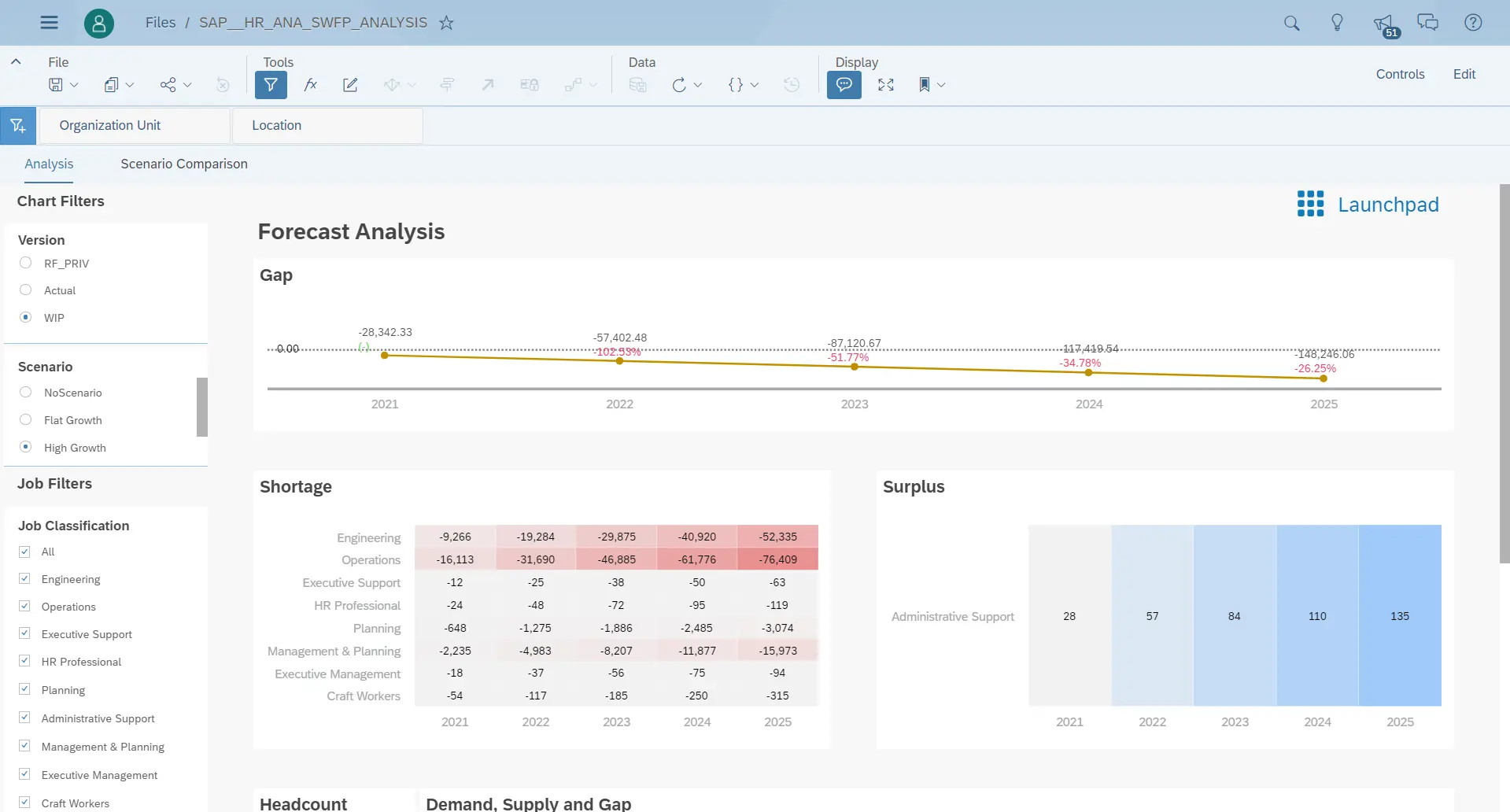
SAP SuccessFactors supports workforce planning through its analytics capabilities within the broader SAP HCM ecosystem. Planning is closely tied to enterprise HR data, organizational structures, and finance systems, making it part of a larger, ERP-led approach to workforce planning.
The platform is typically used when workforce planning is driven by complex organizational requirements and long-term planning cycles. It works best in environments where planning needs to align tightly with finance, payroll, and enterprise reporting, even if that comes with additional complexity.
Key features
- Workforce planning capabilities integrated into the SAP HCM suite
- Headcount and position management tied to organizational structures
- Workforce analytics and reporting across large employee populations
- Integration with SAP finance and ERP systems
- Support for long-term, enterprise planning cycles
- Global workforce and compliance considerations
- Role and position-based planning models
Pros
- Strong fit for large, complex organizations
- Deep integration with finance and ERP data
- Supports structured, long-term workforce planning
- Handles large volumes of workforce data
- Designed for global and multi-entity organizations
- Aligns workforce planning with broader enterprise reporting
Limitations
- High implementation and configuration complexity
- Workforce planning workflows can be rigid
- Less accessible for managers and non-technical users
Best for
Large enterprises that want workforce planning embedded into an ERP-driven HR and finance ecosystem and are prepared for a more complex implementation.
Oracle
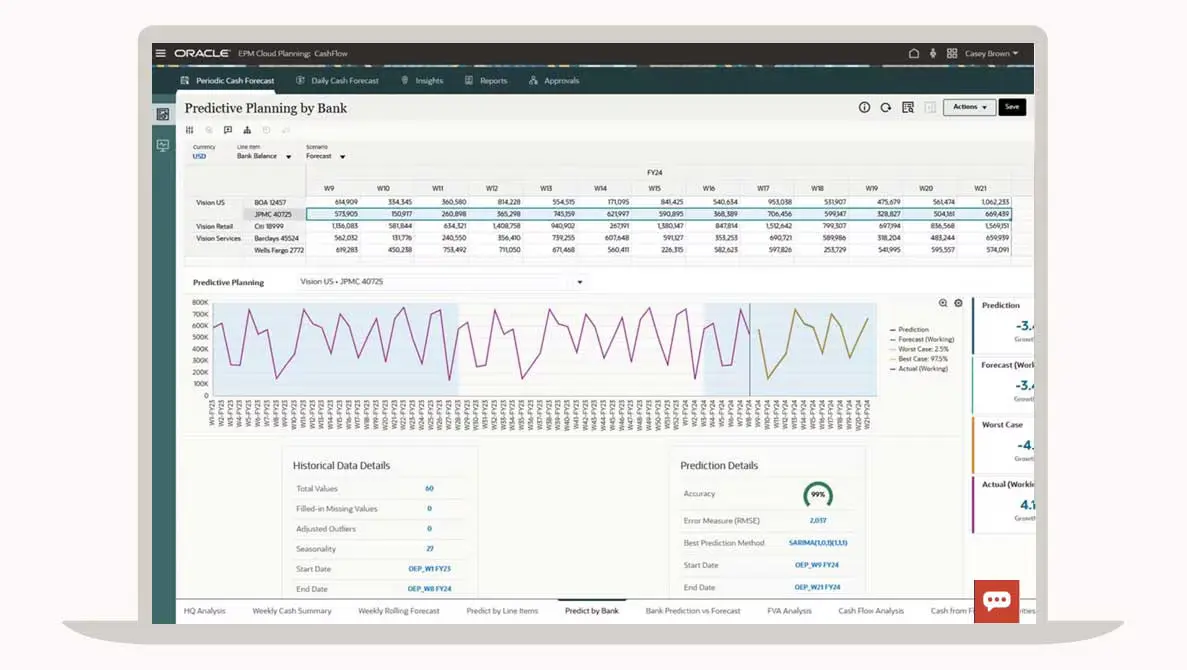
Oracle workforce planning is built for organizations that treat workforce decisions as a financial control problem first. Planning typically starts with positions, budgets, and cost centers, then flows down into hiring and staffing decisions, rather than emerging from manager-level workforce needs.
Teams use Oracle when workforce planning needs to be tightly aligned with financial forecasts and long-range plans. It is well-suited to environments where predictability, governance, and cost control matter more than speed or manager participation, and where planning cycles are formal and centrally managed.
Key features
- Position-based workforce planning tied to budgets
- Headcount and cost forecasting aligned to finance plans
- Workforce data structured around cost centers and entities
- Planning models designed for long-range cycles
- Integration with enterprise financial planning tools
- Centralized control over workforce assumptions
- Support for complex organizational hierarchies
Pros
- Strong control over workforce costs and assumptions
- Clear alignment between workforce plans and budgets
- Well-suited to long-term planning horizons
- Handles complex organizational structures
- Familiar model for finance-led planning teams
- Consistent planning across large enterprises
Limitations
- Planning is less responsive to short-term workforce changes
- Limited manager involvement in planning workflows
- Slower iteration compared to HR-led planning tools
Best for
Organizations that approach workforce planning as a finance-led, budget-driven process and need strong control, consistency, and long-term forecasting across large, complex structures.
Vena
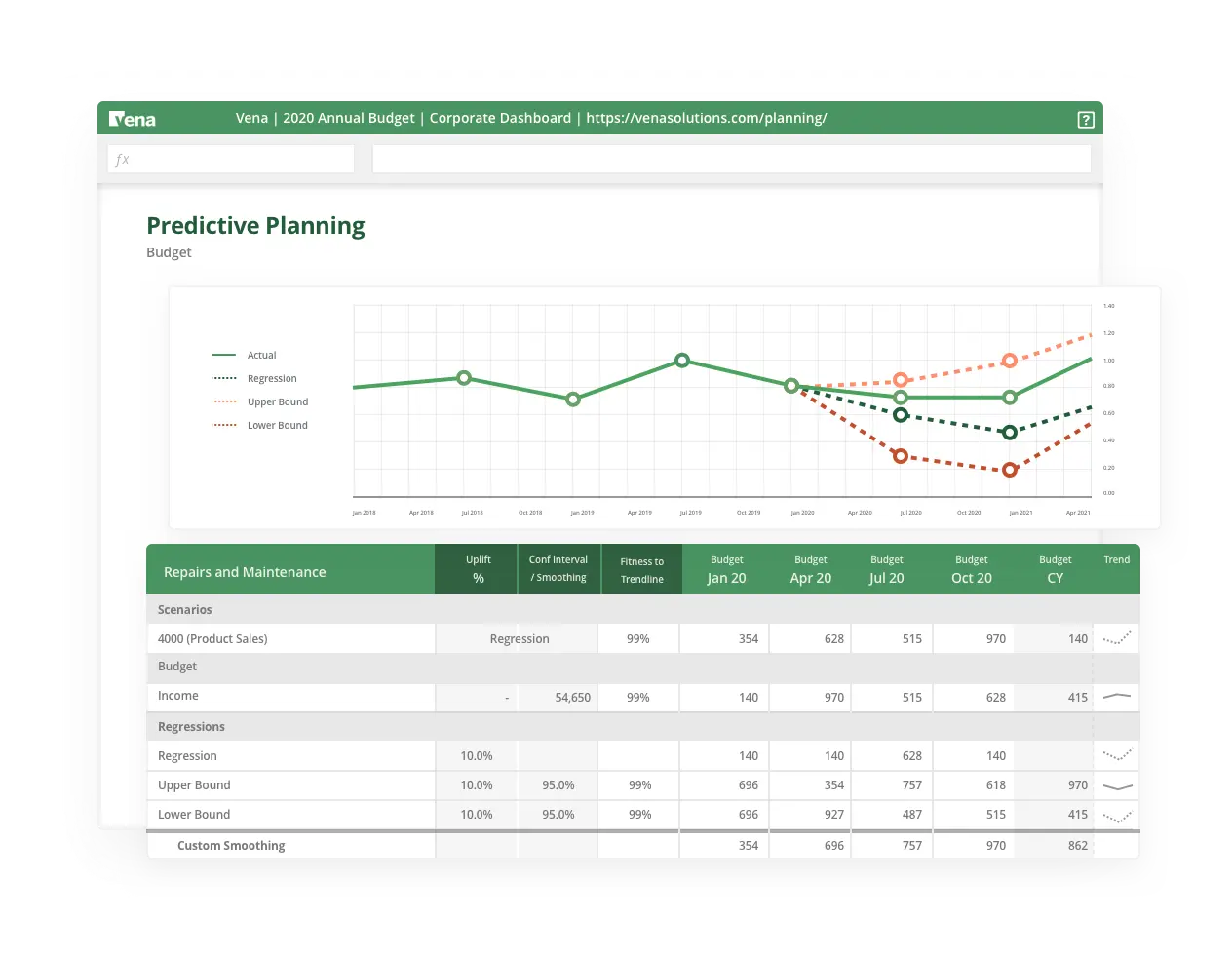
Vena is a finance-led planning tool that organizations often use for workforce planning through spreadsheets rather than standalone HR workflows. Workforce planning typically happens inside Excel, with Vena adding structure, controls, and data connections so teams can manage headcount and cost planning without abandoning familiar tools.
Key features
- Excel-based workforce and headcount planning
- Budgeting and forecasting tied to workforce costs
- Version control and audit trails for planning models
- Approval workflows layered onto spreadsheet processes
- Integration with HR and financial data sources
- Centralized management of workforce assumptions
- Support for multi-period and scenario-based planning
Pros
- Familiar spreadsheet interface lowers adoption barriers
- Strong fit for finance-owned planning processes
- Adds governance and structure to workforce models
- Supports detailed cost and budget forecasting
- Reduces manual version tracking and errors
- Works alongside existing HR systems
Limitations
- Workforce planning is finance-driven rather than HR-led
- Limited support for manager participation
- Planning quality depends on spreadsheet design
Best for
Organizations that want to keep workforce planning inside Excel while adding controls, approvals, and financial rigor, especially where finance owns the planning process.
ERPNext
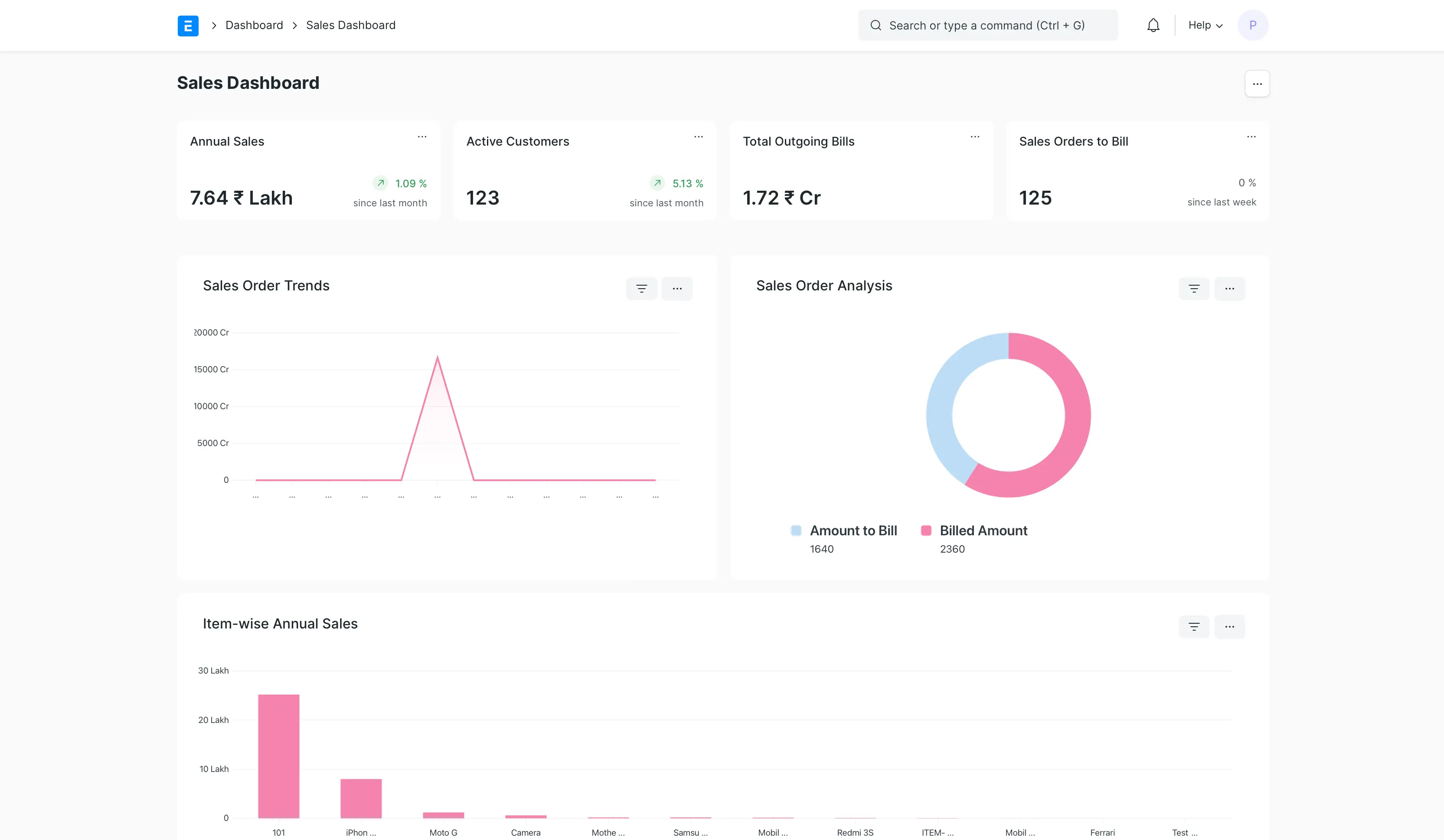
ERPNext is an open-source ERP system that organizations can use for workforce planning. To be clear, though, workforce planning is not a standalone module, but something teams configure themselves using ERPNext’s flexible data models and reporting tools.
The platform works best when organizations want full control over how workforce planning is designed and are comfortable owning configuration and maintenance. Planning approaches vary widely depending on how the system is set up, which makes ERPNext highly flexible but also more dependent on internal technical capability.
Key features
- Open-source HR and payroll modules
- Customizable employee and role data models
- Workforce data integrated with finance and operations
- Reporting tools that can be adapted for planning use cases
- Self-hosting or cloud deployment options
- High configurability across workflows and data structures
- No vendor-imposed planning framework
Pros
- Full flexibility to design custom workforce planning approaches
- No vendor lock-in
- Can align workforce planning closely with finance and operations
- Cost-effective for organizations with technical resources
- Adaptable to unique organizational needs
- Strong fit for teams that want control over data models
Limitations
- No out-of-the-box workforce planning workflows
- Requires technical expertise to configure and maintain
- Planning quality depends heavily on internal setup
Best for
Organizations with technical capacity that want maximum flexibility and control over workforce planning and are comfortable building their own planning workflows on top of an open-source system.
A buyer’s guide for workforce planning software
No two companies face identical challenges, but certain considerations matter for anyone evaluating workforce planning tools in 2026.
Define your workforce planning goals
Start by clarifying what you're actually trying to accomplish. Are you focused on headcount forecasting to support budget planning? Do you need skills planning to prepare for technological shifts? Or do you want manager-led capacity planning that helps teams work more efficiently and meet all business needs?
These aren't mutually exclusive goals, but understanding your primary focus helps narrow the field between operational workforce planning and strategic workforce planning.
Strategic workforce planning typically looks three to five years ahead, helping you anticipate organizational needs based on many potential developments (e.g., economic headwinds, a period of massive growth, and so on). On the other hand, operational workforce management platforms will keep you rooted in the here and now.
Evaluate the quality of your HR data
Planning accuracy depends on clean, connected HR data. Plans built on outdated spreadsheets can't account for the organizational changes that happen constantly, like new hires, departures, and role changes (to name a few).
The best workforce planning happens when employee data stays current without manual updates. When evaluating options, ask yourself: Does the tool integrate with your HRIS to pull live headcount, compensation, and org structure data? Or does it require regular exports that create gaps between your plans and reality?
Some platforms embed planning directly into the HRIS, which eliminates integration complexity. Others connect through APIs or scheduled syncs. The approach matters less than the result: Can you trust that your workforce plans reflect what's actually happening?
Balance forecasting depth with usability
Workforce planning tools fall along a spectrum. On one end sit finance-led platforms with deep modeling capabilities, complex assumptions, and multi-year scenario planning. On the other end are people-first HR platforms where planning connects directly to performance, skills, and manager conversations.
Finance-led tools offer sophisticated modeling but often require specialized knowledge to build and maintain forecasts. People-first platforms make planning more accessible to managers and HR teams, though they may offer less complexity in financial scenarios.
The right balance depends on who needs to engage with workforce planning in your organization. If your finance team is keenly interested in engaging with workforce planning, deeper modeling capabilities may matter more. If you or another HR leader will spearhead the workforce planning strategy, though, an HRIS will likely be your best choice.
Determine your change management plan
Time-to-value matters when selecting workforce planning software. Some platforms require months of configuration, custom data modeling, and specialized training before teams can produce useful forecasts. Others let you start planning within weeks using pre-built templates and a straightforward setup.
Implementation complexity typically scales with modeling sophistication. Enterprise planning platforms that deeply integrate with finance systems and support complex organizational hierarchies take longer to deploy. Tools that work within existing HRIS frameworks or use familiar interfaces, such as Excel, can go live faster.
HR process automation can reduce the ongoing maintenance burden once workforce planning is established. Look for platforms that automate data updates, trigger planning cycles on schedule, and surface insights without requiring manual report building. The goal is to spend time on strategic decisions rather than system maintenance.
Choosing the right workforce planning software for your team
Most HR teams face a common challenge: workforce forecasts that live separately from performance data, skills assessments, and manager conversations. The result? Constant silos and miscommunications about important HR projects.
Platforms like Leapsome solve this problem by embedding HR strategy planning directly into a people-first HRIS, connecting headcount forecasts to actual employee performance, skills gaps, and development plans. This approach means workforce planning influences how you develop, deploy, and retain talent, never just how you budget for it.
🎯 Make workforce planning a shared, data-driven process
See how Leapsome helps HR leaders and managers plan headcount, skills, and growth using connected, real-time people data.
👉 Request a demo
Frequently asked questions about workforce planning software
What is workforce planning software?
Workforce planning software helps HR teams forecast headcount, skills, and capacity needs based on current realities. These platforms connect employee data, organizational structure, and business projections together to build workforce forecasts. The software tracks current workforce composition and projects future requirements, helping organizations understand gaps between their current state and future needs.
How does workforce planning software differ from workforce management software?
Workforce planning software focuses on strategic, future-oriented decisions about talent needs, typically looking three to five years ahead. It helps answer questions such as "What skills will we need as we expand into new markets?" and "How many engineers should we hire next year?"
Workforce management software handles day-to-day operational needs such as scheduling, time tracking, and shift management. It answers questions like "Who's working tomorrow?" and "Did everyone clock in on time?"
Both address workforce topics, but planning tools focus on strategic planning, while management tools focus on current operations.
Can workforce planning software integrate with an HRIS?
Yes, and in fact, integration is essential for accurate planning. Workforce planning tools rely on current employee data, role information, and compensation details to produce reliable forecasts. Without HRIS integration, teams spend time manually updating spreadsheets instead of analyzing workforce trends.
Some tools integrate externally through APIs or scheduled data syncs. Others embed planning directly within the HRIS, eliminating integration complexity and automatically keeping workforce data current. The integration approach matters less than the outcome: planning built on real-time, accurate HR data rather than periodic exports.
Is workforce planning software only for enterprise companies?
No. Workforce planning is an important consideration for teams of all sizes. That said, your company size may impact which workforce planning software is right for you. Smaller organizations often benefit from planning embedded in their HRIS, while larger enterprises may need specialized modeling capabilities. What matters is choosing software that matches your current planning needs while supporting future growth.
What features matter most in workforce planning tools?
Prioritize capabilities that help you make better decisions, not just build complex models. The most effective workforce planning tools use live HR data — like headcount, roles, skills, and performance signals — to inform capacity and growth decisions as they happen. Strong analytics should turn that data into clear, actionable insights, while tight HRIS integration ensures plans stay accurate as your organization changes.
Emily Laytham




.jpg)