8 best org chart software tools for 2026


Most HR teams don’t have an org chart problem. They have a change problem.
Headcount shifts, team restructures, internal moves, and new managers happen constantly. But the moment someone asks a simple question like “Who owns this team?”, “Where does this role sit?”, or “How many people report into this function?”, the answer is often buried across spreadsheets, Slack messages, and half-updated systems.
That lack of clarity creates friction everywhere. Managers make decisions with incomplete context, employees don’t know who to go to, and HR ends up acting as the source of truth (and the bottleneck) for org information.
Org chart software helps by turning organizational structure into a living, accurate view of your company, automatically reflecting changes from your HR system. This makes it easier to plan, communicate, and execute change without spending hours rebuilding charts from scratch.
In this guide, we compare the best org chart software tools for 2026, focusing on solutions that integrate with HR systems, support complex organizations, and reduce ongoing administrative effort. We’ll also share which tools are best suited to different org sizes and goals.
🧩 See your organization clearly with up-to-date, automatically syncing org charts.
See how Leapsome keeps org charts accurate by connecting structure directly to your live HR data.
👉 Explore Leapsome HRIS
The best org chart software tools for 2026
Static diagrams no longer cut it. In 2026, org chart software must be able to integrate with HRIS and payroll systems, maintain real-time data accuracy, support flexible organizational views, and scale with enterprise needs. All of the tools on this list check those boxes to varying degrees.
Disclaimer: Feature information is accurate as of January 2026, based on vendor websites and publicly available documentation. SaaS products evolve quickly. Use this guide as a starting point, and confirm current capabilities with vendors as part of your evaluation.
{{TABLE}}
Leapsome
.png)
Leapsome is a people-first HRIS where organizational structure, performance, engagement, and development all connect. Instead of treating org charts as static diagrams, Leapsome turns them into a living source of clarity, one that supports employee growth, manager decision-making, and fair people practices.
Because its org chart functionality pulls directly from employee records, Leapsome’s hierarchical views update automatically as teams restructure, roles change, or reporting lines shift. As a result, HR leaders and managers unlock accurate organizational visibility without manual maintenance. The system also connects org structure to performance data, development plans, and engagement insights automatically, providing a holistic view of your people.
💭 “Many HR teams still struggle with the basics — too many disconnected tools, limited insights. That's why we built a truly people-first HRIS that unifies all employee data into one source of truth.”
—Suraj Paneru, Customer Success Coach at Leapsome
Key features
- HRIS-backed org charts synchronized with employee records and reporting structures
- Automatic hierarchy updates when organizational changes occur
- Configurable views for different stakeholder needs (HR, managers, executives)
- AI-powered workforce insights connected to organizational structure
- Integration with competency frameworks and development planning
- Real-time visibility into team structures for distributed organizations
- Role-based permissions for data security and privacy
Pros
- Org charts stay current without manual updates or spreadsheet imports
- Built into a comprehensive people enablement platform that connects structure to performance, engagement, and development
- Designed for all users (employees, managers, and HR), not just administrators
- Reduces tool fragmentation by consolidating org charts with broader HR workflows
- Supports organizational planning with AI-augmented insights
Limitations
- Org charts are integrated within a full HRIS rather than offered as a standalone diagramming tool
- May require broader platform adoption for maximum value
Best for
Organizations of all sizes that want a user-friendly org chart software, especially those seeking to reduce manual work and improve visibility across all HR data, from employee development to performance management and beyond.
🗂️ Centralize org charts with the rest of your HR data.
Leapsome brings org charts, performance, and development into one connected system.
👉 See how it works
Personio

Personio is an all-in-one HR platform designed for European mid-market companies. The platform combines recruiting, payroll, attendance, and core HR functions with org chart functionality that visualizes company structure and reporting lines. Personio's org charts update as HR teams make changes to employee records, roles, and team assignments, helping organizations maintain visibility into their workforce structure as they grow.
Key features
- Org charts generated from employee data within the HR system
- Visual hierarchy displays showing reporting lines and team structures
- Integration with recruitment workflows and position planning
- Department and location-based filtering options
- Mobile access to organizational views
- Employee profile linking from org chart nodes
Pros
- Org charts stay synchronized with employee records and role changes
- Integrated with broader HR workflows including recruiting and onboarding
- Built for European compliance requirements and market needs
- User-friendly interface designed for HR teams
- Supports workforce planning with position management features
Limitations
- Some users report bugs and frequent outages org chart customization options may be more limited than dedicated tools
- Advanced enterprise features may require higher-tier plans
Best for
Small to mid-sized businesses in the EU looking for an integrated HR platform that includes org chart capabilities alongside core HR, recruiting, and payroll functions.
BambooHR

BambooHR is an HR software platform designed for small to mid-sized businesses that combines core HR management, applicant tracking, and employee self-service features. The platform’s org chart feature provides visual representations of reporting relationships and allows employees to see team structures.
Key features
- Visual org charts built from employee directory data
- Reporting line displays with employee photo integration
- Searchable organizational views for finding team members
- Print and export options for organizational diagrams
- Employee profile access directly from org chart
- Mobile-friendly org chart viewing
Pros
- Simple interface that non-technical HR teams can navigate easily
- Org charts update automatically as employee data changes
- Employees can view organizational structure for better transparency
- Integrated with other BambooHR modules for hiring and onboarding
- Strong customer support and implementation assistance
Limitations
- Limited customization compared to enterprise-grade org chart tools
- Advanced filtering and organizational modeling requires you to purchase APIs from the BambooHR marketplace
- May lack depth for complex matrix organizations or multi-entity structures
Best for
Small to mid-sized businesses seeking straightforward HR software with built-in org chart capabilities that prioritize ease of use over advanced organizational modeling.
Rippling
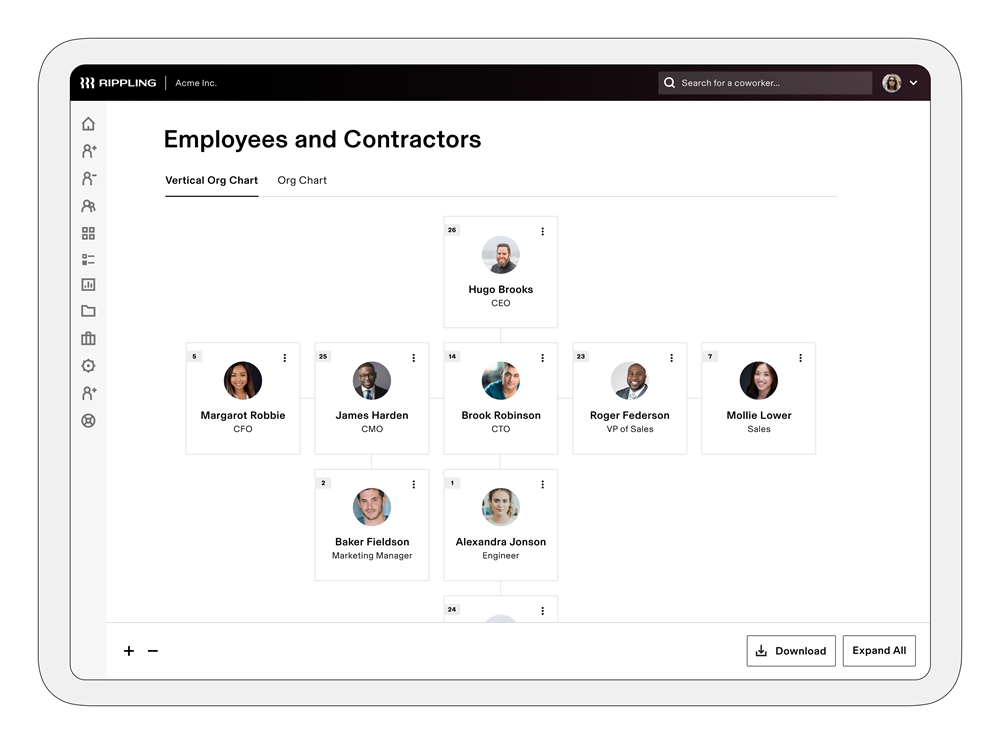
Rippling is a broad HR and IT platform that centralizes employee data across payroll, benefits, device management, and access controls. Its org chart functionality is embedded within this wider system, enabling companies to visualize reporting lines and team structures based on live employee records.
Because org charts pull directly from Rippling’s core employee data, they update as roles, managers, or departments change. This can help distributed or global teams maintain a consistent view of organizational structure, particularly when HR, payroll, and IT systems are closely linked.
Key features
- Org charts generated from live employee records
- Reporting line visualization tied to role and manager data
- Integration with payroll and IT system data
- Role-based access controls for organizational views
- Support for multi-entity and global team structures
Pros
- Because core HR data is linked, organizational charts stay aligned with employee and payroll data
- Useful for organizations managing global or distributed teams
- Centralizes org visibility alongside HR and IT workflows
- Reduces reliance on manual org chart updates
- Supports permissions and access control across teams
Limitations
- Org chart features are part of a broader platform, not a dedicated org chart tool
- Customization options may be limited compared to specialized org chart software
- Interface and setup can feel complex for teams focused on HR use cases
Best for
Companies managing global teams that want org charts connected to payroll and IT systems, especially those already using Rippling as a centralized platform for HR and operations.
Lattice
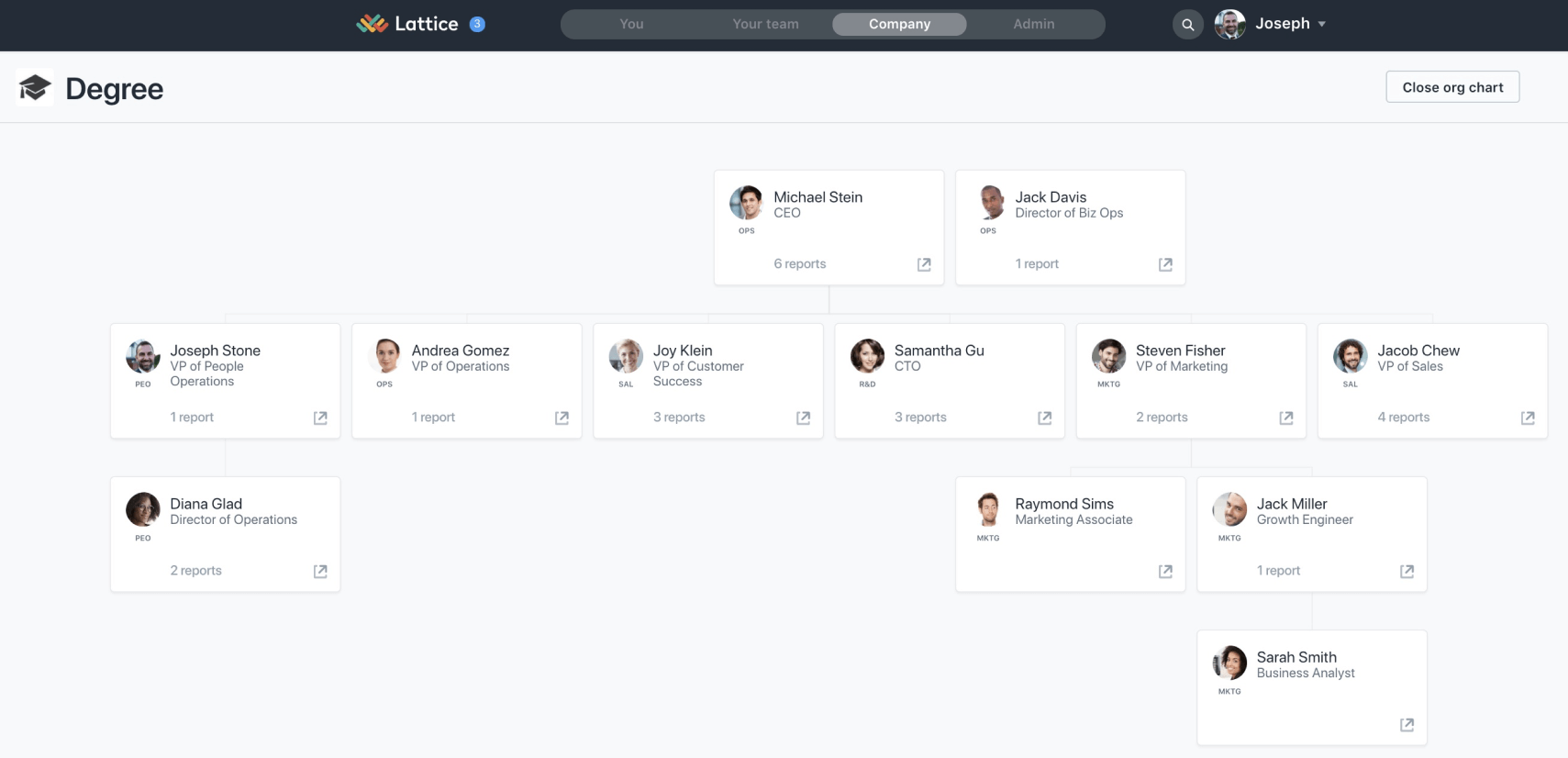
Lattice is best known for performance management and employee engagement, and its org chart functionality reflects that focus. Org charts are designed to help managers and employees understand reporting lines and team structures in the context of performance, reviews, and goal-setting workflows.
Org chart views in Lattice pull from employee profile data and manager assignments, allowing teams to see how individuals and teams are connected. While this supports day-to-day visibility, org charts are positioned as a supporting feature rather than a standalone or deeply configurable organizational modeling tool.
Key features
- Org charts generated from employee profile and manager data
- Visual reporting line and team structure views
- Employee profile access directly from org chart nodes
- Integration with performance and engagement workflows
- Permissions based on user roles
Pros
- Org charts stay aligned with employee profile changes
- Familiar interface for teams already using Lattice
- Supports transparency around reporting structures
- Integrated with performance management workflows
- Easy for managers and employees to navigate
Limitations
- Org chart functionality is limited compared to dedicated tools
- Fewer customization and modeling options for complex organizations
- Less suited for workforce planning or scenario-based org design
Best for
Performance-focused organizations that want basic org chart visibility integrated into performance and engagement workflows.
Ingentis
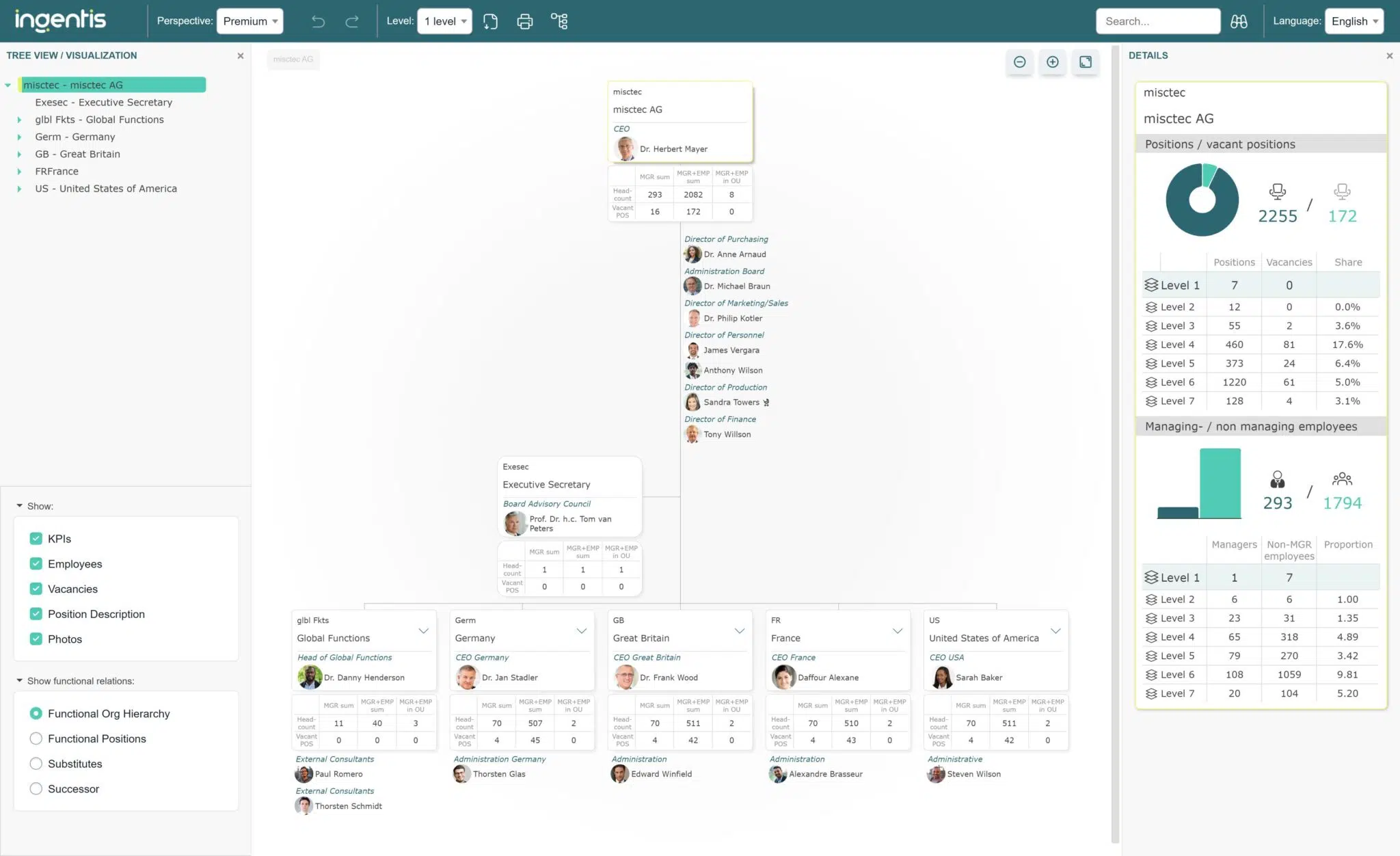
Ingentis org.manager is an enterprise-focused org chart and workforce modeling solution built for organizations with highly complex structures. It’s designed to handle large employee populations, multiple entities, and layered reporting relationships.
Org charts in Ingentis are typically used for structural analysis, planning, and governance rather than day-to-day employee navigation. The platform emphasizes advanced modeling, filtering, and scenario planning, making it well-suited for organizations that need detailed organizational oversight and change tracking.
Key features
- Advanced org charts built for complex hierarchies
- Workforce and organizational modeling capabilities
- Multiple views by department, role, or legal entity
- Scenario planning for organizational changes
- Permissions and governance controls
- Export and reporting options for leadership and planning teams
Pros
- Handles complex, multi-layered organizational structures
- Strong support for workforce planning and modeling
- Designed for large-scale enterprise environments
- Flexible views for different stakeholder needs
- Useful for governance and structural analysis
Limitations
- Not designed as a lightweight or employee-facing tool
- Setup and configuration can require more time and expertise
- Might be too complex for the needs of smaller organizations
Best for
Large enterprises that require advanced org modeling and workforce planning features to manage complex organizational structures.
Organimi
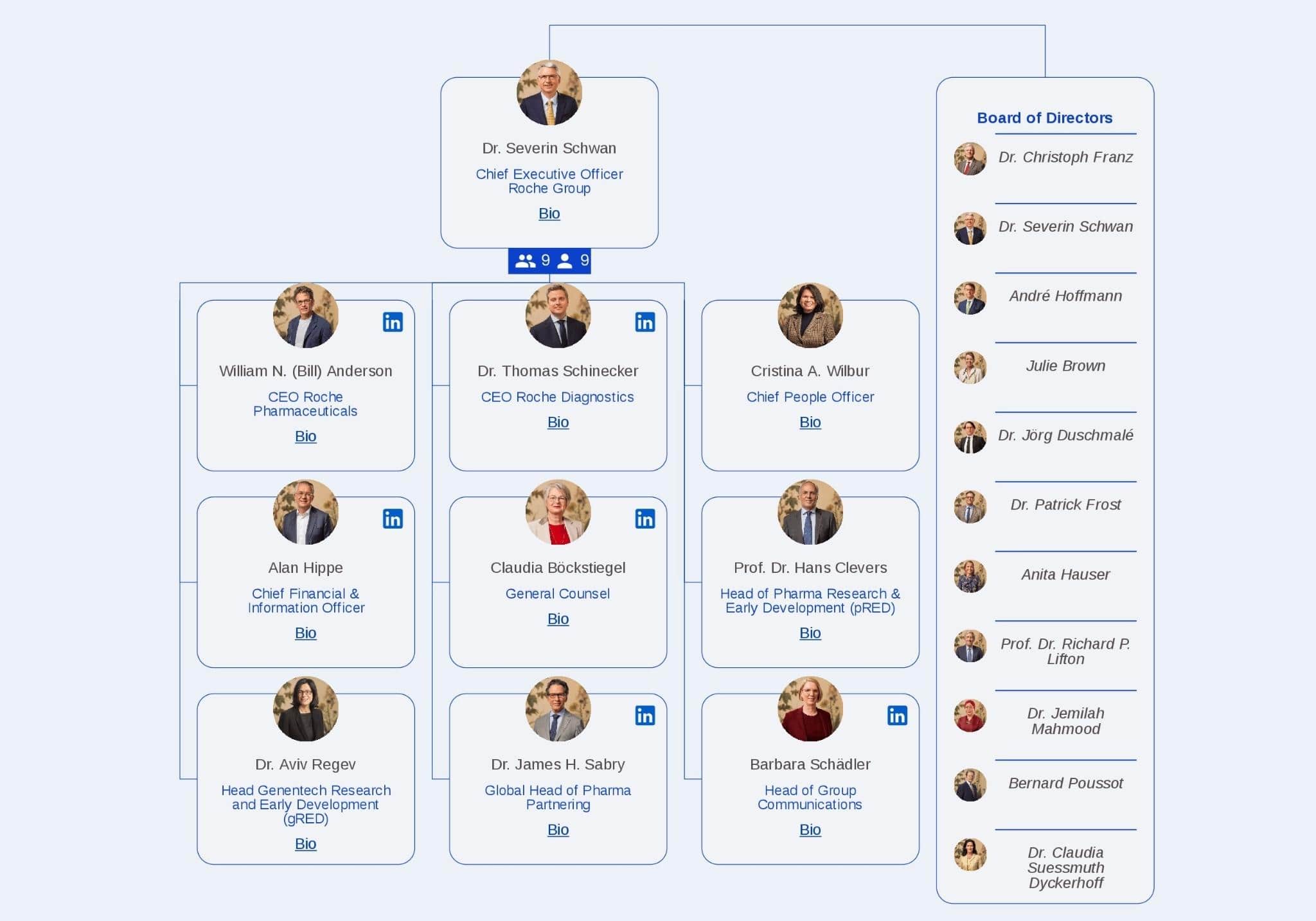
Organimi is a dedicated org chart software designed specifically for creating and maintaining organizational charts. Unlike most other platforms on this list, it focuses exclusively on visualizing hierarchy, roles, and reporting lines.
To sync your employee data with Organimi, you’ll need to integrate the platform with your HRIS or HR platform of choice. The platform is often chosen by HR teams that want more control over how organizational structures are displayed without necessarily needing a traditional HRIS.
Key features
- Automated org charts generated from HR data or spreadsheets
- Customizable layouts and visual styling options
- Department, role, and location-based views
- Shareable org charts with controlled access
- Export options for presentations and documentation
Pros
- Purpose-built specifically for org chart creation
- More customization than basic HRIS org chart views
- Reduces reliance on manual diagram tools
- Flexible data import options for different systems
- Easy to share org charts with internal stakeholders
Limitations
- Org charts are maintained outside of a core HRIS
- Requires ongoing data syncing or imports to stay accurate
- Lacks deeper people management or workforce planning features
Best for
Teams that want a dedicated org chart tool with customization options, without adopting a full HR platform.
Microsoft Visio
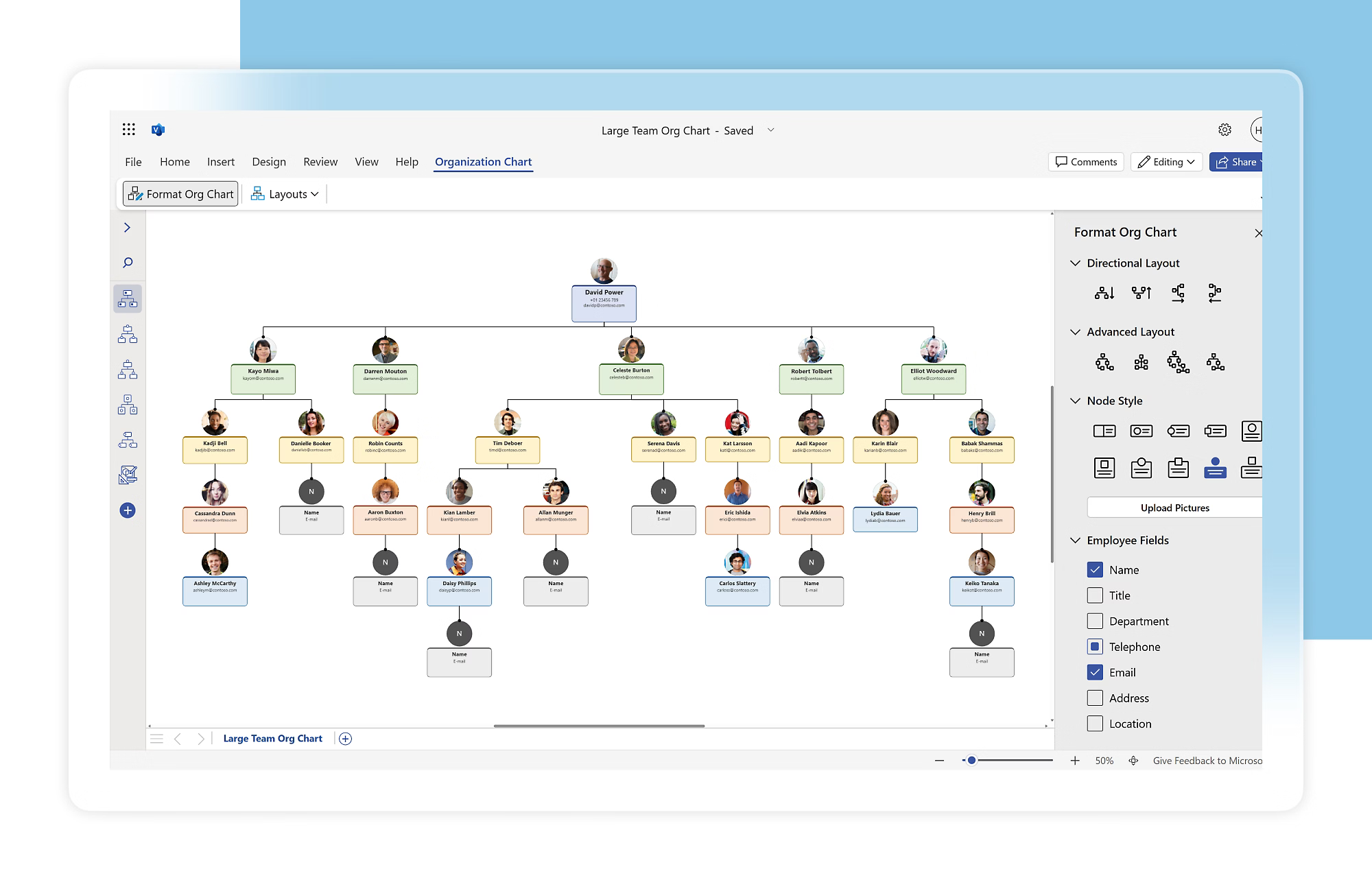
Microsoft Visio is a general-purpose diagramming tool that supports org chart creation through templates and manual design features. It’s most commonly used by organizations within the Microsoft 365 ecosystem.
Org charts in Visio are typically created by manually building hierarchies or importing data from sources such as Excel. While this approach offers flexibility in layout and formatting, keep in mind it also means org charts require manual updates to stay accurate as teams and reporting lines change.
Key features
- Org chart templates for manual diagram creation
- Excel data import for building hierarchical structures
- Drag-and-drop diagramming interface
- Integration with Microsoft 365 for access and sharing
- Export options for documents and presentations
Pros
- Familiar interface for teams already using Microsoft tools
- Flexible diagramming capabilities beyond org charts
- Easy sharing through Microsoft 365 permissions
- No need to adopt a separate org chart platform
- Suitable for one-off or static org chart needs
Limitations
- Org charts require manual updates to remain accurate
- Not purpose-built for HR workflows or automation
- Limited support for live HRIS data integration
Best for
Organizations already invested in Microsoft 365 that need basic org charts or general diagramming, rather than automated, HRIS-backed organizational views.
A buyer’s guide for org chart software
Once you’ve narrowed down your search, the following considerations will help you select the right org chart software for your organization.
Decide whether you need HRIS-backed or standalone org charts
Org charts often start as a one-time project: Someone exports a list of employees, builds a clean diagram, and shares it with leadership. That approach works at first. But it quickly breaks down as teams change — as they so often do.
If your organization experiences frequent hiring, internal movement, or restructuring, standalone org charts create hidden maintenance work. Someone has to notice the change, update the chart, and redistribute it. Over time, this leads to uncertainty about which chart reflects reality. It also means employees will need to approach HR anytime they have a question about their structure within the company, which isn’t necessarily scalable, especially if your organization plans to grow rapidly.
HRIS-backed org charts reduce this friction by treating organizational structure as live data, not a document. When reporting lines, roles, or departments change in the HR system, the org chart updates automatically. This is especially valuable for HR teams supporting managers who rely on accurate structure to make decisions about resourcing, performance, and development.
Standalone tools can still make sense for static or presentation-driven use cases. But for organizations aiming to improve operational clarity, HRIS-backed org charts are usually a better long-term fit.
Check how deeply the tool integrates with your HR systems
Many org chart software claim to integrate with your other HR tools, but the depth of that integration varies widely. Some tools rely on periodic imports from spreadsheets or CSV files. Others connect directly to employee directories and sync changes continuously.
Surface-level integration can solve initial setup, but it still leaves HR teams responsible for keeping charts current. Deeper integration reduces that burden by pulling live data, such as manager relationships, role changes, and department updates, directly from your HRIS or HR platform of choice.
This distinction matters more as your organization grows. Real-time integration supports cleaner workflows, fewer errors, and better confidence in organizational data. It also lays the foundation for broader automation across HR processes.
🔗 Understand the strength of a powerful HRIS integration.
Learn how deep integrations reduce manual work and keep people data consistent across all of your systems.
👉 Read the HRIS integration best practices guide
Assess scalability and governance
Org charts are often more sensitive than they appear. They can expose leadership structures, open roles, succession gaps, or confidential reporting lines. As a result, governance is just as important as visualization.
Scalable org chart software should allow organizations to control access at different levels. HR teams may need full editing rights, managers may need limited views, and employees may only need high-level visibility. Without these controls, org charts can either become locked down or overexposed.
Governance also includes version control and change tracking. As organizations evolve, leaders often want to understand how structures have shifted over time. Tools that support auditing and permissions help maintain consistency while still enabling transparency.
Turn org charts into a reliable source of clarity
You don’t want your org chart to become an artifact the second it’s finalized. That’s why selecting a software that prioritizes reliable integrations and live data syncing is crucial. It’ll result in better visibility for your employees and your HR team — which, in turn, leads to more time to spend on HR initiatives that actually empower your people.
It’s also important to consider how org chart software fits into your broader HR infrastructure. Platforms like Leapsome that integrate with payroll prep, time tracking, and people management workflows reduce data silos and make it easier to keep organizational information consistent as more stakeholders rely on it. That’ll help your organizational chart scale with your organization, not against it.
💪 Promote clarity across your leaders and teams.
Leapsome helps growing teams maintain a shared, up-to-date view of organizational structure.
👉 Book a demo
Frequently asked questions about org chart software
What is org chart software?
Org chart software is a tool that helps organizations visualize their structure, including reporting lines, roles, and team relationships. Modern org chart software often pulls directly from employee data, which allows charts to stay current as people join, move teams, or change roles.
For HR teams, org chart software supports clarity and alignment by giving managers and leaders a shared, up-to-date view of how the organization is structured.
What features should enterprise org chart software include?
Enterprise org chart software should go beyond basic visualization and support accuracy, governance, and scale. Key capabilities include deep HRIS integration, role-based permissions, and the ability to handle complex structures across departments, locations, and entities.
For larger organizations, features such as real-time updates, advanced filtering, and secure access controls help ensure org charts remain reliable as more leaders depend on them for planning and communication.
What’s the best org chart software for enterprises?
The best org chart software for enterprises is one that can scale with organizational complexity while staying accurate over time. This typically means strong integration with core HR systems, support for permissions and governance, and the ability to reflect changes without manual updates.
Enterprise teams require a tool that treats org charts as live data rather than static diagrams, especially when structures change frequently or span multiple regions.
Can free org chart software meet business needs?
Free org chart tools can work for very small teams or one-time projects where structures rarely change. They are often useful for creating a quick visual or sharing a static snapshot of an organization. However, as teams grow, free tools tend to fall short. They typically lack automation, HRIS integration, and governance controls, which means org charts require manual upkeep and can quickly become a hindrance to growth.
Do org chart tools integrate with Microsoft 365 and Google Workspace?
Many org chart tools integrate with platforms such as Microsoft 365 and Google Workspace to support single sign-on, directory syncing, and easier sharing. These integrations can improve adoption by making org charts accessible through tools employees already use.
The depth of integration varies by provider. Some tools offer basic access and authentication, while others support more consistent data syncing, which helps keep organizational information accurate over time.
Leapsome Team

.jpg)

.jpg)