9 questions to ask HR software vendors before you buy

-compressed.jpg)
When organizations outgrow their existing tech stack, senior HR leaders have to find the right replacement. That can be a tall order.
Vendors put a lot of effort into polishing demos to present their products in the best possible light, but that representation doesn’t always reflect reality. It’s easy to get starry-eyed about a potential upgrade that seems to have everything you want and overlook the details that matter during implementation, renewal, or a difficult workflow. That disconnect explains why 83% of HR technology buyers regret their purchase.*
To avoid buyer’s remorse, leaders need to focus on a specific set of questions to ask HR software vendors. This guide offers nine of them, complete with explanations of what strong answers look like and how to compare them between vendors.
* Gartner, 2024
9 questions to ask HR software vendors
Good questions are about quality, not quantity. As G2 reports, satisfied software buyers typically focus on just three vendors before making a choice. Even with a short list, it’s still easy to ask questions that don’t reveal much. If you don’t touch on the areas most prone to increasing costs, risks, or operational friction, you might face surprises later.
Here are nine HR software demo questions to help you get useful answers during every demo.
Product, data, and reporting
- Can you show how employee data flows through our core workflows and into reporting?
Finding out how an HR platform supports reporting and analytics shows whether you can rely on it for data-driven decision-making. Data needs to flow through the system and into reports so HR doesn’t reenter information by hand. If the demo skips to a finished report without showing how it got there, there might be manual work hiding in that blind spot.
- How much freedom does HR have to configure data fields, access controls, reports, and analytics without vendor support?
HR teams should be able to manage core HR functions autonomously without paying a premium for it, and vendors should be able to demonstrate those capabilities live. If a platform requires significant vendor input or engineering work instead of handling the basics out of the box, unexpected cost overruns may be a risk.
- Which capabilities shown in the demo are native and available now, and which require add-ons, services, integrations, or roadmap features?
A demo may include features unavailable at launch. Ask vendors to identify what works in the product today and what depends on add-on, service, or external tools. You also need to know which features are still in development.
Implementation, integrations, and security
- What’s included in implementation setup and onboarding, and what’s left to our HR or IT teams?
A promise of guided implementation doesn’t mean much if it’s left undefined. Get a transparent breakdown of the ownership and support levels that come with tasks like data migration and configuration. If the vendor can’t explain these steps, you may inherit more work than expected.
- What security and privacy protections apply to employee data, and how can we export or retrieve our data if we leave?
Subpar security exposes data to unnecessary risk. Look for concrete details about protocols and certifications. You also need a clear path for exporting data if you switch platforms later. Avoid ones that stop at vague platitudes like “industry-leading security practices.”
- Which integrations are native, API-based, partner-built, or custom, and who maintains them after launch?
If you’re connecting other tools to your new HR tech solution, you need to know how each connection works once the system is live. Native connections usually run with less upkeep, while custom builds may require ongoing support. Ask vendors to show how each integration behaves in practice and who is responsible for fixing issues after launch.
“If your HR systems don’t really talk to each other… You kind of have to pull this from your HRIS, this from your performance review, this from payroll… I think the trails break down a little bit.”
— Sammie Masley, People Partner at Leapsome
Pricing, support, and long-term fit
- What’s the full year-one and recurring cost, including implementation, add-ons, integrations, support, minimums, and renewal changes?
Leaders need clear HR software pricing and contract terms as early as possible to prevent costly surprises down the line. Look for vendors willing to explain every cost that appears during the first year and beyond. Confirm any pricing models that affect your budget, such as payroll per employee per month pricing.
- What support, service levels, and post-launch account ownership are included?
No one wants a vendor that’s only at your beck and call until you’ve signed on the dotted line. Ask for defined response times and a clear path for escalation. You also need to know who manages your account after launch so you’re not left waiting when something breaks.
- How will the platform and contract adapt as our headcount, locations, or HR requirements become more complex?
Growth changes HR needs. Ask vendors how they help you scale, such as new locations or evolving compliance needs. If a vendor can’t explain how the platform scales, you may outgrow it faster than expected. This is also a good question to ask global HR software vendors if you’re expecting to expand internationally.
“On the C-level, I learned to doubt people data because it arrived late and conflicted across files. Then, sitting in HR, I felt the pain from the inside and saw how much time went into rebuilding the same reports. Centralizing restores trust and your calendar.”
— Florian Klages, Managing Partner at torq. partners
✅ Don’t take “trust me” for an answer
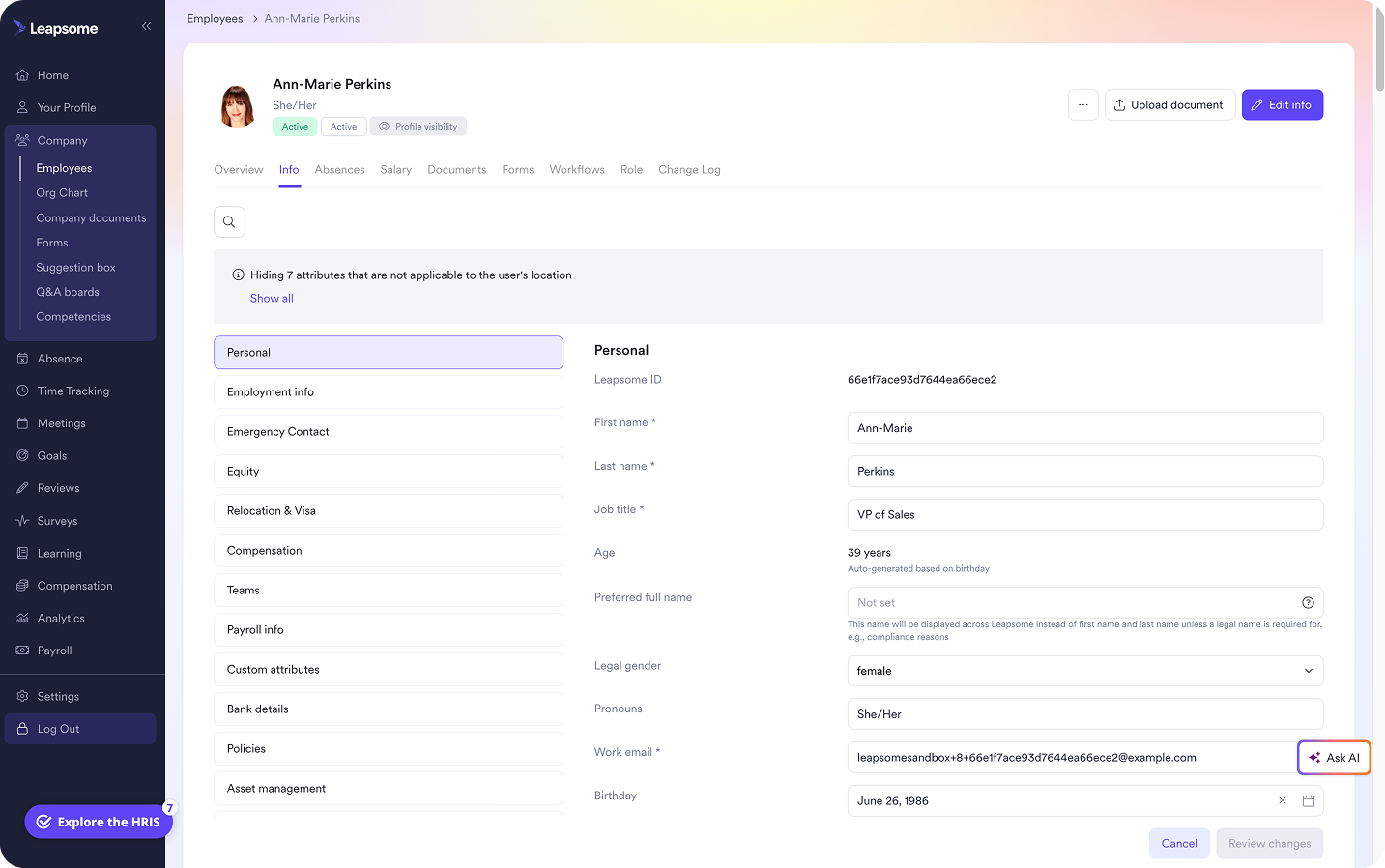
Centralize employee data, documents, role history, custom fields, and permissions under a single, provable source of truth and ditch the scattered spreadsheets.
👉 Explore Employee Records
How to go beyond marketing-speak and generate real evidence
Finding the ideal HR tech requires a decision framework that turns vendor claims into evidence. This three-step sequence — demonstrate, separate, document — should help.
Ask them to demonstrate workflows live
Base evaluations on what you can see, not what vendors tell you. Put vendors to the test by having them demonstrate one high-value workflow end to end, such as onboarding a new hire. Pay attention to every step of the process, including approvals, employee or manager actions, notifications, and reporting.
Separate native capabilities from dependencies
Ask vendors to show which features run inside the platform and which rely on outside tools or extra services. Note any feature that needs external support so you understand the added steps involved. This helps you see what the product can handle on its own versus what requires extra work.
Document commitments
Put anything a vendor verbally promises you in writing, including:
- Pricing.
- Timelines.
- Support commitments, including for configuration or integration.
- Renewal terms.
- Data export and migration details.
For high-risk decisions, request a testimonial from an organization comparable to yours.
Comparing HR software vendors post-demo
Here are a few best practices for weighing vendors once you have hard evidence in hand.
- Score the evidence, not the presentation: Don’t be fooled by slide decks or polish. Focus on what each vendor actually showed you. Compare real workflows, data, and answers.
- Nail down the implementation: SHRM advises HR technology buyers to understand the complete implementation plan before committing. Clarify who owns project management, integrations, and change management. Otherwise, you might end up with a much heavier go-live burden than expected.
- Compare total cost of ownership: HR system pricing rarely comes down to subscription fees alone. Factor in every cost tied to the system, including ongoing charges and internal admin time.
“Seventy-five percent of the company spend is on salaries. If that’s not effectively spent, you’re throwing money away. HR exists to make sure it’s invested wisely.”
— Melanie Naranjo, Chief People Officer at Ethena
There are many reasons Leapsome is among the most popular HRIS systems out there. One of the biggest is supporting both core admin work and your broader people strategy in a single unified platform.
⛓️ Eighty-six the tool sprawl
Connect the full gamut of HR functions in a single platform, including (deep breath): employee records, document management, absence and time tracking, payroll prep, workflows, people analytics, performance management, engagement, goals, and learning.
👉 Explore HRIS tools
Put Leapsome in the hot seat
Choosing a new HR platform is a decision that can echo through your organization for years. HR leaders are tasked with scrutinizing each candidate on the features that matter, including implementation, security, support, and pricing.
But that’s not easy when vendors gloss over what their product actually does. You need a vendor that’s willing to show you the full picture so you know it can handle your needs today and as your organization grows.
Leapsome is an all-in-one platform built to support both daily HR tasks and broader people strategy. It offers:
- Performance management: Design reusable reviews or choose templates that plug into automated review cycles to continuously strengthen your team at any size.
- Engagement: Run surveys, track trends, and spot issues early so you understand how people are feeling across the organization.
- Goals, feedback, and learning: Connect AI-powered goals to real-time feedback, and build expert-curated learning programs.
“We evaluated several well-known HRIS platforms, but Leapsome stood out by far.” — Thomas Müller, Managing Director, SKR Reisen
💪 Show no mercy (we don’t need it)
You’ve got the questions, now put us through the wringer to see how we hold up.
👉 Request a demo
FAQ
Should you ask every HR software vendor the same questions?
Yes, otherwise there’s no way to compare answers side by side, and you’re left comparing incomplete information and sales pitches.

_under_300kb.jpg)